 Excellent PLC


📍 1. Background
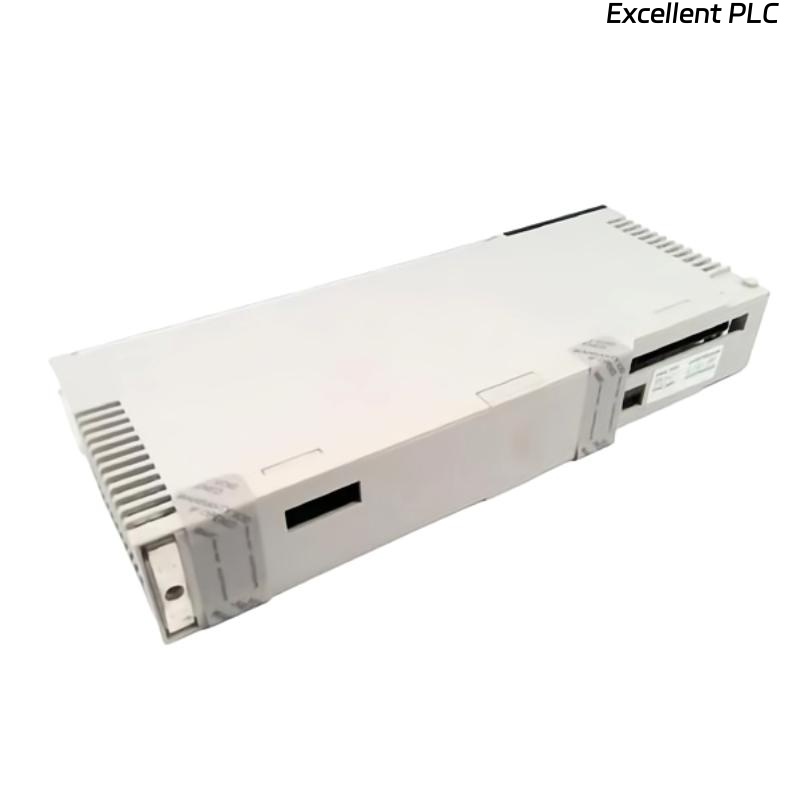
During a scheduled maintenance check at a chemical processing plant, the control team reported that the Schneider 140NOE55100C Ethernet communication module installed in a Modicon Quantum PLC rack had lost all network connectivity.
No data was visible on the SCADA interface, and the PLC could not be accessed through Modbus TCP.
This module is typically used for PLC-to-SCADA communication, remote I/O data exchange, and diagnostic monitoring. Its loss of network function can lead to significant downtime if not addressed promptly.
⚙️ 2. Observed Symptoms
Upon inspection, the following indicators were noted on the Ethernet module’s front panel:
| Indicator | Status | Interpretation |
|---|---|---|
| RUN LED | Solid Green | Module operational |
| ETH ACT LED | Off | No link activity detected |
| ETH LINK LED | Off | Physical layer disconnected or inactive |
| ERR LED | Flashing Red | Internal or communication error |
Additionally:
-
The switch port LEDs connected to the module were off.
-
The PLC CPU (140CPU65150) was operating normally, meaning backplane power and logic functions were intact.
🧩 3. Initial Diagnostic Hypotheses
Three possible root causes were proposed:
-
Physical Layer Failure (Hardware or Cable Issue)
-
Faulty Ethernet cable, connector, or switch port.
-
-
IP Configuration or Network Conflict
-
Incorrect IP setup, subnet mismatch, or duplicate IP in the same network.
-
-
Module Hardware or Firmware Fault
-
Module failure, corrupted firmware, or backplane communication issue.
-
🔧 4. Step-by-Step Troubleshooting Procedure
Step 1: Verify Physical Layer
-
Replaced the existing Cat6 Ethernet cable with a known good one — no change.
-
Tested the switch port using a laptop — port working normally.
-
Used a link tester directly connected to the 140NOE55100C — no link signal detected.
✅ Result: Suspected issue inside the module’s Ethernet PHY circuitry.
Step 2: Reboot and Check IP Configuration
-
Accessed the Quantum PLC through Modbus serial interface (Concept software).
-
Verified module IP configuration: 192.168.10.45, subnet 255.255.255.0.
-
No duplicate address detected in the plant network.
-
Performed module reset through CPU diagnostic page — still no Ethernet link.
✅ Result: IP settings correct; issue persists.
Step 3: Firmware Verification
-
Checked the firmware version: v2.6 (released before 2015).
-
Consulted Schneider documentation — firmware v3.1 or higher recommended for improved network compatibility and stability.
-
Downloaded and re-flashed firmware via Unity Loader utility.
After reboot: RUN LED = green, but LINK LED remained off.
✅ Result: Firmware updated successfully, but no physical link detected — issue likely hardware-related.
Step 4: Backplane and Slot Check
-
Moved the module to another Quantum rack slot — no improvement.
-
Installed a known-good 140NOE55100C module in the same slot — network restored immediately.
✅ Root Cause Confirmed: The original module’s Ethernet interface hardware was defective.
🧠 5. Root Cause Analysis
| Category | Finding |
|---|---|
| Primary Cause | Ethernet PHY chip failure on the 140NOE55100C module |
| Secondary Factors | Possible ESD exposure or surge on RJ45 line |
| Environment | High EMI noise area; no line surge suppression present |
| Preventive Note | Lack of Ethernet surge protector between switch and PLC cabinet |
The failure was determined to be hardware degradation within the Ethernet physical layer interface, not firmware or configuration related.
🔁 6. Corrective Actions
-
Replaced the faulty module with a new 140NOE55100C (firmware v3.1).
-
Installed an Ethernet surge protector between the switch and PLC.
-
Verified connectivity:
-
Ping test: successful
-
Modbus TCP communication: normal
-
SCADA data refresh rate: stable
-
-
Performed a 48-hour continuous operation test — no packet loss observed.
✅ System restored to normal operation.
🧾 7. Preventive Recommendations
| Preventive Measure | Purpose |
|---|---|
| Use surge-protected Ethernet interfaces | Prevent hardware burnout from transient voltage |
| Maintain controlled cabinet grounding | Reduce EMI interference |
| Keep firmware updated | Ensure communication stability |
| Periodically log link statistics | Detect degradation early |
| Perform physical inspection every 6 months | Prevent contact oxidation and cable wear |
🧩 8. Key Technical Insights
-
The Schneider 140NOE55100C relies on a dedicated Ethernet PHY controller separate from its CPU; damage to this chip can lead to full communication loss even when the module appears to “run.”
-
LED status is the most direct early indicator of physical failure — “RUN = Green, LINK = Off” almost always implies hardware-level fault.
-
Upgrading firmware alone cannot recover a burned-out PHY layer.
✅ 9. Conclusion
The no-network issue on the Schneider 140NOE55100C Ethernet module was caused by hardware failure in the Ethernet interface circuit, likely due to long-term surge exposure or EMI stress.
By replacing the module and introducing proper network protection, system reliability was restored.
“In Ethernet-based control systems, software faults are visible — but hardware faults are often silent until the link light disappears.”