 Excellent PLC


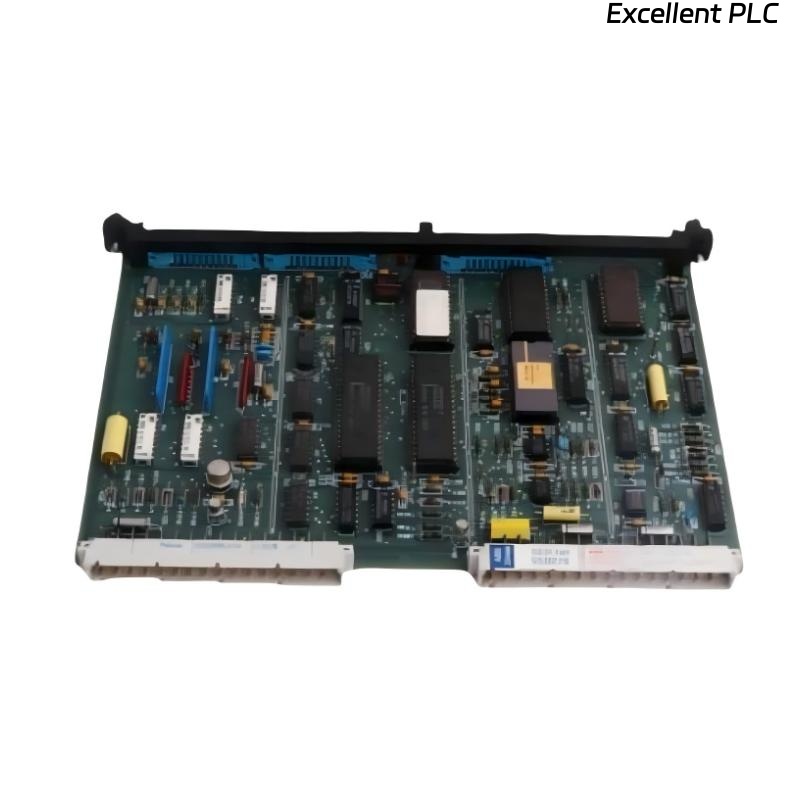
A few months ago, during a scheduled replacement on an ABB control cabinet, I ran into an unexpected problem with a SAFT125CHC power supply module.
The installation went smoothly — correct wiring, solid mounting, normal LED behavior — yet the system kept displaying “Module Not Recognized” on the controller interface.
This post documents exactly how I diagnosed and fixed it, step by step.
Step 1: Confirming Basic Power Supply Function
Even though the module wasn’t recognized by the controller, I first wanted to make sure it was actually providing power.
Using a digital multimeter, I checked:
-
Input voltage: 24.2 V DC stable
-
Output voltage: 24.0 V DC at the terminal
-
Status LED: Green, steady (not flashing)
That meant the hardware was alive — at least electrically. The issue had to be communication or identification, not a total failure.
Step 2: Inspecting the Backplane and Bus Connectors
The SAFT125CHC connects through a power and data backplane that also carries the identification signals to the ABB I/O system (usually S800 series).
If that connector is even slightly misaligned or has oxidation, the controller can fail to read the module code.
So I:
-
Removed the module and examined the gold-plated bus contacts — they looked slightly dull.
-
Cleaned both the module edge connector and the base contact using isopropyl alcohol and a lint-free swab.
-
Re-seated the module firmly until the locking clips clicked into place.
After powering up again, the controller still showed “Unrecognized module.”
That told me the problem wasn’t physical contact alone — something deeper was happening.
Step 3: Checking Hardware Definition in Control Builder
ABB systems identify modules by hardware ID (HID) and firmware version stored inside the device EEPROM.
If your engineering software (Control Builder M or Composer) doesn’t have the correct Hardware Definition (HWD) file, it won’t match the module identity and flags it as “unknown.”
I connected the engineering laptop and checked the hardware library.
The existing definition listed:
But the physical module label read:
That small version mismatch was enough to trigger the “not recognized” error.
Step 4: Updating the Hardware Library
To fix it, I updated the system’s hardware definition files:
-
Downloaded the latest S800 I/O HWD package from ABB’s support library.
-
Imported the new definitions into Control Builder M.
-
Confirmed that SAFT125CHC Rev R2 appeared in the device list.
-
Recompiled and downloaded the configuration again.
This time, the controller instantly recognized the module.
The message disappeared, and the system switched to RUN without warnings.
Step 5: Verifying Communication Integrity
After the module was recognized, I wanted to make sure there were no hidden bus issues.
I opened the Module Diagnostics screen and checked:
-
Node status → “Healthy”
-
Bus response time → Normal (under 2 ms)
-
Power rail voltage → 24.0 V
-
Error counter → 0
Everything looked perfect.
Step 6: Root Cause and Lessons Learned
The root cause was simply a firmware/library mismatch — the controller was running an older system definition that didn’t know how to interpret the newer module ID.
But this event reinforced a few lessons I’ve learned over the years working with ABB systems:
-
Always check the firmware revision printed on the module label before installation.
-
Keep Control Builder hardware libraries up to date, especially after replacing modules with newer batches.
-
Clean the backplane connectors — dust or oxidation can compound detection issues.
-
Document firmware versions in your maintenance log for future reference.
Step 7: Preventive Measures
Since that incident, our team now includes these steps in every module replacement checklist:
-
Verify firmware version compatibility.
-
Update hardware definition files before installation.
-
Run a “Check Configuration” test in Control Builder before downloading.
-
Label the panel with module revision dates.
These small steps save hours of unnecessary troubleshooting.
Final Thoughts
The ABB SAFT125CHC is a reliable power interface module, but it’s also sensitive to configuration consistency.
When you see a “Module Not Recognized” error, don’t rush to replace the hardware — the problem usually lies in the software library or connector alignment.
As I like to tell junior technicians:
“If the lights are on but nobody’s home — it’s probably a version mismatch.”
After fixing the definition file and reseating the module, the SAFT125CHC worked flawlessly and has been stable ever since.