 Excellent PLC


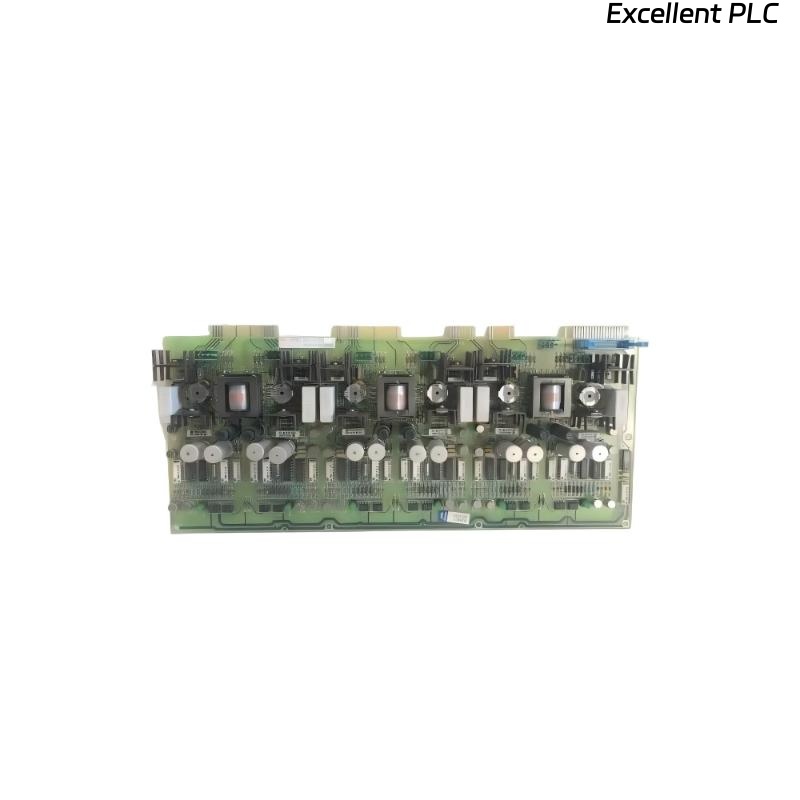
I recently helped a client install an ABB SAFT171PAC Power Supply Module during a DCS panel upgrade. Although the process looks simple on paper, a few key installation details can make the difference between a reliable startup and a frustrating fault message.
Here’s a step-by-step breakdown based on actual field experience.
Step 1: Preparation and Safety Checks
Before touching the module, I always make sure to cut off the panel’s main 24V DC supply. The SAFT171PAC is sensitive to voltage spikes and can be damaged if inserted under live conditions.
Then I verify the following:
-
The DIN rail and mounting surface are properly grounded.
-
The incoming power cables (usually 24 VDC positive and negative) are clearly labeled.
-
I have an anti-static wrist strap on, since ABB boards are ESD-sensitive.
Once these checks are done, I unbox the new SAFT171PAC and confirm the model number and revision printed on the side label match the system documentation.
Step 2: Mounting the Module
The SAFT171PAC typically installs on a DIN rail within the S800 I/O station.
To mount it correctly:
-
Align the lower hook of the module with the bottom of the DIN rail.
-
Push the top of the module inward until it clicks firmly into place.
-
Gently pull forward to confirm it’s locked.
It’s important that the module sits vertically and evenly, as ABB power units rely on natural air convection for cooling. Tilting or squeezing it against adjacent modules can cause overheating.
Step 3: Wiring the Power Input
The SAFT171PAC requires a 24V DC input, typically from a redundant power system. The terminals are usually marked as follows:
-
+24V (Pin 1) – Positive supply
-
0V (Pin 2) – Negative supply (return)
-
PE (Pin 3) – Protective Earth
When wiring:
-
Use 2.5 mm² copper wire for both positive and negative lines.
-
Tighten each terminal screw to approximately 0.5 Nm torque.
-
Keep cable length under 3 meters to minimize voltage drop.
-
Route the PE (ground) wire first to ensure static discharge safety.
After connecting, I use a multimeter to confirm 24V DC is present and polarity is correct before energizing the system.
Step 4: Connecting the Output
The output terminals provide regulated 24V DC to the S800 I/O modules or other ABB field equipment.
I connect them using the same wire gauge, following this scheme:
-
OUT + → Power bus positive line
-
OUT – → Power bus negative line
If redundant power supplies are used, ensure both SAFT171PAC modules are connected to a redundant power bus, and verify their diode isolation circuits are intact.
A mistake I’ve seen often is connecting both positive outputs together without checking isolation — this can back-feed current between supplies and cause premature module failure.
Step 5: Power-Up and LED Indication
Once everything is connected, I reapply power to the cabinet and observe the LED indicators on the SAFT171PAC:
-
Green (PWR) → Normal operation
-
Yellow (FLT) → Minor warning (often due to undervoltage)
-
Red (ERR) → Output fault or overload
In my installation, the green LED came on after two seconds, meaning the module started properly.
If the red LED lights immediately, it usually points to one of these:
-
Output short circuit
-
Polarity reversed
-
Module overloaded beyond 5A
Always disconnect the load and measure the output terminals directly to isolate the issue.
Step 6: Verification and System Integration
After successful power-up, I perform a few quick verifications:
-
Measure output voltage → 24.03 V DC, stable under load.
-
Check for noise or ripple using an oscilloscope (<50 mV peak-to-peak).
-
Monitor temperature rise for 15 minutes.
Finally, I confirm that all S800 I/O modules powered by this SAFT171PAC show “Healthy” status in Control Builder M or the ABB DCS interface.
Step 7: Common Installation Mistakes
From years of field experience, here are some pitfalls I’ve seen repeatedly:
-
Hot-swapping the SAFT171PAC without isolating the circuit.
-
Using undersized wiring that causes voltage drops under load.
-
Forgetting to connect PE ground, which increases electrical noise.
-
Mounting the module too close to heat sources (e.g., contactors).
Avoiding these ensures stable long-term operation.
Step 8: Final Notes and Recommendations
The ABB SAFT171PAC is a robust and efficient power supply, but it relies heavily on correct wiring, grounding, and cooling.
For critical control cabinets, I always recommend installing dual redundant units with independent circuit breakers.
Also, keep a record of the module serial number, firmware version, and installation date — ABB service often asks for these when diagnosing future issues.
Summary
Installing the SAFT171PAC power module isn’t complicated, but precision matters.
Follow the manufacturer’s wiring layout, avoid live insertion, and always verify grounding and voltage before startup.
This small attention to detail prevents the most common startup faults and keeps your ABB system running smoothly.