 Excellent PLC


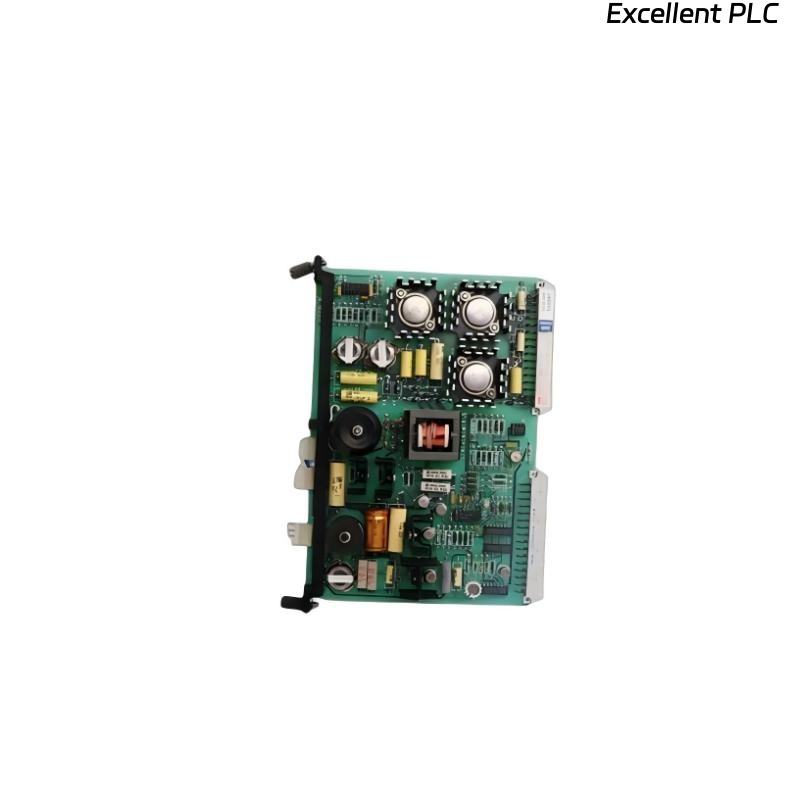
When working with ABB’s SAMC11POW Power Module, successful commissioning depends on more than simply wiring it up. This module provides stable 24 VDC power to the SAMC and related control units, and precise tuning ensures system reliability.
In one of my recent projects, we faced a persistent undervoltage fault after installation. Through careful step-by-step commissioning, we resolved it — here’s exactly how I approach this task in the field.
Step 1: Safety and Preliminary Inspection
Before energizing the SAMC11POW, make sure the control cabinet is fully isolated from external power. ABB modules can withstand transient voltage, but applying power before setup is complete may cause false diagnostics.
Key checks before you start:
-
Verify model: SAMC11POW R1 or R2 depending on your controller generation.
-
Inspect the terminal block for any oxidation or loose screws.
-
Confirm the cabinet’s 24 VDC bus polarity and label consistency.
-
Connect a protective earth (PE) with continuity < 0.1 Ω to the chassis.
Once all safety conditions are met, unpack the module in an ESD-safe area.
Step 2: Physical Mounting and Wiring
The SAMC11POW module is DIN-rail mounted, usually in the leftmost position of the SAMC rack.
Mounting steps:
-
Hook the bottom edge of the module to the DIN rail.
-
Press the top inward until it clicks.
-
Ensure firm mechanical contact — this also secures the grounding path.
Wiring details:
| Terminal | Description | Recommended wire | Note |
|---|---|---|---|
| 1 (+24V IN) | Power input positive | 2.5 mm² Cu | From redundant DC supply |
| 2 (0V) | Power input return | 2.5 mm² Cu | Common ground |
| 3 (PE) | Protective earth | 2.5 mm² Cu | Always first connection |
| 4 (+24V OUT) | Regulated output | 2.5 mm² Cu | To controller bus |
| 5 (0V OUT) | Output return | 2.5 mm² Cu | Shared with bus return |
Tighten each terminal to 0.5 Nm and avoid overtightening — ABB terminals are precise and can crack under pressure.
Step 3: Power-Up and Initial LED Check
Once wired, energize the main DC supply.
The SAMC11POW has three key LEDs:
-
Green (PWR) – Indicates proper DC output.
-
Yellow (WARN) – Undervoltage or overload.
-
Red (FAULT) – Output short or module error.
During first power-up:
-
The yellow LED may flash for 2–3 seconds while internal voltage regulation stabilizes.
-
Steady green means the unit is functioning normally.
-
If red appears, disconnect the load and test output voltage directly (should read between 23.8 and 24.2 VDC).
In my case, we initially had a flashing red LED — traced it back to a reversed polarity on the 0V return line.
Step 4: Functional Test via Control System
Once stable power is confirmed, perform a software-level verification using ABB’s Control Builder M or Compact Control Builder environment.
In the hardware tree, the SAMC11POW will appear as a power supply node under “I/O Station.”
You can verify the diagnostic signals through I/O channels or custom function blocks.
Here’s a simple IEC 61131-3 Structured Text logic snippet I use during commissioning to confirm stable power and log faults automatically:
This script helps confirm output voltage range and records any temporary startup warnings that might otherwise go unnoticed.
Step 5: Fine-Tuning and Diagnostic Review
ABB’s SAMC11POW supports internal self-diagnostics that can be viewed through the system interface.
Check the following parameters in Control Builder or System 800xA Maintenance Tool:
-
Module temperature (should stay below 50°C).
-
Output load percentage (ideally 70–80% nominal).
-
Ripple voltage (< 100 mV peak-to-peak).
If any values exceed tolerance, recheck:
-
Tightness of terminal screws.
-
Cabinet airflow and spacing.
-
Load distribution — don’t overload a single output channel.
Step 6: Redundancy and Failover Testing
If your system uses dual SAMC11POW modules, test redundancy as follows:
-
Power both modules.
-
Monitor output bus voltage (should stay stable around 24 VDC).
-
Disconnect one input supply — the second should immediately maintain the load.
-
Log system status: no WARN or FAULT should appear.
This test validates the diode isolation and proper configuration of the redundant supply.
Step 7: Common Commissioning Mistakes
Over several installations, I’ve seen the following frequent issues:
-
Polarity inversion on the return line (causing red LED).
-
Insufficient grounding, leading to random WARN flashes.
-
Load imbalance between redundant units.
-
Forgetting firmware update, leading to unrecognized modules in Control Builder.
Always verify grounding and software recognition before declaring the system operational.
Step 8: Maintenance and Documentation
After successful commissioning, document all parameters:
-
Module serial number and firmware version.
-
Output voltage at nominal load.
-
Temperature at steady state.
-
Any diagnostic log entries.
I also recommend scheduling an annual preventive test — measure voltage drop under 80% load and check for increased ripple, which may indicate capacitor aging.
Final Thoughts
Commissioning the ABB SAMC11POW Power Module requires a balance of precision and patience.
From proper grounding to firmware verification, each step ensures the reliability of the power backbone in ABB’s DCS systems.
Once tuned correctly, the SAMC11POW delivers years of stable operation — but as always, success starts with a careful, methodical setup.
“In ABB systems, clean power is not just electricity — it’s reliability made visible.”