 Excellent PLC


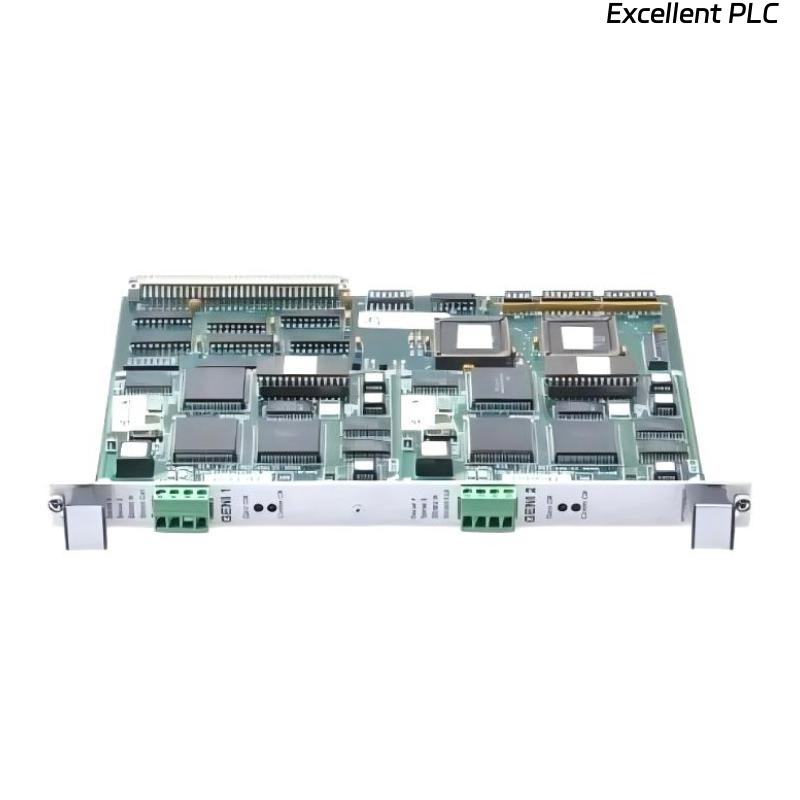
The GE HE700GEN200 is an interface module used in Mark VIe control systems to facilitate communication between PLCs and field devices or remote I/O modules. Understanding its operation, compatible modules, and sample code is crucial for reliable system integration.
How the HE700GEN200 Works
-
The module acts as a bridge between the main controller and peripheral devices.
-
It receives digital or analog signals from field devices and converts them into a format compatible with the PLC or HMI.
-
Internally, it manages signal conditioning, protocol translation, and error checking, ensuring accurate and timely data delivery.
Field insight: In most installations, this module ensures deterministic communication, which is essential for process control loops.
Compatible Modules and Accessories
To operate properly, the HE700GEN200 often requires the following supporting modules:
-
HE700PS: Power supply module for the interface rack
-
IC694CHS001 / CHS002: Chassis/backplane modules to house the HE700GEN200
-
I/O modules (analog or discrete) compatible with Mark VIe or IC600 PLC systems
-
Communication cables: Shielded twisted-pair for digital signals, or fiber optic for long-distance connections
Practical tip: Always verify firmware compatibility between the HE700GEN200 and connected I/O or communication modules. Mismatched versions can cause intermittent errors.
On-Machine Code Example
Below is a basic PLC ladder logic snippet showing how to read a digital input through the HE700GEN200 interface module and drive an output:
-
DI_HE700_01: Input channel read through the interface module -
DO_HE700_01: Output controlled via the module
Field insight: Start with one channel to verify communication before scaling to multiple inputs/outputs.
Field Notes
-
Ensure the module is properly seated in the rack and power is stable.
-
Check LED status indicators after power-up to confirm operational readiness.
-
Inspect cabling and connectors; poor connections are the most frequent cause of errors.
References:
-
GE Digital. HE700GEN200 Interface Module User Manual, 2018
-
GE Digital. Mark VIe Control System Hardware Guide, 2019