 Excellent PLC


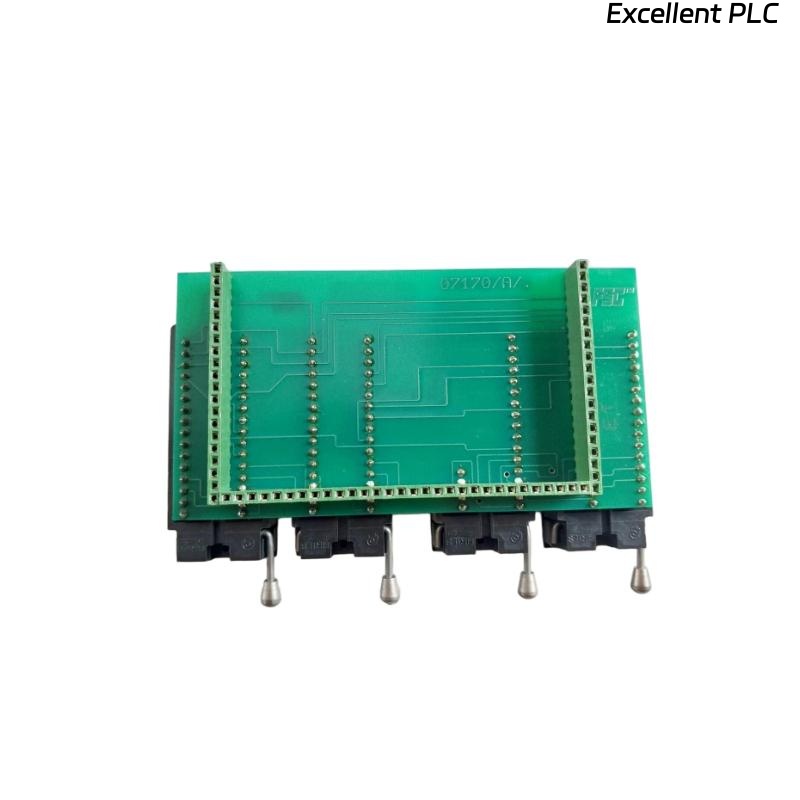
The Honeywell 07170/1/1 User Station Module is an operator interface module used in the Honeywell Fail Safe Control (FSC) system. It enables operators to monitor process conditions, acknowledge alarms, communicate with the FSC controller, and perform authorized control operations. During continuous industrial operation, communication interruptions, display failures, configuration errors, power supply problems, or backplane connection issues may prevent the user station from functioning correctly. A systematic troubleshooting procedure helps maintenance personnel quickly identify faults and restore reliable operator communication with the safety system.
Contents
- 1. Understanding User Station Faults
- 2. Common Failure Symptoms
- 3. Typical Causes
- 4. Initial Hardware Inspection
- 5. Electrical Verification
- 6. Diagnostic Analysis
- 7. Recommended Troubleshooting Workflow
- 8. Corrective Actions
- 9. Functional Recovery Verification
- 10. Preventive Maintenance
- 11. Industrial Maintenance Case
- 12. Frequently Asked Questions
Understanding User Station Faults
The Honeywell 07170/1/1 User Station Module exchanges operational data with the FSC controller through the system backplane and communication network. Faults may be caused by loose module installation, damaged communication cables, incorrect station configuration, unstable power supplies, corrupted configuration files, or internal electronic failures. Since the user station is responsible for operator interaction, communication problems can delay alarm acknowledgement and maintenance activities.
Common Failure Symptoms
- User station fails to communicate with the FSC controller.
- Display remains blank after power-up.
- Alarm acknowledgement does not function.
- Operator commands are not accepted.
- Communication is intermittent.
- Configuration download fails.
- The module is not recognized by the system.
- Status indicators show communication or hardware faults.
Typical Causes
- Loose backplane connection.
- Damaged communication cable.
- Incorrect station address.
- Configuration mismatch.
- Power supply instability.
- Poor cabinet grounding.
- Communication network failure.
- Internal User Station Module failure.
Initial Hardware Inspection
- Verify cabinet power supply.
- Inspect module installation.
- Check backplane connectors.
- Inspect communication cables.
- Verify LED status indicators.
- Review controller diagnostic messages.
Electrical Verification
- Measure module supply voltage.
- Verify communication cable continuity.
- Inspect connector contact resistance.
- Check protective grounding.
- Verify cabinet power stability.
- Inspect backplane connector integrity.
Diagnostic Analysis
| Observed Condition | Possible Diagnosis |
|---|---|
| No display after startup | Power supply failure or internal module fault |
| No communication with FSC controller | Communication cable failure, incorrect configuration, or backplane fault |
| Alarm acknowledgement unavailable | Communication interruption or software configuration error |
| Intermittent communication | Loose connectors, cable damage, or electrical interference |
| Module not detected | Backplane connection problem or hardware failure |
Recommended Troubleshooting Workflow
VERIFY SYSTEM POWER
CHECK MODULE INSTALLATION
VERIFY BACKPLANE CONNECTION
INSPECT COMMUNICATION CABLES
VERIFY STATION CONFIGURATION
TEST CONTROLLER COMMUNICATION
VERIFY OPERATOR FUNCTIONS
CONFIRM NORMAL OPERATION
Corrective Actions
- Reseat the User Station Module.
- Replace damaged communication cables.
- Correct station address settings.
- Reload the system configuration.
- Tighten all connectors.
- Improve cabinet grounding.
- Repair communication network faults.
- Replace the module after confirming internal hardware failure.
Functional Recovery Verification
- Verify successful controller communication.
- Confirm normal display operation.
- Test alarm acknowledgement.
- Verify operator command execution.
- Confirm stable communication.
- Monitor long-term system operation.
Preventive Maintenance
- Inspect communication cables regularly.
- Clean module connectors.
- Verify cabinet ventilation.
- Check connector tightness.
- Back up configuration files.
- Perform routine communication tests.
Industrial Maintenance Case
During routine maintenance at a petrochemical plant, operators reported that a Honeywell 07170/1/1 User Station Module could no longer acknowledge alarms or display updated process information. Engineers inspected the FSC cabinet and discovered oxidation on the backplane connector combined with a loose communication cable.
After cleaning the connector contacts, securing the communication cable, downloading the latest configuration, and restarting the User Station Module:
- Communication with the FSC controller was fully restored.
- Operator displays updated in real time.
- Alarm acknowledgement operated normally.
- The safety control system remained stable during extended operational testing.
Frequently Asked Questions
Why is the User Station Module unable to communicate with the FSC controller?
The most common causes include damaged communication cables, loose backplane connections, incorrect station configuration, network faults, or internal module hardware failures.
Why does the display remain blank after power is applied?
This usually indicates a power supply problem, poor backplane contact, faulty connectors, or an internal hardware malfunction within the User Station Module.
When should the Honeywell 07170/1/1 User Station Module be replaced?
The module should be replaced only after verifying that the power supply, communication network, backplane connections, configuration files, and cabinet wiring are functioning correctly while the module continues to exhibit hardware or communication failures.
Summary
Effective troubleshooting of the Honeywell 07170/1/1 User Station Module requires systematic inspection of power supplies, communication cables, backplane connections, configuration parameters, and controller diagnostics. Routine preventive maintenance and periodic communication testing help ensure reliable operator interaction and long-term stability of Honeywell FSC safety control systems.