 Excellent PLC


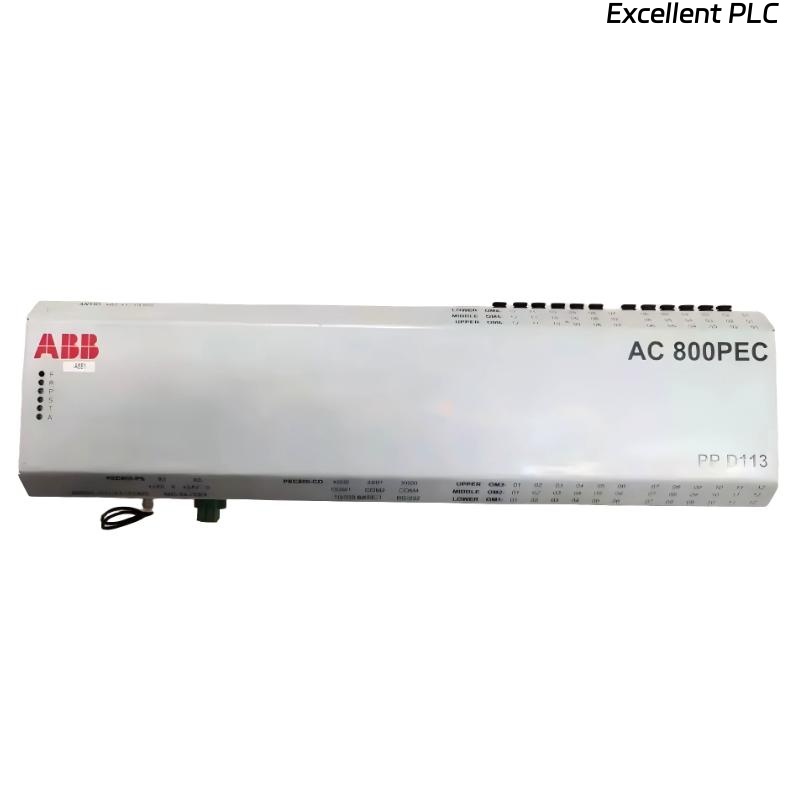
1. Product Overview
The ABB 07 EA 60 R1 (Article No. GJV3074350R1) is a KNX analog input module for reading 0–10V DC signals from sensors (temperature, humidity, pressure, light, etc.). It converts analog values to KNX telegrams for building automation.
Key Features
-
6 analog inputs (0–10V DC)
-
KNX TP1 communication
-
Configurable measurement ranges & functions
-
DIN-rail mounting
-
Suitable for: Temperature sensors, humidity sensors, light sensors, pressure sensors, potentiometers
2. Safety Instructions
⚠️ Warnings:
-
Disconnect KNX bus and analog input power before installation.
-
Ensure external analog sensors are SELV (Safety Extra Low Voltage) compliant.
-
Do not exceed 11V DC on analog inputs to avoid damage.
-
Use appropriate cable types and follow local electrical regulations.
-
Only qualified electricians/installers should perform installation.
3. Installation Steps
3.1. Mounting
-
Mounting position: DIN rail (35 mm) in electrical cabinet.
-
Clearance: ≥ 10 mm above/below for heat dissipation.
-
Environment:
-
Temperature: -5°C to +45°C
-
Humidity: ≤ 93% (non-condensing)
-
-
Snap module onto DIN rail until it clicks into place.
3.2. Wiring Connections
| Terminal | Function | Wire Type | Notes |
|---|---|---|---|
| A1, A2 | KNX bus | KNX cable (red/black) | Polarity protected |
| 1, 2 | Analog Input 1 (AIN1) | 2-core shielded (0.5–1.5 mm²) | 1: +, 2: GND |
| 3, 4 | Analog Input 2 (AIN2) | Same as above | 3: +, 4: GND |
| 5, 6 | AIN3 | Same | 5: +, 6: GND |
| 7, 8 | AIN4 | Same | 7: +, 8: GND |
| 9, 10 | AIN5 | Same | 9: +, 10: GND |
| 11, 12 | AIN6 | Same | 11: +, 12: GND |
| 13, 14 | +24V DC Aux Supply (optional) | 0.5–2.5 mm² | For sensor power |
Wiring Tips:
-
Use shielded cables for analog signals.
-
Ground shield at one end only (sensor side recommended).
-
Keep KNX and analog cables separate to avoid interference.
-
Max cable length: 50 m (for stable 0–10V signal).
3.3. Power Supply
-
KNX bus power: 21–30V DC (standard KNX).
-
Auxiliary 24V DC: Optional for powering connected sensors.
-
Sensor power: Each input can supply ≤ 2 mA if configured as voltage source.
4. ETS Configuration & Programming
4.1. Pre-requisites
-
ETS software (version 5 or higher).
-
ABB device database imported.
-
KNX programming interface connected.
4.2. Parameter Settings (Key Functions)
Analog Input Configuration (per channel):
-
Measurement type:
-
Voltage (0–10V)
-
Resistance (potentiometer)
-
Temperature sensor (NTC/PTC)
-
Custom curve (via ETS table)
-
-
Scaling:
-
Map 0–10V input to physical values (e.g., 0V = 0°C, 10V = 50°C).
-
Set send threshold to reduce bus traffic (e.g., send only if change > 0.5V).
-
-
Filtering:
-
Adjust averaging time (1–60 seconds) for stable readings.
-
-
Function modes:
-
Standard mode: Send value cyclically/on change.
-
Window mode: Send only if value enters/leaves defined range.
-
Comparator mode: Activate binary output if threshold exceeded.
-
4.3. Group Address Assignment
-
Assign group addresses for:
-
Measured value (2-byte float/integer)
-
Status/error flags
-
Configuration commands (e.g., recalibration)
-
5. Commissioning & Testing
5.1. Step-by-Step Verification
| Step | Procedure | Expected Result |
|---|---|---|
| 1 | Apply KNX bus power | Green LED on (steady) |
| 2 | Connect sensor to AIN1 | Voltage reading in ETS monitor |
| 3 | Short AIN+ to GND | Reading ≈ 0V in ETS |
| 4 | Apply known voltage (e.g., 5V) | ETS shows corresponding scaled value |
| 5 | Test each input channel | All channels respond correctly |
| 6 | Verify group communication | KNX objects send/receive as configured |
5.2. Calibration
-
Use precise voltage source (multimeter verified).
-
In ETS, set offset/gain correction if readings deviate.
-
For sensors: apply known physical condition (e.g., ice bath for 0°C) and calibrate.
5.3. Functional Tests
-
Cyclic sending: Confirm telegrams at set intervals.
-
Threshold triggers: Change input past setpoint → telegram sent.
-
Integration test: Verify linked actuators respond correctly (e.g., valve opens when temperature rises).
6. Troubleshooting Guide
| Symptom | Possible Cause | Solution |
|---|---|---|
| No LED lit | No KNX bus power | Check bus voltage & polarity |
| Red LED flashing | KNX communication error | Check bus termination, wiring |
| Input reading 0V | Sensor not powered | Check auxiliary 24V, sensor wiring |
| Unstable readings | Electrical interference | Use shielded cables, separate from AC lines |
| Value stuck at max | Sensor short circuit | Check sensor resistance/wiring |
| ETS cannot program | Incorrect physical address | Reset to factory defaults (see manual) |
Factory Reset:
Press and hold programming button (5 sec) until LED flashes red/green.
7. Technical Specifications
| Parameter | Value |
|---|---|
| Article No. | GJV3074350R1 |
| Input channels | 6 (0–10V DC / resistance) |
| Input impedance | ≥ 100 kΩ |
| Resolution | 10-bit (0.01V steps) |
| Accuracy | ±2% of full scale |
| Auxiliary supply | 24V DC, 50 mA max |
| KNX bus current | ≤ 15 mA |
| Dimensions | 4 modules (72 mm) on DIN rail |
| Protection class | IP20 |
| Standards | KNX EN 50090, CE, RoHS |
Quick Reference Checklist
-
KNX bus voltage verified (21–30V DC)
-
Shielded analog cables used
-
Sensor voltage range confirmed (0–10V)
-
ETS parameters configured per application
-
Group addresses assigned
-
Function tested with actual sensor
-
System documentation updated
Note: Always refer to the latest official ABB documentation for safety and regulatory compliance. Specifications subject to change without notice.