 Excellent PLC


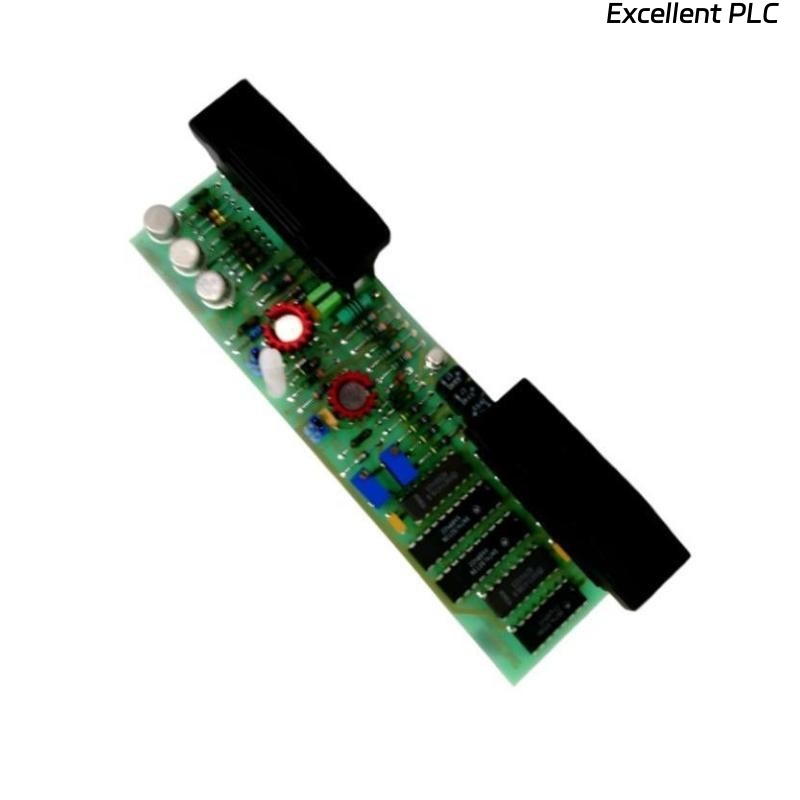
Comprehensive Troubleshooting & Repair Methodology
1. Initial Diagnostic Checklist
Perform these basic checks before in-depth diagnostics:
| Check Item | Method | Normal/Correct State |
|---|---|---|
| Power Supply | Measure KNX bus voltage at terminals A1/A2 | 21-30V DC |
| Module LED Status | Observe the module’s status LED | Steady green light (operational) |
| KNX Bus Communication | Use ETS to “ping” the device | Device responds with correct physical address |
| Sensor/Input Power | Check auxiliary 24V DC at terminals 13/14 (if used) | 24V DC ±10% |
| Wiring Integrity | Visually inspect all connections | Tight, corrosion-free, correct polarity |
| Fuse Protection | Check if external fuses are intact (if installed) | Continuity present |
2. Step-by-Step Fault Diagnosis
Symptom 1: Module Completely Dead (No LED)
Possible Causes & Solutions:
| Cause | Diagnostic Procedure | Repair Action |
|---|---|---|
| No KNX Bus Power | Measure voltage between A1(+) and A2(-) | Check KNX power supply, line couplers, and bus topology |
| Reverse Polarity | Verify red wire to A1, black to A2 | Correct wiring polarity |
| Short Circuit on Bus | Disconnect module, measure bus impedance (>1kΩ) | Locate and eliminate short circuit on KNX line |
| Defective Module | Test module on known-working KNX line | Replace module if LED remains off on good bus |
Symptom 2: LED Flashing Red
Possible Causes & Solutions:
| Color Pattern | Meaning | Action Required |
|---|---|---|
| Red flashing slowly | Bus communication error | Check bus termination (both ends of line) |
| Red flashing rapidly | Programming mode active | Exit programming mode via ETS or wait timeout |
| Red/Green alternating | Factory reset in progress | Wait for reset to complete (~30 seconds) |
Symptom 3: Module Responds but Inputs Not Working
Diagnostic Procedure by Channel:
-
Common to All Channels:
-
Check ETS parameterization: Is channel enabled?
-
Verify sensor type setting matches physical sensor
-
Confirm measurement range is correctly configured
-
-
Individual Channel Failure:
Diagnostic Steps:
1. Disconnect sensor from faulty channel
2. Measure voltage between input+ and GND (should be 0V)
3. Apply known test voltage (e.g., 5V from bench supply)
4. Monitor value in ETS "Group Monitor"
5. If no reading → Channel hardware fault
6. If reading incorrect → Calibration needed
-
Specific Input Circuit Tests:
| Test | Expected Result | Fault Indicated |
|---|---|---|
| Open circuit test (input disconnected) | Reads ~0V (or configured minimum) | N/A |
| Short circuit test (input+ to GND) | Reads 0V (±0.1V) | If not 0V → internal reference fault |
| Known voltage test (apply 5.00V) | Reads 5.00V (±0.15V) | If deviation >5% → calibration required |
| Load test (connect 10kΩ resistor from input+ to GND) | Voltage drops proportionally | If excessive drop → low input impedance |
3. Common Fault Scenarios & Repair Solutions
Scenario A: All Inputs Reading Maximum (10V)
Probable Causes:
-
Missing Sensor Power: 24V auxiliary supply failed
-
Common Ground Fault: Sensor ground not connected to terminal GND
-
Internal Reference Failure: Module ADC reference voltage faulty
Repair Actions:
1. Verify 24V at terminals 13/14
2. Check continuity from sensor ground to module GND terminal
3. Test with known-good sensor on one channel
4. If problem persists, replace module
Scenario B: Unstable/Noisy Readings
Probable Causes:
-
EMI/RFI Interference: Unshielded cables near power lines
-
Ground Loops: Multiple ground points in analog circuit
-
Power Supply Noise: Poor quality 24V supply
Repair Actions:
1. Install shielded cables (ground shield at sensor end only)
2. Ensure single-point grounding for analog circuits
3. Add ferrite beads on input cables
4. Use linear (not switching) power supply for sensors
5. Enable software filtering in ETS parameters
Scenario C: Inputs Reading Zero (All Channels)
Probable Causes:
-
Configuration Error: Inputs disabled or scaled incorrectly
-
Sensor Wiring Fault: Open circuit in all sensor cables
-
Internal Supply Fault: No internal excitation voltage
Repair Actions:
1. Verify ETS parameter "Input x Enabled" = Yes
2. Check sensor continuity with multimeter
3. Measure voltage at input terminal with sensor disconnected
   (Should be 0V for voltage mode, ~10V for potentiometer mode)
4. Advanced Diagnostics & Component-Level Repair
Note: Component-level repair requires electronic technician skills. Consider module replacement for most field repairs.
Internal Power Supply Check:
Test Points (with module powered):
1. Check 5V regulator output (usually marked "7805" or similar)
2. Check reference voltage IC (TL431 or similar) = 2.5V or 4.096V
3. Check analog multiplexer IC supply pins (typically 5V or 3.3V)
Signal Path Diagnostics:
ignal Flow: Input → Protection circuit → Filter → MUX → ADC → Microcontroller

Diagnostic Points:
1. Input protection diodes (check for shorts)
2. Series resistors (measure values)
3. Filter capacitors (check for leakage/shorts)
4. Multiplexer IC (test channel switching)
5. Software/Configuration Issues
ETS Parameter Checklist:
-
Physical Address: Correctly set and unique on KNX line
-
Channel Enable: Each used channel is enabled
-
Measurement Type: Matches connected sensor:
-
Voltage (0-10V)
-
Resistance (potentiometer)
-
Temperature (NTC/PTC)
-
Current (with external resistor)
-
-
Scaling Parameters:
-
Raw minimum value (typically 0V = 0)
-
Raw maximum value (typically 10V = 10.00 or 1000)
-
Engineering unit scaling correct
-
-
Transmission Behavior:
-
Cyclic sending interval (if used)
-
Change-of-value threshold
-
Priority settings
-
Configuration Recovery:
If parameter corruption is suspected:
1. Read parameters from device via ETS
2. Compare with project backup
3. If corrupted, reload application program
4. Perform factory reset if necessary:
   a. Power off module
   b. Press and hold programming button
   c. Power on while holding button
   d. Hold for 5 seconds until LEDs flash
   e. Release button
6. Replacement & RMA Procedure
When to Replace Module:
-
Multiple failed input channels
-
Internal power supply failure
-
Physical damage (burn marks, cracked PCB)
-
Water/corrosion damage
-
Persistent communication failures after bus verification
Replacement Steps:
-
Document all ETS parameters and group addresses
-
Power down KNX line
-
Remove old module from DIN rail
-
Install new module in same position
-
Reconnect all wiring identically
-
Power up and program with saved parameters
-
Test all functions
ABB RMA Information:
-
Contact: ABB Technical Support
-
Provide: Article number (GJV3074351R1), serial number, fault description
-
Expected warranty: Typically 2 years from manufacture date
7. Preventive Maintenance Recommendations
| Maintenance Task | Frequency | Procedure |
|---|---|---|
| Connection Check | Annually | Tighten terminal screws, check for corrosion |
| Bus Voltage Verification | 6 months | Measure at farthest point on line |
| Sensor Calibration | Per sensor mfr. spec. | Compare with reference standard |
| Firmware Update | When available | Check ABB website for updates |
| Configuration Backup | After any changes | Export ETS project with date stamp |
8. Quick Reference: LED Status Interpretation
| LED State | Meaning | Action |
|---|---|---|
| Off | No power or defective | Check bus power supply |
| Steady green | Normal operation | None required |
| Flashing green | Data transmission | Normal operation |
| Steady red | Bus voltage error | Check bus voltage (21-30V DC) |
| Flashing red | Communication error | Check termination, wiring |
| Red/green alternating | Factory reset mode | Wait for completion |
| Fast green flashes | Programming mode active | Normal during programming |
Emergency Workaround Solutions
If module cannot be repaired immediately:
-
For Critical Inputs:
-
Use spare inputs on other channels
-
Repurpose another analog input module temporarily
-
Use digital inputs with analog-to-digital converter
-
-
Temporary Bypass:
-
Use KNX universal interface with external analog module
-
Implement software workaround in PLC/controller
-
Install temporary stand-alone sensor with local display
-
Diagnostic Equipment Recommendations
| Tool | Purpose | Recommended Model/Type |
|---|---|---|
| Multimeter | Voltage/resistance measurements | Fluke 87V or equivalent |
| KNX Tester | Bus diagnostics | GIRA Tester 2, MDT KNX Analyser |
| Signal Generator | Test voltage source | Rigol DG1022Z or calibrator |
| Insulation Tester | Cable fault finding | Megger MIT420 |
| Thermal Camera | Hotspot detection | FLIR E4 or similar |