 Excellent PLC


1. Incident Overview
-
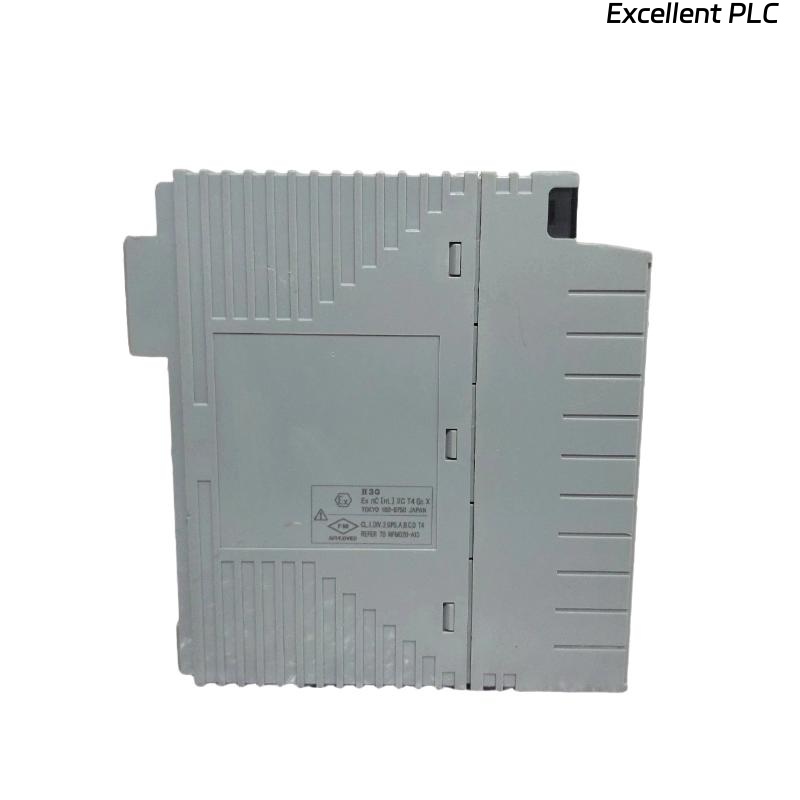
Device: Yokogawa EB402 Bus Interface Module
-
Issue Type: Power supply irregularity
-
Location: Manufacturing Unit 7, Remote I/O Rack
-
Duration: 45 minutes downtime
-
Root Cause: Power supply instability caused by fluctuations in DC input
-
Result: Loss of communication between control and field devices
This diagnostic report addresses a failure scenario triggered by power supply issues and offers a step-by-step approach for quickly identifying and resolving the root cause.
2. Power Supply Issue Symptoms
Upon arrival at the site, the following symptoms were observed:
| Time | Event |
|---|---|
| 13:35 | EB402 module shows no response after power-up (No green LED) |
| 13:37 | Bus communication timeout alarms raised on SCADA |
| 13:40 | Power supply voltage checked — fluctuating between 23V and 25V DC |
| 13:45 | Voltage drop confirmed to 20V DC under load, module failed to initialize |
Power Supply Fluctuations were identified as a contributing factor to the failure. The module required 24V DC steady input for optimal operation, but the fluctuating voltage dropped below the operational range.
3. Power Supply Fault Diagnosis
Step 1: Check Power Input
-
Measure the Input Voltage:
Using a multimeter, check the DC voltage at the power input terminals of the EB402. The voltage should be within the range of 23V to 28V.-
Normal range: 24V ± 5%
-
Detected voltage: 20V to 25V, fluctuating under load.
If the voltage falls outside this range, the external power supply could be faulty or overloaded.
-
Step 2: Inspect Power Supply
-
DC Output Voltage: Use an oscilloscope to check for ripple or fluctuations in the DC output of the power supply unit (PSU).
-
Ripple Check: Any excessive ripple (>100mV) can lead to instability in sensitive circuits, including the EB402 module.
-
-
Power Supply Load: Verify whether the PSU is rated to handle the connected load. An overload can cause the voltage instability observed in the system.
Step 3: Inspect Cabling and Connections
-
Check DC Input Lines: Loose or corroded connections can cause intermittent power issues.
-
Tighten all connections, especially in power terminals and grounding wires.
-
Inspect connectors for signs of wear, corrosion, or poor contact.
-
Step 4: Check for Overvoltage Protection Issues
If the surge protector or overvoltage protection device is damaged, it can lead to inconsistent power delivery. Verify if the overvoltage protection module is functioning correctly.
4. Equipment Testing and Troubleshooting
Test the Power Supply
After confirming that the power supply voltage is within the acceptable range, power-cycle the system again and monitor:
-
Power-up Sequence: Does the module’s green LED light up and remain steady?
-
Bus Communication: After initialization, does the module establish communication with the backplane and other devices?
Result: If the test indicates “Module online,” power issues have been resolved. If the issue persists, further inspection of the internal circuitry may be required.
5. Recovery and Resolution Steps
-
Power Supply Replacement:
If the power supply is confirmed faulty, replace it with a suitable replacement rated for 24V DC ±5%. Ensure that the new PSU can handle the load of the entire system. -
EB402 Module Re-initialization:
After power supply replacement, reinitialize the module and verify proper bus communication. If the issue persists, it may indicate a permanent failure of the EB402 module due to prior power instability. -
Verification: Run the bus status check again to verify communication between the control and field devices.
6. Preventive Maintenance Suggestions
To avoid future power supply-related failures, the following recommendations are suggested:
-
Monitor Input Voltage Continuously: Install voltage sensors on the DC input lines and integrate them into the SCADA system for real-time monitoring of power fluctuations.
-
Regular PSU Inspection: Schedule inspections for DC power supplies every 6 months to check for wear and ensure stable output.
-
Surge Protection: Ensure that all power lines are equipped with reliable surge protection devices.
-
System Shutdown Protocols: Implement automatic system shutdowns if voltage falls below 21V or exceeds 28V, to prevent damage to sensitive modules.
7. Conclusion
This report outlines a power supply instability issue that resulted in the failure of the Yokogawa EB402 module. By identifying the underlying power supply issues, performing troubleshooting steps, and implementing recommended corrective measures, the module was successfully brought back online. Regular maintenance and proactive monitoring of power quality are key to preventing similar failures in the future.