 Excellent PLC


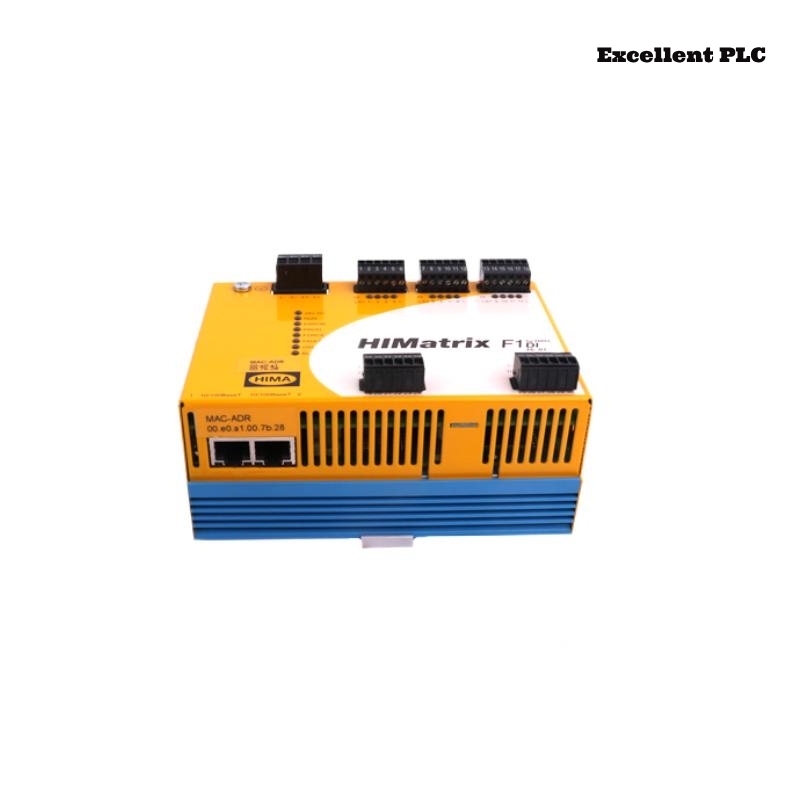
Fault Overview
In a HIMatrix-based safety I/O rack, several outputs on the Black Horse F2 DO 16 02 Remote I/O Module showed intermittent dropouts.
Observed symptoms:
-
Outputs operate normally under light load
-
Random brief drop (50–200 ms) during operation
-
No overcurrent alarm
-
No communication error
-
Re-seating module temporarily resolves issue
This failure pattern suggested connection-level instability rather than semiconductor damage.
Understanding Rack and Backplane Interface
The F2 DO 16 02 connects to the HIMatrix system via:
-
Edge connector
-
Backplane power bus
-
Logic communication bus
-
Shared grounding reference
Reliable contact at the backplane interface is critical for stable output performance.
Step 1 – Voltage Stability Test During Operation
1. Monitor field supply voltage.
2. Monitor logic supply voltage.
3. Record voltage during output dropout.
A brief 2–3V dip occurred during output flicker.
External power supply remained stable.
This indicated internal distribution interruption.
Step 2 – Mechanical Disturbance Test
1. Energize affected outputs.
2. Gently tap module frame.
3. Slightly flex rack (controlled).
4. Observe output stability.
Small mechanical vibration reproduced output dropouts.
Root Cause – Oxidized Backplane Contact Pins
Inspection revealed:
-
Slight discoloration on edge connector
-
Oxidation film on power pins
-
Increased contact resistance
-
Intermittent micro-disconnection under vibration
As contact resistance increases, voltage drop occurs under load, causing temporary output shutdown.
Why No Diagnostic Alarm Was Logged
Because:
-
Logic communication never lost
-
Voltage dip duration too short for watchdog
-
Output protection not triggered
The failure existed in the power distribution path only.
Step 3 – Contact Resistance Measurement
1. Power down system.
2. Remove module.
3. Measure resistance across backplane supply path.
4. Compare with clean contact reference.
Measured resistance slightly elevated compared to other slots.
Corrective Action Plan
– Clean backplane connector with approved contact cleaner.
– Inspect rack for humidity exposure.
– Re-seat module firmly.
– Replace heavily oxidized connector if necessary.
After cleaning and re-seating, intermittent dropouts stopped.
Engineering Prevention Strategy
-
Avoid installing I/O racks in high-humidity areas.
-
Perform periodic inspection of edge connectors.
-
Use vibration-damping mounting for control cabinets.
-
Maintain clean air filtration in industrial panels.
Backplane contact degradation is a common long-term reliability issue.
Conclusion
Intermittent output dropouts on the Black Horse F2 DO 16 02 Remote I/O Module can be caused by oxidized or unstable backplane contacts. Mechanical disturbance testing and voltage monitoring under load provide accurate diagnosis, ensuring stable HIMatrix system performance without unnecessary module replacement.