 Excellent PLC


Fault Overview
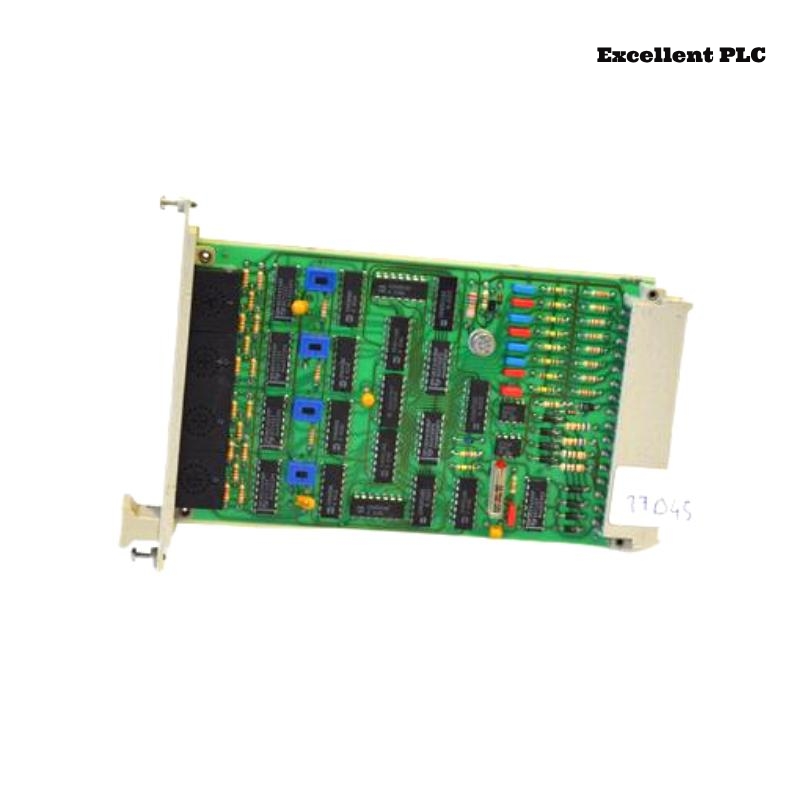
In a Planar F safety cabinet, the Black Horse F2102 Safety-Related Application Module failed to enter RUN mode after a scheduled maintenance shutdown.
Observed symptoms:
-
Module remains in SAFE/STOP state
-
RUN LED flashing slowly
-
PLC reports safety configuration error
-
I/O channels disabled
-
No hardware fault LED
The system had been operating normally before shutdown.
Understanding F2102 Safety Architecture
The F2102 module includes:
-
Dual-channel internal safety CPU
-
Configuration CRC validation
-
Parameter memory
-
Safety logic execution engine
-
Redundant internal watchdog monitoring
If configuration integrity check fails, the module refuses to transition to RUN state.
Step 1 – Read Diagnostic Buffer
1. Connect engineering software.
2. Access module diagnostic memory.
3. Check last fault event code.
Diagnostic message returned:
DETAIL: Safety Parameter Block Invalid
This indicates configuration checksum mismatch.
Step 2 – Verify Safety Project Consistency
1. Compare online vs offline project.
2. Verify firmware version compatibility.
3. Check last download timestamp.
Findings:
-
Engineering station updated project last week
-
Safety configuration modified
-
Final download interrupted during network drop
The module stored partial configuration data.
Why CRC Is Critical in Safety Modules
Safety-related modules perform:
-
Cyclic redundancy check (CRC) on safety logic
-
Cross-comparison between redundant processors
-
Parameter validation before execution
If any mismatch is detected, module locks into SAFE mode to prevent hazardous operation.
This is intentional fail-safe behavior.
Step 3 – Perform Full Safety Re-Download
1. Clear module memory.
2. Re-download full safety project.
3. Confirm CRC calculation successful.
4. Power cycle module.
After complete reload, CRC verification passed.
Module entered RUN mode normally.
Step 4 – Verify Redundant Channel Sync
1. Monitor CPU A status.
2. Monitor CPU B status.
3. Confirm cross-monitoring active.
Both safety channels synchronized successfully.
Root Cause
Interrupted configuration download caused incomplete safety parameter storage, leading to CRC mismatch and forced SAFE state.
Why No Hardware Alarm Appeared
Because:
-
Hardware was functional
-
Only configuration integrity failed
-
System correctly prevented unsafe startup
This reflects correct safety compliance behavior.
Corrective Action Plan
– Always perform download with stable network.
– Avoid switching off power during safety write process.
– Keep firmware and engineering software versions aligned.
– Document safety project changes.
Preventive Maintenance Recommendations
-
Maintain backup of validated safety project
-
Verify CRC confirmation after every download
-
Perform controlled restart testing
-
Use UPS for engineering workstation during programming
Conclusion
If the Black Horse F2102 Safety Application Module fails to enter RUN mode with CRC mismatch diagnostics, the most likely cause is incomplete or corrupted safety configuration data. A structured diagnostic review and full validated re-download restores system integrity while maintaining safety compliance in Planar F systems.