 Excellent PLC


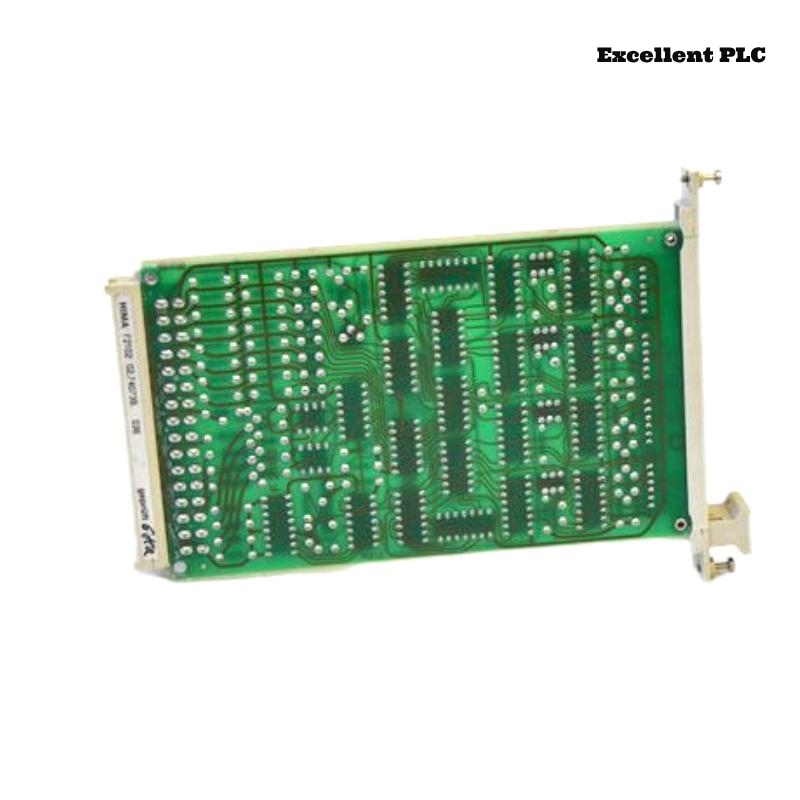
Fault Overview
During normal plant operation, the Black Horse F2102 Safety-Related Application Module unexpectedly switched from RUN to SAFE state.
Observed symptoms:
-
RUN LED turned OFF
-
SAFE LED illuminated solid
-
Safety outputs de-energized immediately
-
PLC diagnostic reported “Internal Watchdog Timeout”
-
No external power fluctuation recorded
Production stopped due to safety shutdown.
Understanding Watchdog Function in F2102
The F2102 safety module uses:
-
Dual redundant safety CPUs
-
Cycle time monitoring
-
Cross-comparison logic
-
Independent watchdog timer hardware
If program execution exceeds the permitted cycle time, the watchdog forces SAFE state.
This prevents unsafe delayed logic decisions.
Step 1 – Read Detailed Diagnostic Code
1. Connect engineering tool.
2. Open extended diagnostic buffer.
3. Identify execution timing data.
Diagnostic entry showed:
DETAIL: SAFETY_TASK_EXECUTION_EXCEEDED_LIMIT
CYCLE_LIMIT: 20ms
ACTUAL: 34ms
Execution cycle exceeded limit.
Step 2 – Analyze Safety Program Load
1. Check total logic blocks.
2. Review recently added function blocks.
3. Identify heavy computation sections.
Recent modification included:
-
Additional cross-monitoring blocks
-
Complex analog comparison logic
-
Expanded interlock matrix
CPU load increased beyond design margin.
Why Watchdog Triggered Now
The system operated near 85% CPU capacity.
After adding new safety logic:
-
Execution time extended
-
Peak cycle time exceeded threshold
-
Watchdog triggered during high input activity
This caused forced SAFE transition.
Step 3 – Measure Real-Time CPU Load
1. Enable runtime monitoring.
2. Observe cycle time fluctuation.
3. Record peak execution values.
Measured:
-
Average: 18ms
-
Peak: 36ms during input bursts
Watchdog limit set to 20ms.
Step 4 – Optimize Safety Logic
1. Simplify redundant comparisons.
2. Split heavy function blocks.
3. Remove unused diagnostics.
4. Recompile project.
After optimization:
-
Average cycle: 14ms
-
Peak: 17ms
-
Below watchdog threshold
Module returned to stable RUN state.
Root Cause
Excessive safety logic expansion caused CPU cycle overrun beyond watchdog limit, triggering automatic safety shutdown.
Why This Is a Safe Behavior
Safety modules are designed to:
-
Never allow delayed decision execution
-
Detect timing violations
-
Default to safe state immediately
The watchdog system functioned correctly.
Corrective Action Plan
– Keep CPU load under 70% nominal.
– Review safety program after modifications.
– Perform cycle-time stress test before commissioning.
– Document execution timing baseline.
Preventive Engineering Practice
-
Use modular safety logic design
-
Avoid unnecessary nested loops
-
Test under maximum input switching conditions
-
Consider upgrading to higher-capacity module if needed
Conclusion
An Internal Watchdog Timeout in the Black Horse F2102 Safety Application Module typically indicates CPU cycle overrun caused by expanded safety logic. Structured diagnostic review and logic optimization restore stable RUN operation while preserving safety integrity in Planar F systems.