 Excellent PLC


Contents
- Fault Symptoms Observed
- Potential Root Causes
- Field Inspection Procedure
- PLC Diagnostic Commands
- Repair and Recovery Steps
- Preventive Measures
Fault Symptoms Observed
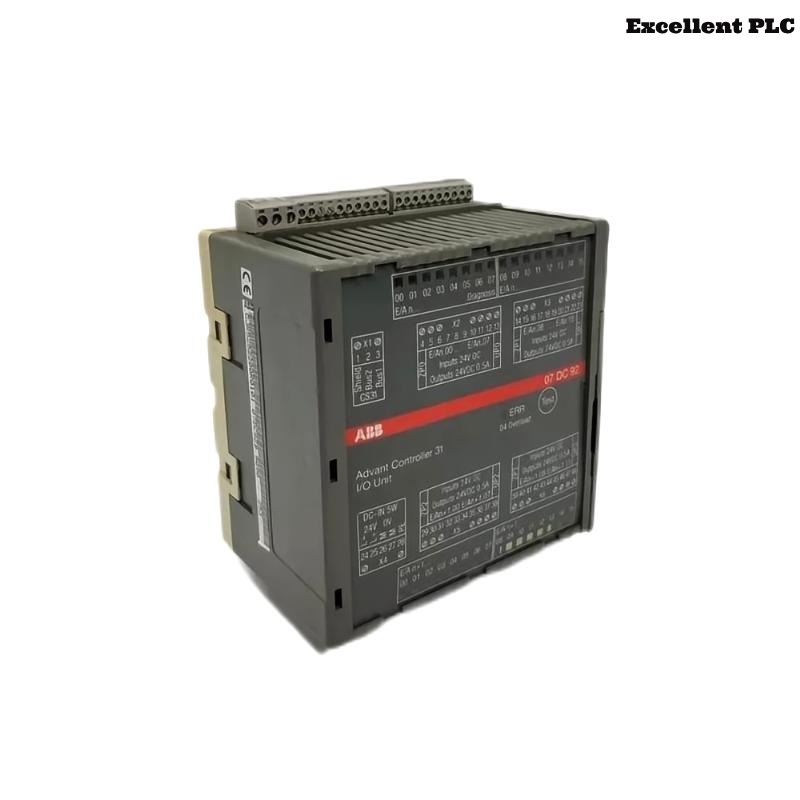
The ABB 07DI92 module (GJR5252400R0101) serves as a digital input interface for PLC automation systems. Faults in this module may result in incorrect or missing input signals, leading to abnormal PLC operation.
Engineers may observe the following symptoms:
- PLC fails to detect certain digital input channels.
- Input signals remain stuck at high or low regardless of the field device state.
- Unexpected alarms related to input modules appear in PLC diagnostics.
- Intermittent or flickering input signal readings.
- Failure of safety interlocks or automation sequences.
Potential Root Causes
Digital input module faults may arise from multiple factors, including:
- Loose or oxidized backplane or terminal connections.
- Electrical interference from motors or other industrial devices.
- Short circuits in signal cabling.
- Improper polarity or voltage supplied to field sensors.
- Environmental factors such as moisture or dust inside the cabinet.
- Internal module component failure.
Field Inspection Procedure
Step 1 – Physical Inspection
- Verify the module is firmly seated in the rack slot.
- Check module LEDs for input status.
- Inspect for visible damage, dust, or moisture.
Step 2 – Wiring and Terminal Check
- Confirm all cables are connected correctly.
- Measure continuity and insulation of input wiring.
- Check for signs of short circuits or cable damage.
Step 3 – Environmental Verification
- Measure cabinet temperature and humidity.
- Ensure proper airflow and ventilation.
- Verify cabinet grounding is stable.
PLC Diagnostic Commands
ABB PLC systems offer diagnostic commands to identify input module issues:
SYSTEM_STATUS
SCAN_RACK_MODULES
DISPLAY_MODULE_FAULTS
CHECK_MODULE 07DI92
READ_DIGITAL_INPUT_LOG
Use these commands to determine whether the module is detected and if input channels are reporting correctly.
Repair and Recovery Steps
- Tighten loose terminal screws and connectors.
- Replace damaged signal cables.
- Correct field sensor polarity or voltage issues.
- Clean oxidized or contaminated backplane connections.
- Replace the module if internal components are defective.
- After repair, verify module detection and proper input signal reading in the PLC system.
Preventive Measures
- Regularly inspect cabinet wiring and module connections.
- Keep cabinet free of dust and moisture.
- Monitor PLC diagnostics for early signs of input channel instability.
- Document all maintenance and replacement actions for each module.
- Ensure proper grounding and shielding of digital input circuits.
Implementing these preventive measures will maintain reliable operation of the ABB 07DI92 digital input module and minimize unexpected PLC downtime.