 Excellent PLC


Article Outline
- Case Background
- Observed System Behavior
- Technical Investigation
- Controller Diagnostic Method
- System Restoration Actions
- Maintenance Advice
Case Background
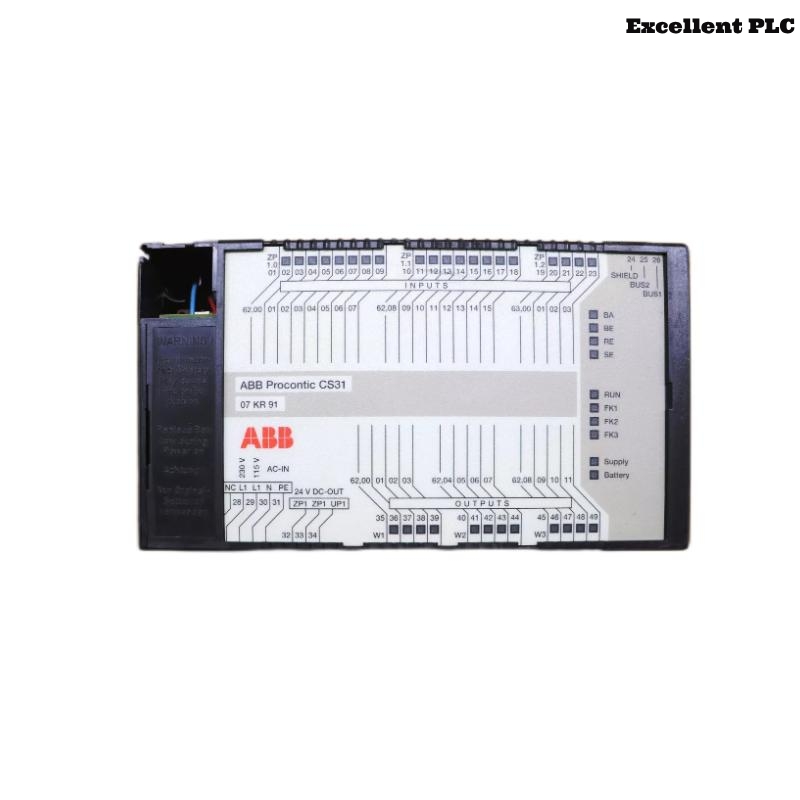
The ABB 07KR91 PLC controller is widely used in Procontic-based automation systems where stable execution of control logic is required. A frequently reported operational problem occurs when the controller suddenly switches from RUN mode to STOP mode without manual intervention.
When this situation occurs, the PLC immediately stops executing the user program, which may interrupt the entire production process.
Observed System Behavior
Engineers investigating this issue typically report several abnormal system indicators.
- The RUN LED turns off while the STOP indicator remains active.
- Connected I/O modules stop responding to control signals.
- The operator interface reports a controller execution error.
- The PLC programming software cannot resume the controller to RUN mode.
- The fault appears again shortly after restarting the controller.
These symptoms usually indicate a program execution fault or hardware condition affecting the CPU.
Technical Investigation
After detailed analysis in several industrial installations, the most common causes include:
- Corrupted PLC program blocks
- Internal memory inconsistencies in the controller
- Electrical noise affecting the PLC power supply
- Improper shutdown procedures during previous maintenance
- Faulty I/O modules triggering controller protection mechanisms
Because the controller actively monitors system integrity, it may intentionally enter STOP mode to prevent unsafe operations.
Controller Diagnostic Method
The following diagnostic sequence can help identify the cause of the STOP mode condition.
Controller Status Inspection
- Check CPU status indicators on the front panel.
- Verify system voltage stability using a digital multimeter.
- Inspect I/O modules connected to the PLC rack.
PLC Diagnostic Commands
READ_CPU_STATE
CHECK_PROGRAM_INTEGRITY
SCAN_IO_MODULES
VIEW_SYSTEM_LOG
RESET_FAULT_STATUS
These diagnostic commands allow engineers to verify whether the problem originates from the program, the hardware modules, or the power supply.
System Restoration Actions
Once the root cause has been identified, the following corrective measures can restore normal controller operation.
- Reload the PLC control program from a verified backup.
- Reset the CPU fault register through the engineering tool.
- Inspect and reseat I/O modules causing system conflicts.
- Install power line filters if electrical interference is present.
- Replace the CPU module if internal hardware damage is detected.
After completing these steps, the controller should successfully return to RUN mode.
Maintenance Advice
Preventive maintenance practices can reduce the likelihood of STOP mode events.
- Always maintain updated backups of PLC programs.
- Avoid powering down the PLC during active program execution.
- Inspect cabinet grounding and electrical shielding.
- Perform routine checks on system wiring and connectors.
- Monitor controller diagnostic indicators regularly.
Following these recommendations helps maintain reliable operation of the ABB 07KR91 PLC controller in industrial automation environments.