 Excellent PLC


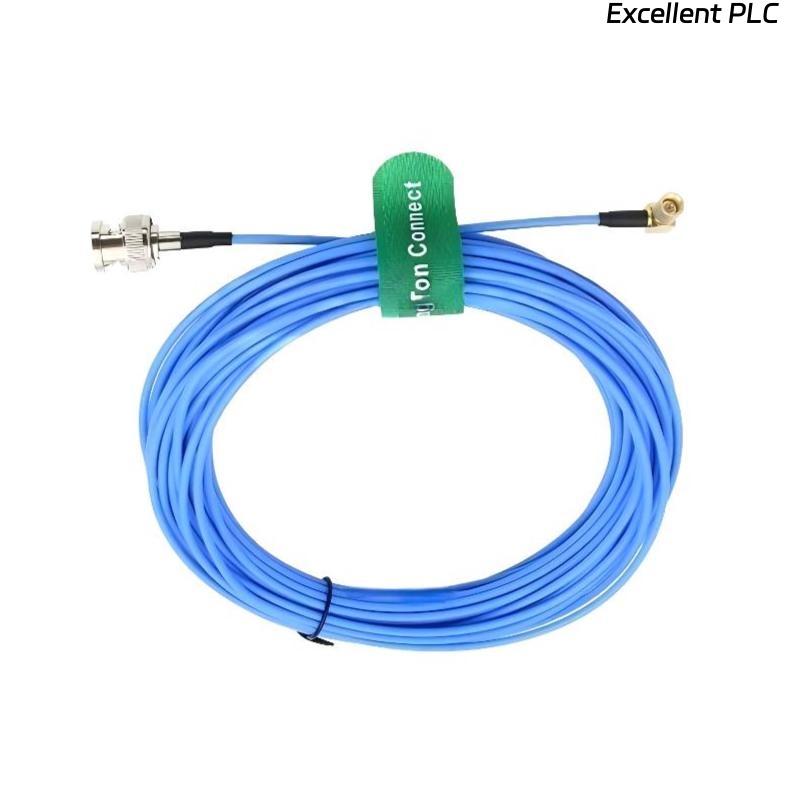
Table of Contents
- Common Issues with Accelerometer Cable Signal Loss
- Diagnostic Steps for Signal Issues
- Wiring and Connection Problems
- Physical Damage or Cable Routing Issues
- Environmental Factors Impacting Cable Performance
- How to Fix Common Accelerometer Cable Issues
- FAQ
- Technical Summary
Common Issues with Accelerometer Cable Signal Loss
Common issues that can cause signal loss or degradation in the Bently Nevada 200151-60-03-00 cable include:
- Loose connections or improperly seated connectors.
- Physical damage to the cable (e.g., cuts, kinks, or abrasions).
- Electromagnetic interference (EMI) or grounding issues.
Diagnostic Steps for Signal Issues
To diagnose signal issues, follow these steps:
- Step 1: Use an oscilloscope to monitor the signal output and identify any irregularities.
- Step 2: Check the connections to ensure that they are properly seated and free of corrosion or debris.
- Step 3: Inspect the cable for physical damage, including visible cuts or abrasions.
- Step 4: Test the accelerometer and monitor for any abnormal readings or no response.
Wiring and Connection Problems
Common wiring problems include:
- Incorrectly wired connectors leading to poor signal transmission.
- Worn-out or damaged cables at the connector points.
- Loose or faulty terminations that prevent proper signal transfer.
To address these issues:
- Ensure all connectors are seated properly and no pins are bent or broken.
- Check the cable insulation for any tears or damage.
- If necessary, re-terminate the cable connectors to ensure a secure connection.
Physical Damage or Cable Routing Issues
If the cable has been subjected to physical damage, it can lead to signal loss or degradation. Common causes include:
- Cable exposed to sharp edges or heavy objects.
- Excessive bending or pulling of the cable.
- Cable routing in high-vibration areas that causes mechanical wear.
To address these issues:
- Check the entire length of the cable for signs of physical damage.
- Ensure that the cable is securely mounted and routed properly to avoid strain.
- If necessary, replace the damaged section of the cable.
Environmental Factors Impacting Cable Performance
Environmental factors can affect the performance of the Bently Nevada 200151-60-03-00 accelerometer cable. These include:
- Exposure to high temperatures, humidity, or chemicals.
- Electromagnetic interference (EMI) from nearby electrical equipment.
- Heavy vibration or mechanical shock that impacts cable integrity.
To mitigate these environmental impacts:
- Route the cable away from sources of excessive heat or chemicals.
- Use shielded cables or cable conduits to reduce EMI.
- Ensure the cable is protected from mechanical shocks or extreme vibrations by using proper supports.
How to Fix Common Accelerometer Cable Issues
Here are some common fixes for issues with the Bently Nevada 200151-60-03-00 cable:
- If the cable shows signs of wear or damage, replace it with a new one that meets the same specifications.
- Clean the connectors and ensure that they are free of dust, dirt, or corrosion.
- Re-route the cable to avoid areas with high electromagnetic interference (EMI) or physical hazards.
- For signal loss, check the grounding of the cable and equipment to eliminate grounding issues.
FAQ
How can I prevent signal loss in the Bently Nevada 200151-60-03-00 cable?
To prevent signal loss, ensure that the cable is routed correctly, avoiding bends or damage. Use proper connectors and regularly inspect the cable for wear. Additionally, shield the cable from electromagnetic interference (EMI) by using proper grounding and cable shielding techniques.
What should I do if my cable shows no signal at all?
First, ensure all connections are secure. If the connections are intact, check for physical damage to the cable. Use diagnostic tools like an oscilloscope to verify if the accelerometer is receiving a signal. If there is still no signal, replace the cable or accelerometer.
Technical Summary
The Bently Nevada 200151-60-03-00 accelerometer interface cable is a critical component in vibration monitoring systems. Troubleshooting common issues like signal loss, wiring problems, and physical damage is essential to maintain system reliability. Regular maintenance and correct installation practices can help prevent issues and ensure optimal performance.