 Excellent PLC


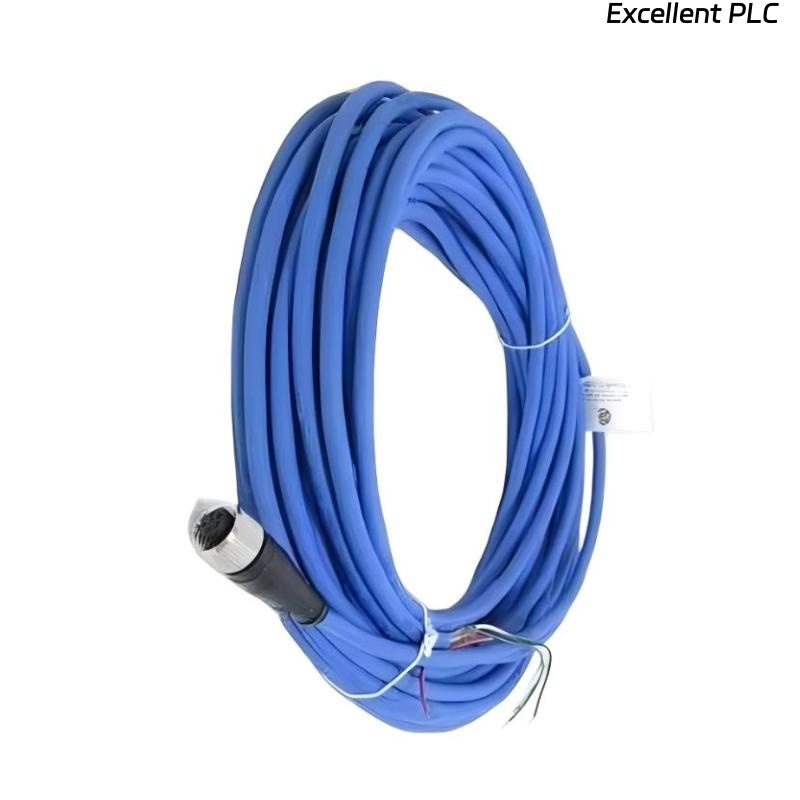
Table of Contents
- 200152-15-10 Fault Diagnosis Entry
- Common Symptoms of 200152-15-10 Cable Fault
- Fault Diagnosis Process
- Common Causes of Accelerometer Interface Cable Fault
- Diagnostic Methods and Tools
- Corrective Actions and Recovery
- Real Troubleshooting Case
- Troubleshooting FAQ
- Final Technical Summary
200152-15-10 Fault Diagnosis Entry
Signal loss or noise issues in the Bently Nevada 200152-15-10 accelerometer interface cable are usually related to environmental interference, poor installation, or component wear. A systematic diagnostic approach helps identify the root cause and implement corrective actions.
Common Symptoms of 200152-15-10 Cable Fault
- Intermittent signal loss during machinery startup or high-speed operation
- Presence of noise spikes or unstable signal during motor startup
- Signal values do not match expected readings
- Frequent system alarms despite normal machinery operation
Fault Diagnosis Process
Follow this diagnostic process to isolate and resolve signal issues:
- Check the cable for physical damage or wear
- Test for continuity and resistance using a multimeter
- Use an oscilloscope to detect noise or signal instability
- Verify the grounding of cable shielding
  // Fault Diagnosis Algorithm
  IF Signal_Loss THEN
      Inspect_Cable_For      Physical_Damage();
  ELSE IF Signal_Noise THEN
      Check_For_EMI_Interference();
  ELSE
      Inspect_Connectors_And_Grounding();
  END_IF;
Common Causes of 200152-15-10 Cable Fault
- Electromagnetic interference (EMI) from nearby electrical equipment
- Poor grounding or improper shielding of the cable
- Loose or corroded connectors at either end of the cable
- Physical damage to the cable from wear, abrasion, or sharp objects
- Improper cable routing, causing excessive bends or tension
Diagnostic Methods and Tools
- Multimeter for checking continuity and measuring resistance
- Oscilloscope for detecting signal noise, voltage spikes, and instability
- Vibration analyzer to correlate signals with actual vibration data
- Visual inspection tools for checking cable integrity and connectors
Corrective Actions and Recovery
- Replace damaged cables or connectors
- Re-secure or clean any loose or corroded connectors
- Reroute cables to avoid EMI sources such as motors and electrical panels
- Ensure proper grounding and shielding of the cable at one end
- Install protective sleeves or conduits to prevent mechanical damage
Real Troubleshooting Case
A vibration monitoring system using the Bently Nevada 200152-15-10 cable exhibited signal loss during high-load operations:
- Signal loss was intermittent and correlated with motor startup
- Oscilloscope measurements showed significant noise spikes at the time of startup
The root cause was identified as poor cable routing, with the cable running too close to a high-voltage power line. After re-routing the cable and ensuring proper grounding of the shielding, the signal became stable:
- The noise spikes were eliminated
- Signal values were consistent with expected readings during normal operations
Troubleshooting FAQ
Why does my signal become unstable during machine startup?
Signal instability during startup is usually caused by electromagnetic interference (EMI) from nearby electrical equipment or improper cable grounding. Check the routing and grounding of your cable.
How can I test for electromagnetic interference (EMI)?
Use an oscilloscope to detect noise spikes in the signal that coincide with equipment startup or electrical switching events. If EMI is detected, reroute the cable away from interference sources.
What should I do if my cable shows physical damage?
If the cable is physically damaged, replace it immediately to prevent further signal degradation or loss. Ensure that the cable is properly routed and protected to avoid future damage.
Final Technical Summary
The Bently Nevada 200152-15-10 Troubleshooting Guide underscores the importance of proper installation, cable routing, and shielding to ensure reliable signal transmission. Regular inspection and diagnostics, combined with corrective actions such as re-routing cables and improving grounding, will help maintain signal integrity and prevent unnecessary system alarms.