 Excellent PLC


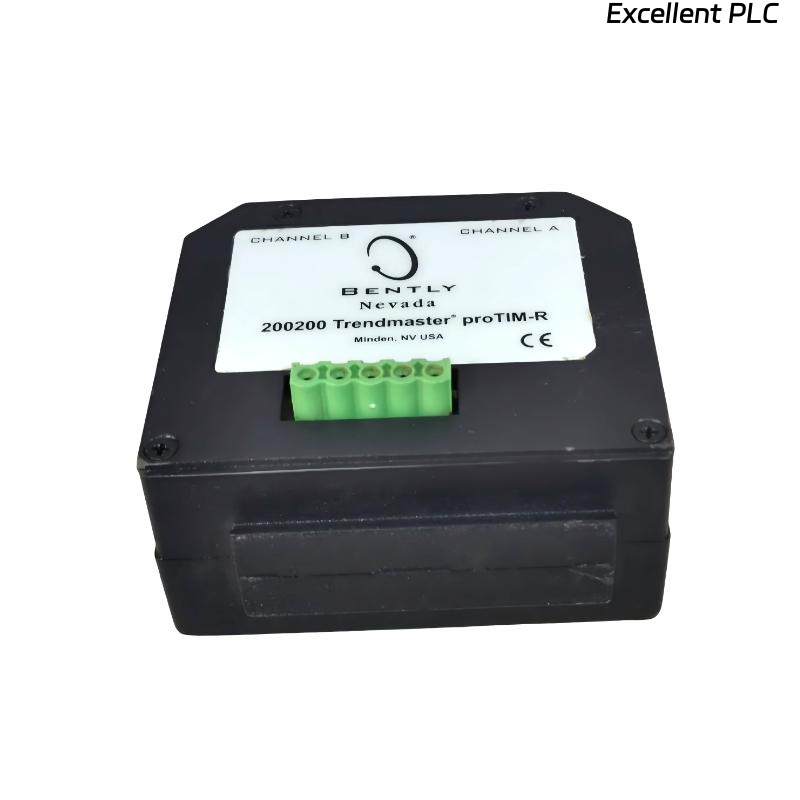
Table of Contents
- 200200-03-03-05 Installation Overview
- Role of the 200200-03-03-05 Trendmaster proTim-R Dual Input Module
- Installation Planning and Risk Assessment
- Wiring and Connection Guidelines
- System Configuration and Calibration
- Commissioning and Signal Validation
- Field Installation Case
- Installation FAQ
- Final Engineering Summary
200200-03-03-05 Installation Overview
The Bently Nevada 200200-03-03-05 Trendmaster proTim-R dual input module is designed to simultaneously handle two vibration input signals, providing enhanced functionality for monitoring systems that require multiple sensor inputs. This module is typically used for applications in turbines, compressors, and other rotating machinery.
This guide covers the installation process, including proper wiring, system configuration, and commissioning of the 200200-03-03-05 module to ensure optimal performance.
Role of the 200200-03-03-05 Trendmaster proTim-R Dual Input Module
- Supports dual input for connecting two vibration sensors to a single module
- Improves measurement accuracy by providing simultaneous analysis of multiple vibration signals
- Enhances monitoring capabilities for complex machinery setups, such as multi-bearing machines
- Integrates with Bently Nevada 3500 system for centralized data collection and analysis
Installation Planning and Risk Assessment
- Identify suitable locations for module installation that provide easy access for maintenance while minimizing interference
- Assess potential environmental risks, including exposure to temperature extremes, moisture, and vibration that could affect module performance
- Evaluate the potential for electromagnetic interference (EMI) and plan for adequate shielding and grounding
- Ensure sufficient space for wiring and connectors, as well as future expansion of the monitoring system
Wiring and Connection Guidelines
- Ensure that the wiring for both inputs is properly routed and secured to prevent physical damage
- Verify the correct pinout and connector types for both input channels, ensuring compatibility with the sensors
- Use shielded cables to minimize electromagnetic interference (EMI) and signal degradation
- Ensure that all wiring connections are secure and free from corrosion
- Properly ground the module and sensor inputs to reduce noise and maintain signal integrity
  // Wiring Best Practices
  IF Signal_Integrity_Issues THEN
      Inspect_Grounding_And_Shielding();
      Verify_Connector_And_Cable_Integrity();
  ELSE
      Check_Signal_Routing_And_Pinout();
  END_IF;
System Configuration and Calibration
- Configure the 200200-03-03-05 module in the Trendmaster software to accept two sensor inputs
- Set the correct input ranges based on the sensors and the type of machinery being monitored
- Calibrate the module to ensure accurate signal translation from the sensors to the monitoring system
- Set alarm thresholds and warning limits based on the operational parameters of the machinery
Commissioning and Signal Validation
- Perform a visual inspection of all connections and confirm that the wiring is intact and properly secured
- Power on the system and verify that both input channels are receiving data from the sensors
- Check for proper signal consistency by comparing the data from both input channels against expected values
- Monitor the system under various operating conditions to confirm that the module performs as expected
Field Installation Case
During a commissioning project for a high-speed compressor, the Trendmaster proTim-R 200200-03-03-05 module showed discrepancies between two vibration sensors connected to different bearings:
- One of the sensor inputs showed unstable signal levels during load changes
- Signal analysis revealed grounding issues on the cable shielding
After addressing the grounding issue by reconfiguring the shielding and re-securing the cable, both sensor signals became stable, and the system functioned correctly:
- The signals for both input channels were consistent and stable during all operating conditions
- The system alarm thresholds were recalibrated to avoid false alarms
Installation FAQ
What is the maximum cable length supported for this dual input module?
The maximum cable length for this module depends on the type of cable used and the environmental conditions. Generally, the cable should be kept as short as possible to avoid signal degradation, with a recommended maximum length of 30 meters for optimal performance.
Can the 200200-03-03-05 module be used with sensors from other manufacturers?
Yes, as long as the sensors are compatible with the input specifications of the module (e.g., voltage range, impedance). Always verify compatibility before installation.
How do I handle EMI interference during installation?
To mitigate EMI, ensure that the wiring is shielded and routed away from high-voltage equipment. Proper grounding of both the module and cables is essential to prevent interference.
Final Engineering Summary
The Bently Nevada 200200-03-03-05 Trendmaster proTim-R Dual Input Module Installation Guide provides an in-depth overview of how to properly install, configure, and commission this module for accurate and reliable vibration monitoring. By following these installation guidelines, you ensure stable operation of the system, reducing the risk of machinery failure and enhancing the overall protection of your assets.