 Excellent PLC


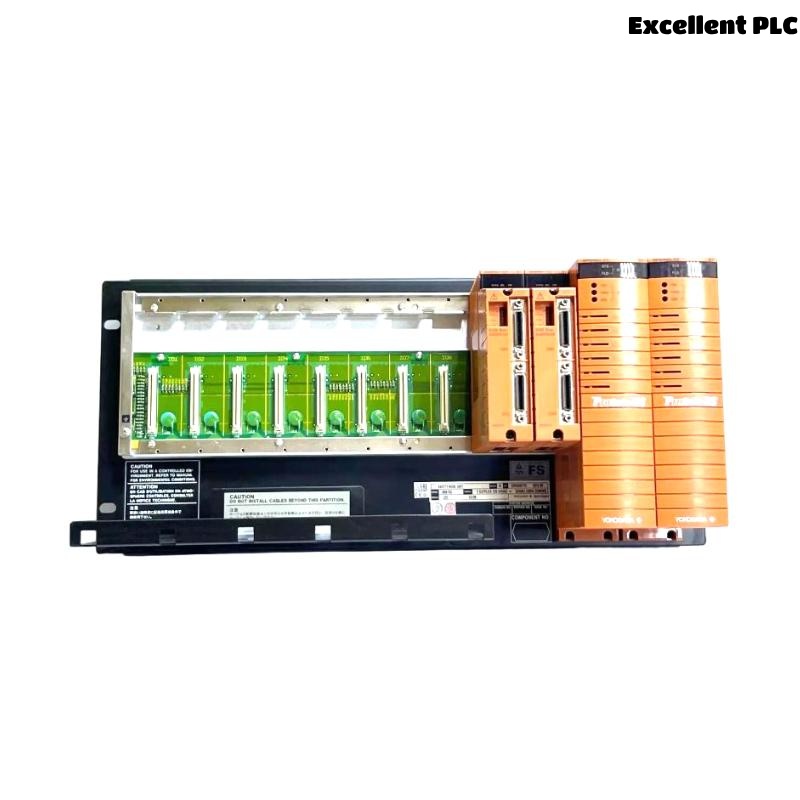
Yokogawa SNB10D-225/CU2T installation issues are most often caused by incorrect Safety Node configuration, ESB bus allocation errors, or I/O module assignment problems rather than faults within the Safety Node Unit itself. Since the SNB10D-225/CU2T serves as a critical interface between field safety signals and the ProSafe-RS safety system, proper Installation Guide procedures, Setup verification, and Commissioning testing are essential for achieving reliable Safety Instrumented System (SIS) operation.
Contents
- SNB10D-225/CU2T Safety Node Unit Overview
- Safety Node Unit Role in ProSafe-RS Architecture
- Project Planning Before SNB10D-225/CU2T Installation
- Environmental and Cabinet Requirements
- Power System Preparation
- Incoming Equipment Inspection
- SNB10D-225/CU2T Installation Guide
- ESB Bus Connection Setup
- I/O Module Allocation Strategy
- Grounding and EMC Verification
- Initial Startup Inspection
- SNB10D-225/CU2T Setup Procedure
- System Configuration Validation
- Commissioning Test Sequence
- Field Signal Verification
- Redundancy Validation
- Documentation and Handover
- Real Commissioning Case
- FAQ
SNB10D-225/CU2T Safety Node Unit Overview
The Yokogawa SNB10D-225/CU2T Safety Node Unit is designed to connect distributed safety I/O subsystems with the central safety controller through the ESB communication network. It provides deterministic communication and supports safety-critical applications in process industries.
Safety Node Unit Role in ProSafe-RS Architecture
- Distributed safety signal collection
- Remote safety I/O communication
- Emergency shutdown system integration
- Process safety monitoring
- ESD and F&G applications
The Safety Node Unit acts as a communication bridge between field devices and safety logic execution.
Project Planning Before SNB10D-225/CU2T Installation
Before installation begins, engineers should review:
- Safety architecture drawings
- Node addressing strategy
- I/O allocation schedules
- Communication topology
- Redundancy requirements
- Future expansion capacity
Many commissioning delays originate from planning errors rather than hardware issues.
Environmental and Cabinet Requirements
- Stable ambient temperature
- Controlled humidity
- Proper cabinet ventilation
- Low vibration environment
- Adequate maintenance access
Environmental compliance improves long-term operational reliability.
Power System Preparation
- Verify DC power source
- Check voltage stability
- Validate grounding continuity
- Confirm redundant supply availability
Power quality issues frequently affect communication stability during startup.
Incoming Equipment Inspection
- Inspect chassis condition
- Verify model identification
- Check connectors
- Inspect mounting hardware
- Review shipping integrity
SNB10D-225/CU2T Installation Guide
- Isolate power sources.
- Prepare mounting location.
- Install the Safety Node Unit.
- Secure mounting hardware.
- Inspect mechanical stability.
- Document installation details.
Mechanical verification should always precede electrical connections.
ESB Bus Connection Setup
- Verify communication routing
- Inspect bus connectors
- Validate cable labeling
- Confirm communication path integrity
- Check redundancy paths
Improper ESB wiring is a common source of commissioning alarms.
I/O Module Allocation Strategy
Correct I/O assignment is essential for accurate safety operation.
- Digital input allocation
- Digital output assignment
- Analog signal grouping
- Safety loop segregation
- Voting architecture allocation
Grounding and EMC Verification
- Protective earth inspection
- Cabinet bonding verification
- Shield continuity checks
- Ground loop prevention
Initial Startup Inspection
- Status LED review
- Communication verification
- Power status inspection
- Alarm monitoring
Abnormal startup indications should be investigated before proceeding further.
SNB10D-225/CU2T Setup Procedure
VERIFY POWER STATUS
CHECK NODE COMMUNICATION
VALIDATE I/O STATUS
VERIFY ADDRESS SETTINGS
CONFIRM NETWORK VISIBILITY
SAVE CONFIGURATION
These baseline values support future Troubleshooting and maintenance.
System Configuration Validation
- Node address verification
- Communication path validation
- I/O mapping confirmation
- Redundancy review
- Safety application verification
Configuration mismatches can generate symptoms similar to hardware failures.
Commissioning Test Sequence
- Verify hardware installation.
- Validate communication status.
- Check field signal acquisition.
- Perform safety function tests.
- Validate alarm processing.
- Execute integrated system testing.
Field Signal Verification
- Digital input simulation
- Output activation testing
- Analog signal calibration
- Loop integrity verification
- Alarm response testing
Redundancy Validation
- Communication failover testing
- Power redundancy verification
- Controller switchover testing
- Recovery validation
Documentation and Handover
- Configuration backups
- Loop test records
- Commissioning reports
- Maintenance procedures
Real Commissioning Case
During startup of a refinery emergency shutdown system, several digital safety inputs connected through an SNB10D-225/CU2T failed to appear in the safety application.
Observed conditions:
- Communication status: healthy
- Input voltage: 24.2 VDC
- Network latency: 12 ms
- I/O update time: normal
Initial investigation focused on communication hardware.
However, engineers discovered that several channels were mapped to incorrect safety logic addresses within the System Configuration database.
After correcting the configuration:
- All signals appeared correctly
- Safety loops passed testing
- No communication alarms occurred
- Commissioning was completed successfully
We observed that configuration accuracy had a greater impact than hardware replacement.
SNB10D-225/CU2T Installation Guide FAQ
What is the primary function of the SNB10D-225/CU2T Safety Node Unit?
It connects distributed safety I/O subsystems to the central safety control architecture through the ESB communication network.
What should be verified before commissioning?
Communication status, I/O mapping, Setup parameters, and System Configuration should all be validated.
Can configuration errors create commissioning failures?
Yes. Incorrect addressing and I/O allocation are among the most common causes of startup issues.
Summary: Successful SNB10D-225/CU2T Installation Guide execution requires proper Setup, accurate System Configuration, disciplined Commissioning testing, and thorough validation of communication and safety functions.