 Excellent PLC


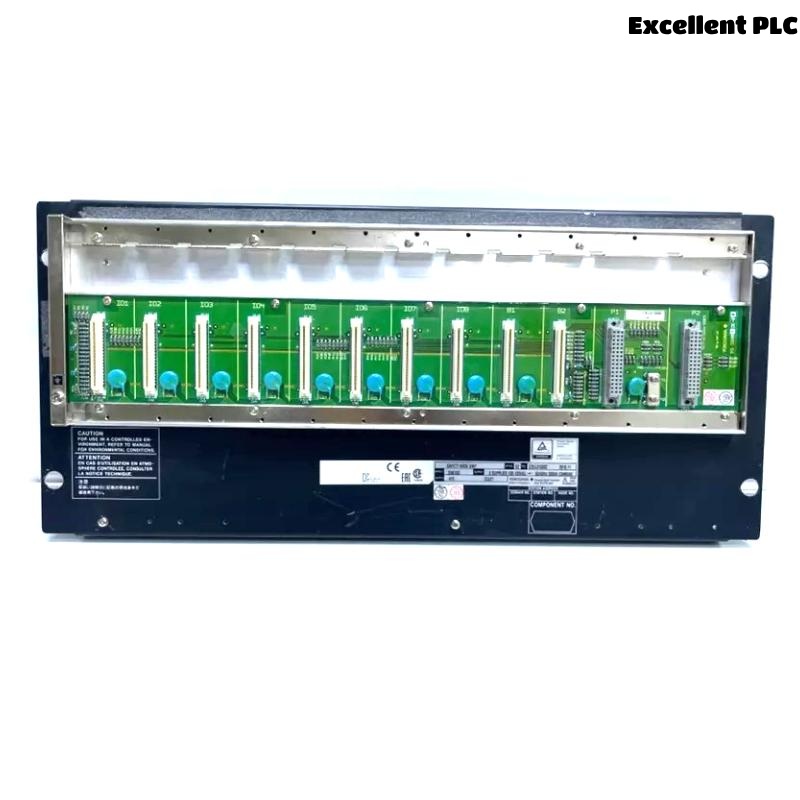
Yokogawa SNB10D-425/CU2N faults are usually linked to ESB communication abnormalities, power redundancy issues, incorrect I/O mapping, or field wiring defects rather than actual Safety Node Unit hardware failure. Effective Troubleshooting requires examining communication behavior and configuration logic before replacing components. :contentReference[oaicite:5]{index=5}
Contents
- SNB10D-425/CU2N Fault Symptoms
- Impact on Safety System Operation
- Typical Failure Patterns
- Common Causes of SNB10D-425/CU2N Faults
- Fault Diagnosis Thinking Process
- ESB Communication Troubleshooting
- Safety I/O Signal Analysis
- Power Redundancy Investigation
- System Configuration Fault Diagnosis
- Troubleshooting Workflow
- Corrective Actions
- Repair Verification
- Preventive Maintenance
- Real Fault Diagnosis Case
- FAQ
SNB10D-425/CU2N Fault Symptoms
- Node communication alarms
- Missing safety inputs
- Unexpected shutdown actions
- I/O update failures
- ESB communication loss
- Redundancy alarms
Most symptoms initially appear as communication-related events.
Impact on Safety System Operation
- Loss of field visibility
- Safety loop interruption
- Controller alarm flooding
- Reduced availability
- Shutdown logic degradation
Typical Failure Patterns
- Problems after maintenance shutdowns
- Communication alarms after expansion projects
- Intermittent signal loss
- Configuration-related startup issues
- Power-related communication failures
Common Causes of SNB10D-425/CU2N Faults
- Incorrect node addressing
- ESB bus communication faults
- I/O mapping errors
- Power supply instability
- Grounding deficiencies
- Loose field wiring
- Configuration inconsistencies
Field experience shows that configuration issues occur more frequently than hardware failures.
Fault Diagnosis Thinking Process
Experienced engineers rarely begin by replacing hardware.
- Identify affected signals.
- Review alarm history.
- Verify communication status.
- Check power health.
- Validate System Configuration.
- Confirm hardware condition.
This approach reduces unnecessary downtime.
ESB Communication Troubleshooting
- Review node status
- Inspect ESB connectors
- Verify communication counters
- Check latency trends
- Validate network topology
Safety I/O Signal Analysis
| Observed Symptom | Likely Cause |
|---|---|
| Missing Input | Incorrect mapping |
| Output Not Responding | Logic assignment error |
| Signal Fluctuation | Grounding issue |
| Intermittent Alarm | Loose termination |
| Unexpected Shutdown | Configuration mismatch |
Power Redundancy Investigation
- Measure supply voltage
- Verify redundant source operation
- Inspect breaker status
- Monitor voltage variation
Power anomalies often appear as communication anomalies.
System Configuration Fault Diagnosis
- Review node addresses
- Validate I/O database
- Inspect communication assignments
- Verify safety logic references
- Review redundancy settings
Troubleshooting Workflow
CHECK ALARM HISTORY
VERIFY POWER STATUS
VALIDATE ESB COMMUNICATION
CHECK I/O MAPPING
REVIEW SYSTEM CONFIGURATION
TEST SIGNAL RESPONSE
CONFIRM ROOT CAUSE
Corrective Actions
| Fault Type | Probable Cause | Corrective Action |
|---|---|---|
| Communication Alarm | ESB issue | Verify network path |
| Missing Input | Configuration error | Correct mapping |
| Power Alarm | Redundancy fault | Inspect supply system |
| Output Failure | Logic issue | Review application |
| Signal Noise | Grounding problem | Improve grounding |
Repair Verification
- Loop simulation testing
- Communication monitoring
- Alarm verification
- Failover testing
- Integrated safety testing
Preventive Maintenance
- Quarterly terminal inspection
- Configuration backup management
- Communication diagnostics review
- Power redundancy testing
- Grounding verification
Real Fault Diagnosis Case
An offshore production platform experienced intermittent shutdown alarms originating from an SNB10D-425/CU2N node.
Observed values:
- Supply voltage: 228 VAC
- ESB latency: 18 ms
- Communication errors: none
- Random shutdown signals: present
The maintenance team initially suspected an ESB communication failure.
Detailed Fault Diagnosis revealed loose wiring on a safety digital input terminal.
After correcting the connection:
- Signal stability improved immediately
- Shutdown alarms disappeared
- No further trips occurred
- System availability returned to normal
We observed that a simple field wiring issue created symptoms that appeared to be a network fault.
SNB10D-425/CU2N Troubleshooting FAQ
Does an ESB communication alarm always indicate hardware failure?
No. Configuration issues, connector problems, and power abnormalities are significantly more common causes.
What should be checked first during Fault Diagnosis?
Alarm history, communication status, power supply health, and System Configuration should be verified before replacing hardware.
Can incorrect I/O mapping cause missing signals?
Yes. Database mapping errors are among the most common causes of signal-related Troubleshooting cases.
Summary: Effective Yokogawa SNB10D-425/CU2N Troubleshooting requires systematic Fault Diagnosis, communication verification, power system analysis, and System Configuration validation. Most field failures originate from configuration or wiring rather than Safety Node Unit hardware.