 Excellent PLC


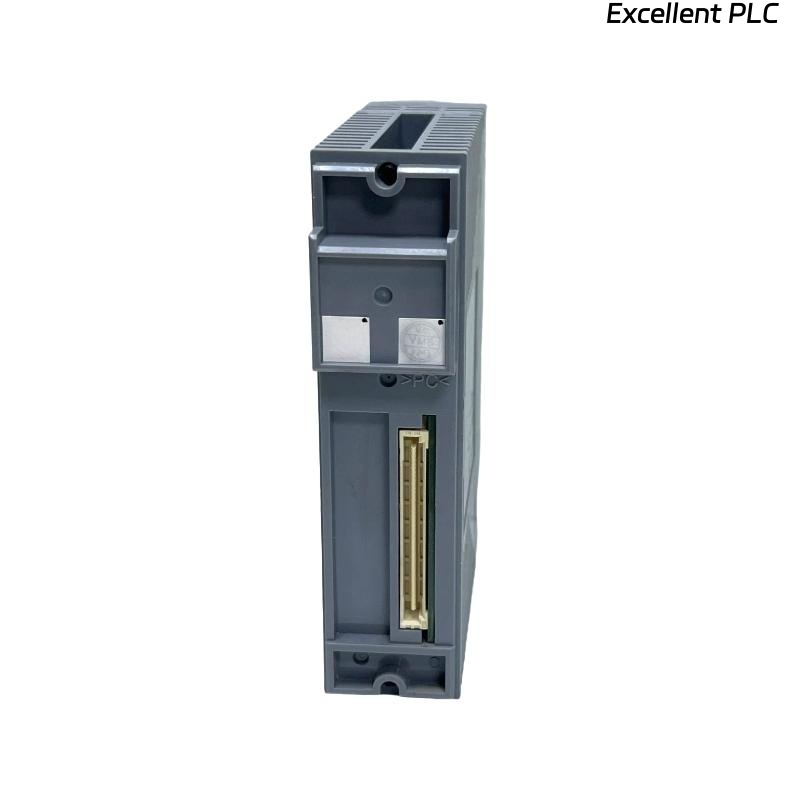
Yokogawa ADV551-E63 Digital Output Module output failures are most often related to field wiring defects, overloaded output circuits, unstable external power supplies, or incorrect System Configuration rather than hardware failure. A systematic Troubleshooting process that follows the actual output signal path enables engineers to identify the root cause efficiently and restore normal operation without unnecessary module replacement.
Contents
- 1. ADV551-E63 Digital Output Module Fault Symptoms
- 2. Engineering Approach to Fault Diagnosis
- 3. Common Causes of ADV551-E63 Output Failure
- 4. Controller Logic Verification
- 5. Output Voltage Measurement
- 6. Output Load Evaluation
- 7. ADV551-E63 Wiring Fault Troubleshooting
- 8. Grounding and Power Supply Inspection
- 9. ADV551-E63 System Configuration Review
- 10. Module Diagnostic Analysis
- 11. Recommended Troubleshooting Workflow
- 12. Repair Recommendations
- 13. Recovery Verification
- 14. Preventive Maintenance
- 15. Real Fault Diagnosis Case
- 16. FAQ
ADV551-E63 Digital Output Module Fault Symptoms
Output faults may appear as complete failures or intermittent abnormalities depending on the condition of the field circuit. Identifying the failure pattern is the first step toward an effective Fault Diagnosis.
- Output LED is ON but the field device does not operate
- Relay energizes intermittently
- Solenoid valve fails to actuate
- Motor starter cannot be activated
- Unexpected shutdown alarms occur
- Output channel remains inactive despite valid commands
- Output voltage drops significantly under load
Engineering Approach to Fault Diagnosis
Instead of replacing the Digital Output Module immediately, experienced maintenance engineers begin with controller command verification, continue with electrical measurements, inspect the field circuit, and only consider hardware replacement after eliminating all external causes.
This structured approach significantly reduces maintenance time and unnecessary spare part consumption.
Common Causes of ADV551-E63 Output Failure
- Loose terminal connections
- Incorrect wiring polarity
- External fuse failure
- Short-circuited relay coil
- Power supply instability
- Damaged output cable
- Incorrect System Configuration
- Grounding deficiencies
Controller Logic Verification
Before investigating hardware, verify that the controller logic is generating the intended output command.
- Check sequence execution
- Verify interlock conditions
- Confirm operator commands
- Review output status tags
- Inspect control logic execution
Output Voltage Measurement
| Measured Condition | Possible Diagnosis |
|---|---|
| 24 VDC Stable | Output operating normally |
| 0 VDC | No controller output or open circuit |
| 10–18 VDC Under Load | Voltage drop caused by overload or poor connection |
| Rapid Voltage Fluctuation | Loose wiring or unstable external power |
Measurements should always be performed while the connected field device is energized, because unloaded measurements may hide voltage loss caused by excessive resistance.
Output Load Evaluation
Many output failures originate from the connected field device rather than the module itself.
- Measure relay coil resistance
- Inspect solenoid valve current consumption
- Verify contactor operation
- Check indicator lamps
- Inspect surge suppression components
ADV551-E63 Wiring Fault Troubleshooting
Incorrect or deteriorated wiring remains one of the most common causes of digital output failures in industrial control systems.
- Inspect terminal tightness
- Verify cable continuity
- Confirm cable identification
- Inspect marshalling cabinets
- Check output common wiring
- Verify junction box connections
Grounding and Power Supply Inspection
Electrical noise and unstable power supplies can create output abnormalities that resemble hardware failures.
- Measure external power supply voltage
- Inspect fuse holders
- Verify common return integrity
- Measure cabinet grounding resistance
- Inspect cable shield connections
ADV551-E63 System Configuration Review
- Verify output channel assignments
- Review controller database
- Check logic references
- Confirm downloaded configuration
- Inspect tag mapping accuracy
Module Diagnostic Analysis
- Inspect module status LEDs
- Review controller diagnostic logs
- Check communication health
- Analyze alarm history
- Verify rack status information
Recommended Troubleshooting Workflow
VERIFY OUTPUT COMMAND
CHECK MODULE STATUS
MEASURE OUTPUT VOLTAGE
VERIFY EXTERNAL POWER
INSPECT FIELD WIRING
CHECK OUTPUT LOAD
VERIFY SYSTEM CONFIGURATION
IDENTIFY ROOT CAUSE
VALIDATE REPAIR
This workflow follows the actual electrical signal path and helps engineers isolate failures efficiently.
Repair Recommendations
- Repair damaged field wiring
- Replace corroded terminal blocks
- Replace defective relay coils
- Correct configuration errors
- Repair unstable power supply circuits
- Replace the ADV551-E63 module only after confirming all external components are functioning correctly
Recovery Verification
- Execute repeated output commands
- Confirm relay operation
- Verify valve response time
- Monitor controller diagnostics
- Observe operation during continuous production
Preventive Maintenance
Routine maintenance greatly reduces the probability of unexpected output failures.
- Inspect terminals every six months
- Measure power supply voltage quarterly
- Verify output current during scheduled shutdowns
- Inspect grounding annually
- Maintain updated controller backups
Real Fault Diagnosis Case
A pharmaceutical manufacturing facility experienced repeated failures when activating three dosing valves controlled by an ADV551-E63 Digital Output Module.
The controller displayed active output commands, and all module indicators showed normal operation. Initial assumptions suggested a defective Digital Output Module.
Instead of replacing the hardware, engineers measured the electrical characteristics throughout the output circuit.
- Output Voltage at Module: 24.2 VDC
- Voltage at Valve Terminal: 11.4 VDC
- Controller Diagnostics: Normal
- Communication Status: Stable
Further investigation revealed corrosion inside an outdoor junction box that introduced excessive resistance into the field circuit. The voltage drop prevented the valve solenoids from energizing even though the module output remained normal.
After replacing the damaged terminals and cleaning the wiring connections:
- Valve operating voltage increased to 24.0 VDC.
- All dosing valves responded immediately.
- No further output alarms were recorded.
- The ADV551-E63 remained in service without replacement.
This field experience demonstrates that measuring voltage only at the controller is insufficient. Comparing measurements at both the module and the field device is essential for accurate Fault Diagnosis.
ADV551-E63 Fault Diagnosis FAQ
Why does the output LED indicate normal operation while the field device remains inactive?
This usually indicates a field-side problem such as damaged wiring, insufficient external power, excessive voltage drop, or a failed load rather than a defective Digital Output Module.
What is the most effective first step during ADV551-E63 Troubleshooting?
Verify the controller command and measure the output voltage at both the module terminal and the connected field device while the circuit is under load.
When should the ADV551-E63 module be replaced?
Module replacement should only be considered after controller logic, field wiring, external power supplies, output loads, grounding, and System Configuration have all been verified and confirmed to be functioning correctly.
Summary: Effective ADV551-E63 Troubleshooting relies on systematic Fault Diagnosis, accurate electrical measurements, thorough field inspections, and disciplined engineering analysis to restore reliable digital output performance while avoiding unnecessary hardware replacement.