 Excellent PLC


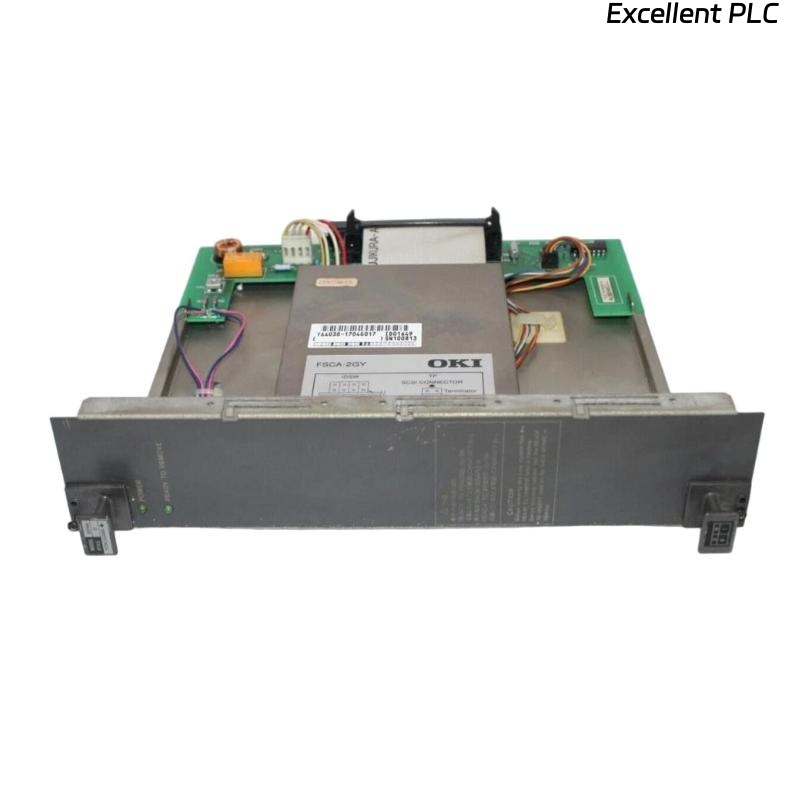
The Yokogawa AIP444-S1 Hard Disk Module is an industrial storage device used in Yokogawa CENTUM VP Distributed Control Systems (DCS), Engineering Stations (ENG), Human Interface Stations (HIS), application servers, and industrial computing platforms. It stores the operating system, engineering databases, historical process data, alarm records, audit trails, configuration files, recipes, and application software required for continuous plant operation. Storage failures such as boot errors, disk detection failures, interface problems, corrupted file systems, or media degradation can significantly impact automation system availability. A structured troubleshooting procedure enables maintenance engineers to diagnose faults efficiently, recover critical data whenever possible, and restore reliable operation.
Contents
- 1. Understanding Storage Faults
- 2. Common Failure Symptoms
- 3. Typical Causes of Storage Failures
- 4. Initial Hardware Inspection
- 5. Power and Interface Diagnostics
- 6. Boot Failure Diagnostics
- 7. Storage Health Evaluation
- 8. Diagnostic Analysis
- 9. Recommended Troubleshooting Workflow
- 10. Corrective Actions
- 11. Data Recovery Guidelines
- 12. Preventive Maintenance
- 13. Real Industrial Maintenance Case
- 14. Frequently Asked Questions
Understanding Storage Faults
The AIP444-S1 functions as the primary storage device for critical automation software and operational data. Storage failures may result from aging media, unstable power supplies, loose interface connections, excessive vibration, overheating, improper shutdowns, or corrupted operating system files. Early diagnosis is essential to prevent permanent data loss and prolonged downtime.
Common Failure Symptoms
- Operating system fails to boot.
- Hard disk module is not detected during startup.
- Frequent disk read/write errors.
- Engineering workstation freezes unexpectedly.
- Historical process data cannot be accessed.
- Database corruption alarms occur.
- Slow application performance.
- Repeated storage-related diagnostic alarms.
Typical Causes of Storage Failures
- Hard disk media wear.
- Loose power or interface connections.
- File system corruption.
- Unexpected power interruption.
- Improper operating system shutdown.
- Cooling failure leading to overheating.
- Mechanical vibration affecting storage reliability.
- Storage device reaching end of operational life.
Initial Hardware Inspection
- Verify secure installation of the hard disk module.
- Inspect interface connectors for damage.
- Check power cable connections.
- Inspect the drive for visible physical damage.
- Verify adequate cabinet ventilation.
Power and Interface Diagnostics
- Measure storage supply voltage.
- Verify stable power delivery.
- Inspect interface cable continuity.
- Check connector locking mechanisms.
- Review power-related system logs.
Boot Failure Diagnostics
- Verify BIOS or controller detects the storage device.
- Inspect boot sequence configuration.
- Verify boot record integrity.
- Check operating system files.
- Review startup diagnostic messages.
Storage Health Evaluation
- Review storage diagnostic reports.
- Inspect disk read/write statistics.
- Verify available storage capacity.
- Check engineering database integrity.
- Confirm availability of recent system backups.
Diagnostic Analysis
| Observed Condition | Possible Diagnosis |
|---|---|
| Disk not detected | Loose connector or hardware failure |
| System boot failure | Corrupted boot files or operating system |
| Frequent read/write errors | Storage media degradation |
| Slow workstation performance | Aging disk or insufficient free storage |
| Database access failure | Corrupted file system or damaged storage sectors |
Verify external power, interface cables, and software integrity before determining that the AIP444-S1 module has failed.
Recommended Troubleshooting Workflow
VERIFY POWER SUPPLY
CHECK STORAGE CONNECTIONS
VERIFY DRIVE DETECTION
INSPECT BOOT CONFIGURATION
REVIEW DIAGNOSTIC LOGS
EVALUATE STORAGE HEALTH
BACK UP ACCESSIBLE DATA
IMPLEMENT CORRECTIVE ACTION
VERIFY SYSTEM RECOVERY
MONITOR LONG-TERM OPERATION
A structured troubleshooting workflow helps reduce downtime while maximizing the possibility of recovering valuable engineering and historical data.
Corrective Actions
- Reconnect loose storage interface cables.
- Restore stable power supplies.
- Repair boot configuration if corrupted.
- Reinstall or restore the operating system.
- Recover engineering databases from verified backups.
- Replace damaged storage hardware when necessary.
- Verify complete application functionality after repair.
- Replace the AIP444-S1 module only after confirming permanent hardware failure.
Data Recovery Guidelines
- Create a complete disk image before attempting repairs.
- Recover engineering project files first.
- Restore historical process databases.
- Verify alarm history and configuration files.
- Validate recovered data before returning the system to production.
Preventive Maintenance
- Perform scheduled full-system backups.
- Monitor storage health using diagnostic utilities.
- Maintain adequate cooling airflow.
- Inspect storage error logs regularly.
- Replace aging storage modules during planned maintenance.
Real Industrial Maintenance Case
An engineering workstation in a refinery experienced repeated startup failures after several unexpected power interruptions.
Maintenance engineers found that the boot partition on the AIP444-S1 had become corrupted, although the engineering databases remained intact.
After reinstalling the operating system and restoring the latest verified system image:
- The workstation started successfully.
- Engineering applications functioned normally.
- Historical process data was fully restored.
- No additional storage-related alarms were reported during subsequent operation.
Frequently Asked Questions
Why is the AIP444-S1 not detected during startup?
Possible causes include loose interface cables, unstable power supplies, storage hardware failure, damaged connectors, or controller configuration issues.
Can data be recovered after a storage failure?
Yes. If the storage media remains readable, engineering databases, historical records, configuration files, and application data can often be recovered before replacing the module.
When should the AIP444-S1 Hard Disk Module be replaced?
The module should only be replaced after confirming persistent hardware failure through diagnostic testing and eliminating external causes such as power instability, interface faults, or software corruption.
Summary
Effective troubleshooting of the Yokogawa AIP444-S1 Hard Disk Module requires systematic inspection of power supplies, interface connections, boot configuration, storage health, diagnostic records, and backup integrity. Following a structured maintenance methodology protects critical industrial data, restores dependable automation system performance, minimizes downtime, and extends the operational life of industrial storage equipment.