 Excellent PLC


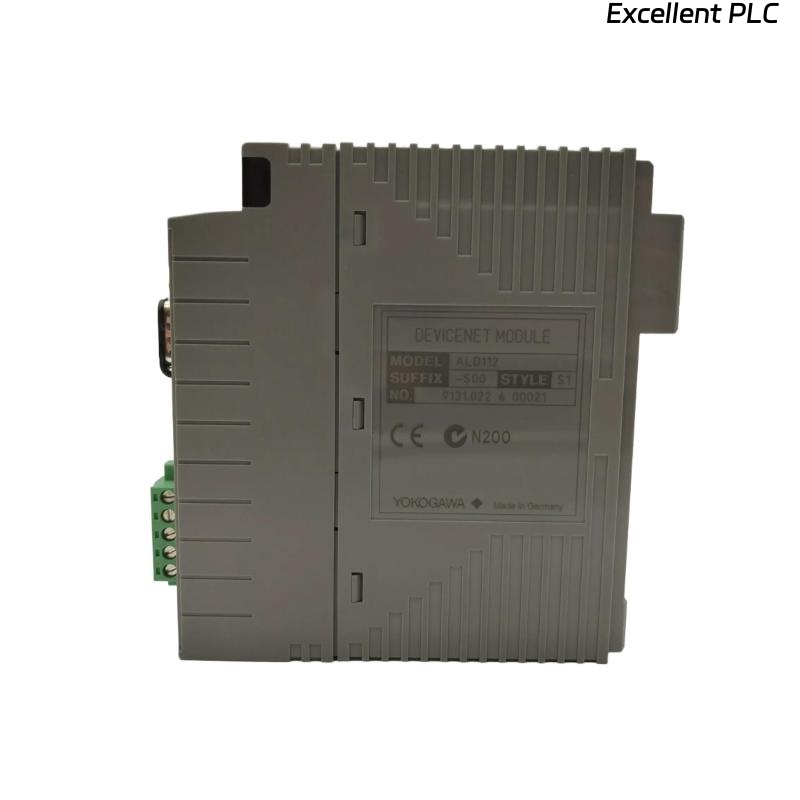
The Yokogawa ALD112-S00 S1 CPU Processor Module is a high-performance control processor designed for Yokogawa CENTUM VP Distributed Control Systems (DCS). As the central processing unit of the controller, it executes control logic, manages communication with local and remote I/O modules, coordinates network data exchange, and supervises overall controller operation. The module is engineered for continuous industrial service with high reliability and supports redundant controller architectures to maximize system availability. Proper installation, configuration, and commissioning are essential for achieving stable control performance and long-term operational reliability.
Contents
- 1. Product Overview
- 2. Main Features
- 3. Typical Applications
- 4. Installation Preparation
- 5. Module Installation
- 6. System Connections
- 7. CPU Configuration
- 8. Commissioning Procedure
- 9. Functional Verification
- 10. Preventive Maintenance
- 11. Practical Installation Case
- 12. Frequently Asked Questions
Product Overview
The ALD112-S00 S1 functions as the primary processing module within a Yokogawa CENTUM VP controller. It performs real-time control calculations, executes application programs, manages communication with field I/O, and exchanges data across the system network. The module is designed for continuous industrial operation and supports redundant controller configurations for improved availability.
Main Features
- Industrial-grade CPU processor module
- High-speed real-time control execution
- Supports CENTUM VP control architecture
- Reliable communication with local and remote I/O
- Supports redundant controller operation
- Continuous diagnostic monitoring
- Designed for 24-hour industrial operation
Typical Applications
- CENTUM VP Distributed Control Systems
- Process automation controllers
- Oil and gas production facilities
- Petrochemical plants
- Chemical processing industries
- Power generation stations
- Water treatment plants
- Large industrial automation systems
Installation Preparation
- Verify the ALD112-S00 S1 model number.
- Review controller configuration drawings.
- Back up the controller database before replacement.
- Observe ESD protection procedures.
- Inspect the module and connector pins for damage.
Module Installation
- Shut down the controller according to plant procedures.
- Disconnect power if required by maintenance instructions.
- Remove the existing CPU module if replacing hardware.
- Insert the ALD112-S00 S1 into the designated controller slot.
- Lock the retaining mechanism securely.
- Reconnect system connections.
- Restore controller power.
System Connections
- Verify controller backplane connections.
- Confirm communication module installation.
- Inspect power supply status.
- Verify redundant controller synchronization where applicable.
- Check all controller status indicators.
CPU Configuration
- Download the approved control database.
- Load controller configuration.
- Configure communication parameters.
- Verify processor redundancy settings.
- Confirm controller startup diagnostics.
Commissioning Procedure
VERIFY MODULE INSTALLATION
CHECK POWER STATUS
LOAD CONTROLLER DATABASE
VERIFY CPU CONFIGURATION
CHECK COMMUNICATION STATUS
VERIFY I/O COMMUNICATION
START CONTROL EXECUTION
CONFIRM NORMAL OPERATION
Functional Verification
- Confirm normal CPU status indicators.
- Verify controller diagnostics.
- Check communication with all I/O modules.
- Verify execution of control strategies.
- Monitor system performance during operation.
Preventive Maintenance
- Inspect controller status indicators regularly.
- Monitor diagnostic alarms.
- Maintain controller ventilation.
- Verify firmware compatibility before upgrades.
- Back up the controller database periodically.
Practical Installation Case
During a modernization project at a refinery, an aging controller processor was replaced with an ALD112-S00 S1 module as part of a planned maintenance shutdown.
After downloading the verified control database and completing commissioning:
- The controller initialized successfully.
- All remote I/O communications were restored.
- Control strategies resumed normal execution.
- The process unit returned to continuous operation without controller alarms.
Frequently Asked Questions
What is the function of the ALD112-S00 S1?
The module serves as the controller’s CPU, executing control programs, managing communication with field devices, processing process data, and coordinating system operation within the CENTUM VP DCS.
Does the module support redundant systems?
Yes. The ALD112-S00 S1 is designed for use in CENTUM VP architectures that support redundant controller configurations for improved system availability.
What should be verified after installation?
Verify module seating, controller diagnostics, communication with all I/O modules, processor synchronization (if redundant), database loading, and normal execution of control strategies before returning the system to service.
Summary
Proper installation of the Yokogawa ALD112-S00 S1 CPU Processor Module ensures reliable controller operation, stable communication, and dependable execution of process control applications. Following recommended installation, configuration, commissioning, and preventive maintenance procedures maximizes system availability and long-term performance in Yokogawa CENTUM VP Distributed Control Systems.