 Excellent PLC


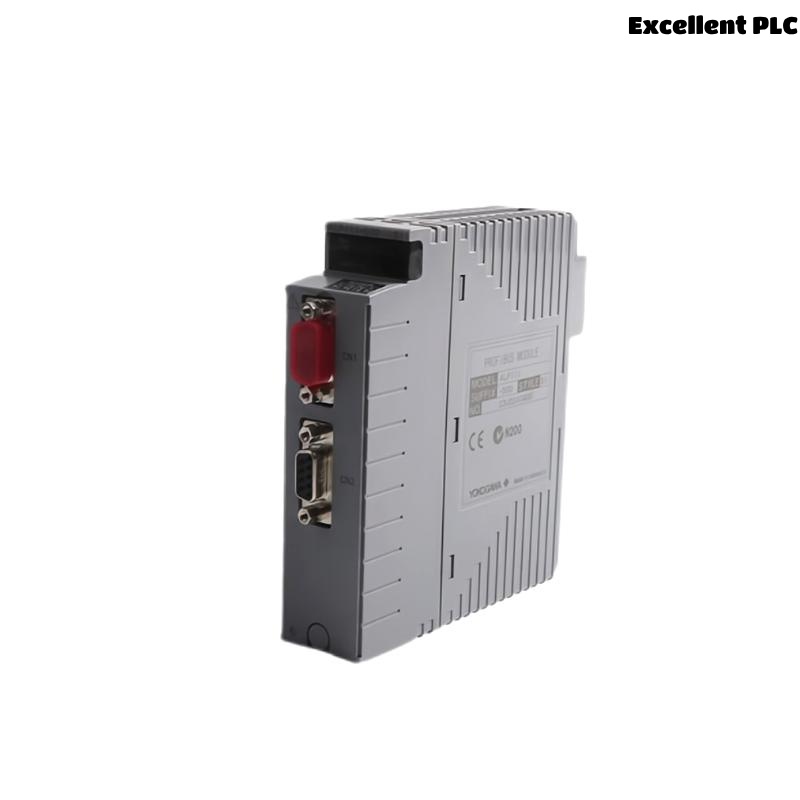
The Yokogawa ALP111 Communication Module is a high-speed network communication interface used in Yokogawa CENTUM VP and CENTUM CS Distributed Control Systems (DCS). It enables reliable communication between Field Control Stations (FCS), Human Interface Stations (HIS), Engineering Workstations (ENG), and the Vnet/IP control network. The module manages real-time process data transmission, controller synchronization, system diagnostics, and network communication. Communication failures may result from network configuration errors, damaged communication media, power abnormalities, hardware faults, or controller configuration issues. This guide provides a systematic troubleshooting procedure for diagnosing ALP111 communication faults and restoring stable network operation.
Contents
- 1. Understanding Communication Module Faults
- 2. Common Failure Symptoms
- 3. Typical Causes of Communication Problems
- 4. Initial Hardware Inspection
- 5. Network Communication Verification
- 6. Diagnostic Analysis
- 7. Recommended Troubleshooting Workflow
- 8. Corrective Actions
- 9. Functional Recovery Verification
- 10. Preventive Maintenance
- 11. Industrial Maintenance Case
- 12. Frequently Asked Questions
Understanding Communication Module Faults
The ALP111 serves as a critical communication interface within the Yokogawa DCS architecture, exchanging control information between controllers and supervisory stations over the Vnet/IP network. Stable operation depends on proper module installation, healthy communication links, correct network configuration, compatible firmware, and reliable controller operation. Communication failures typically originate from damaged network cables, connector faults, incorrect configuration parameters, switch failures, or module hardware problems.
Common Failure Symptoms
- Controller communication failure.
- Operator station unable to communicate with the controller.
- Engineering workstation connection failure.
- Network communication timeout alarms.
- Loss of process data updates.
- Controller redundancy communication errors.
- Abnormal communication LED indicators.
- Frequent network reconnection events.
Typical Causes of Communication Problems
- Network cable damage.
- Loose communication connectors.
- Incorrect network configuration.
- Communication switch malfunction.
- Optical transceiver failure.
- Firmware incompatibility.
- Power supply instability.
- Internal ALP111 hardware failure.
Initial Hardware Inspection
- Verify the ALP111 is fully inserted into the controller chassis.
- Inspect module locking mechanisms.
- Check network cable connections.
- Inspect communication connectors.
- Verify controller power supply status.
Network Communication Verification
- Verify communication link status.
- Check network switch operation.
- Inspect optical fiber or Ethernet cables.
- Verify redundant communication paths.
- Confirm IP and network configuration parameters.
- Verify controller communication diagnostics.
Diagnostic Analysis
| Observed Condition | Possible Diagnosis |
|---|---|
| No network communication | Cable failure, connector problem, or module fault |
| Controller unreachable | Configuration error or network failure |
| Intermittent communication | Loose connector or damaged communication media |
| Redundancy synchronization failure | Network configuration mismatch |
| Communication alarms | Switch malfunction or hardware fault |
Recommended Troubleshooting Workflow
CHECK MODULE STATUS
VERIFY POWER SUPPLY
INSPECT NETWORK CABLES
CHECK COMMUNICATION SWITCHES
VERIFY NETWORK CONFIGURATION
CHECK CONTROLLER DIAGNOSTICS
VERIFY REDUNDANT LINKS
CONFIRM NORMAL COMMUNICATION
Corrective Actions
- Reconnect loose communication cables.
- Replace damaged network media.
- Correct communication configuration parameters.
- Repair or replace faulty network switches.
- Update incompatible firmware.
- Restore redundant communication paths.
- Replace the ALP111 module if hardware diagnostics confirm failure.
Functional Recovery Verification
- Verify stable controller communication.
- Confirm operator station connectivity.
- Check engineering workstation communication.
- Monitor communication diagnostics.
- Verify continuous process data exchange.
Preventive Maintenance
- Inspect communication cables regularly.
- Verify connector security.
- Review controller communication logs.
- Maintain firmware compatibility.
- Inspect cabinet cooling and environmental conditions.
- Verify redundant network operation during scheduled maintenance.
Industrial Maintenance Case
At a large refinery, operators reported intermittent communication loss between a Field Control Station and multiple Human Interface Stations during peak production.
Maintenance personnel traced the issue to a deteriorated fiber-optic connector connected to the ALP111 communication module. The connector exhibited increased optical attenuation, causing intermittent packet loss on the Vnet/IP network.
After replacing the connector, cleaning the optical interfaces, and verifying network diagnostics:
- Controller communication returned to normal.
- Redundant network synchronization was restored.
- Operator stations received uninterrupted real-time process data.
- No additional communication alarms occurred during continuous operation.
Frequently Asked Questions
Why is the controller not communicating with the operator station?
Possible causes include damaged communication cables, incorrect network configuration, failed communication switches, loose connectors, firmware incompatibility, or an ALP111 hardware fault.
What should be checked before replacing the ALP111 module?
Verify controller power, communication media, network switches, configuration parameters, firmware versions, connector integrity, and system diagnostics before determining that the module has failed.
Can the ALP111 operate in a redundant network architecture?
Yes. The module supports CENTUM VP redundant communication architectures. After maintenance, verify that both communication paths are operational and redundancy synchronization is functioning correctly.
Summary
Effective troubleshooting of the Yokogawa ALP111 Communication Module requires systematic verification of hardware installation, communication media, network infrastructure, controller configuration, firmware compatibility, and diagnostic information. Routine preventive maintenance, proper network management, and timely replacement of confirmed faulty components ensure reliable long-term communication performance throughout Yokogawa CENTUM VP Distributed Control Systems.