 Excellent PLC


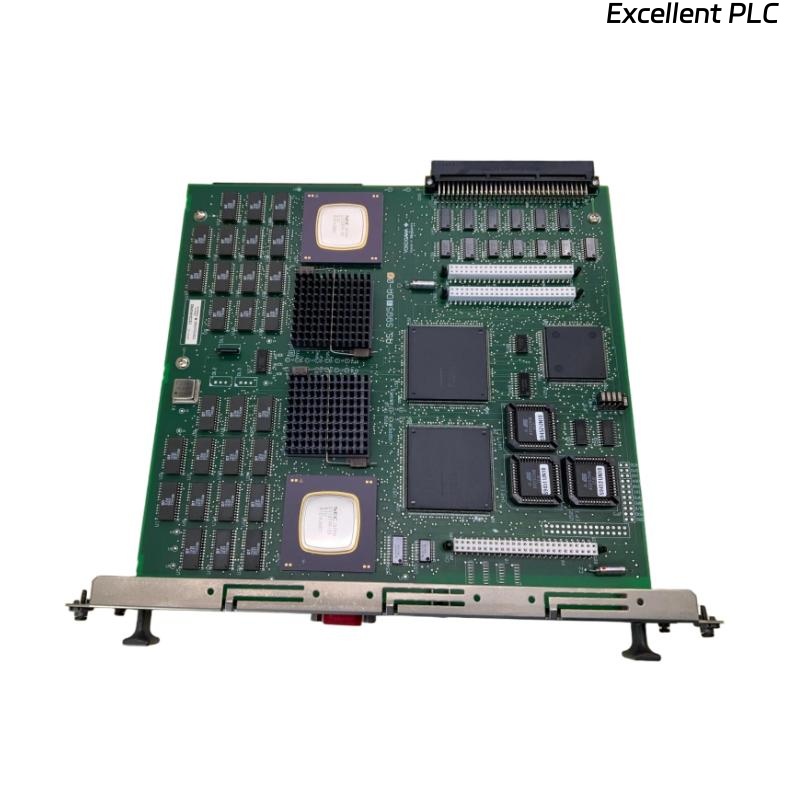
The Yokogawa CP330D Processor Module is the core processing unit of Yokogawa CENTUM VP and CENTUM CS 3000 Distributed Control Systems (DCS). It executes process control strategies, manages communication with I/O modules, coordinates controller functions, and continuously performs system diagnostics. Although the CP330D is designed for high reliability and continuous industrial operation, hardware faults, configuration errors, communication failures, power supply abnormalities, or environmental conditions may prevent the controller from operating normally. A structured troubleshooting procedure helps maintenance engineers identify faults quickly and restore safe system operation.
Contents
- 1. Understanding Processor Module Faults
- 2. Common Failure Symptoms
- 3. Typical Causes
- 4. Initial Hardware Inspection
- 5. System Communication Verification
- 6. Diagnostic Analysis
- 7. Recommended Troubleshooting Workflow
- 8. Corrective Actions
- 9. Functional Recovery Verification
- 10. Preventive Maintenance
- 11. Industrial Maintenance Case
- 12. Frequently Asked Questions
Understanding Processor Module Faults
The CP330D is responsible for executing control programs, exchanging data with I/O modules, maintaining controller synchronization, and supervising overall Field Control Station (FCS) operation. Startup failures, unexpected CPU resets, communication interruptions, or diagnostic alarms may result from unstable power supplies, damaged rack connectors, corrupted application software, firmware incompatibility, excessive cabinet temperature, or internal processor hardware failures.
Common Failure Symptoms
- Processor fails to enter RUN mode.
- Controller remains in STOP or ERROR state.
- Field I/O communication is interrupted.
- Engineering Station cannot access the controller.
- Unexpected processor restart occurs.
- Diagnostic LEDs indicate hardware faults.
- Application program does not execute.
- System reports controller communication alarms.
Typical Causes
- Power supply instability.
- Improper module installation.
- Loose or damaged backplane connector.
- Application download failure.
- Firmware mismatch.
- Controller configuration errors.
- Cabinet overheating.
- Communication network failure.
- Internal processor hardware malfunction.
Initial Hardware Inspection
- Verify controller power supply voltage.
- Inspect processor status LEDs.
- Confirm the module is fully inserted.
- Inspect rack connectors.
- Verify cabinet ventilation.
- Review controller diagnostic messages.
System Communication Verification
- Verify communication with engineering stations.
- Inspect controller network connections.
- Check communication module status.
- Verify backplane communication.
- Inspect redundant controller synchronization.
- Review communication diagnostics.
Diagnostic Analysis
| Observed Condition | Possible Diagnosis |
|---|---|
| Processor does not start | Power supply failure or processor hardware fault |
| RUN LED remains OFF | Application error or configuration problem |
| I/O communication unavailable | Backplane connection or communication failure |
| Repeated processor restart | Power instability, overheating, or hardware malfunction |
| Controller inaccessible | Communication configuration or network fault |
Recommended Troubleshooting Workflow
CHECK SYSTEM DIAGNOSTICS
VERIFY POWER SUPPLY
INSPECT PROCESSOR INSTALLATION
CHECK BACKPLANE CONNECTIONS
VERIFY COMMUNICATION NETWORK
CHECK APPLICATION SOFTWARE
TEST CONTROLLER OPERATION
CONFIRM NORMAL STATUS
Corrective Actions
- Restore stable power supply.
- Reseat the processor module.
- Repair damaged rack connectors.
- Reload the control application.
- Correct controller configuration.
- Update firmware if required.
- Improve cabinet cooling.
- Replace the processor module after confirming internal hardware failure.
Functional Recovery Verification
- Confirm the processor enters RUN mode.
- Verify I/O communication.
- Check controller diagnostics.
- Verify application execution.
- Test redundant controller operation if installed.
- Monitor long-term controller stability.
Preventive Maintenance
- Inspect processor status indicators regularly.
- Maintain controller program backups.
- Verify cabinet cooling performance.
- Inspect rack connectors during shutdowns.
- Review controller diagnostic history.
- Check power supply stability.
Industrial Maintenance Case
During routine maintenance at a fertilizer production plant, operators reported that a Field Control Station using a CP330D processor remained in STOP mode after a scheduled restart. Inspection confirmed that the processor hardware was functioning normally, but the application database had become corrupted during an interrupted software download.
After restoring the latest backup configuration, downloading the application again, verifying controller diagnostics, and confirming I/O communication:
- The processor entered RUN mode successfully.
- All field devices resumed communication.
- No additional hardware replacement was required.
- The production process returned to normal operation.
Frequently Asked Questions
Why does the CP330D remain in STOP mode?
Possible causes include application software errors, configuration problems, startup diagnostics, unstable power supplies, or internal hardware faults.
Why can’t the processor communicate with I/O modules?
Common causes include damaged backplane connectors, communication module failures, controller configuration errors, network problems, or rack hardware faults.
When should the CP330D processor module be replaced?
The processor should only be replaced after confirming that the power supply, rack connections, firmware, application software, communication network, and controller configuration are operating correctly, while the processor continues to report internal hardware failures or cannot complete normal startup.
Summary
Effective troubleshooting of the Yokogawa CP330D Processor Module requires systematic verification of power supplies, processor installation, communication networks, rack connections, controller software, firmware compatibility, and diagnostic information. Regular preventive maintenance and reliable application backups help maximize controller availability and ensure stable long-term operation in Yokogawa CENTUM Distributed Control Systems.