 Excellent PLC


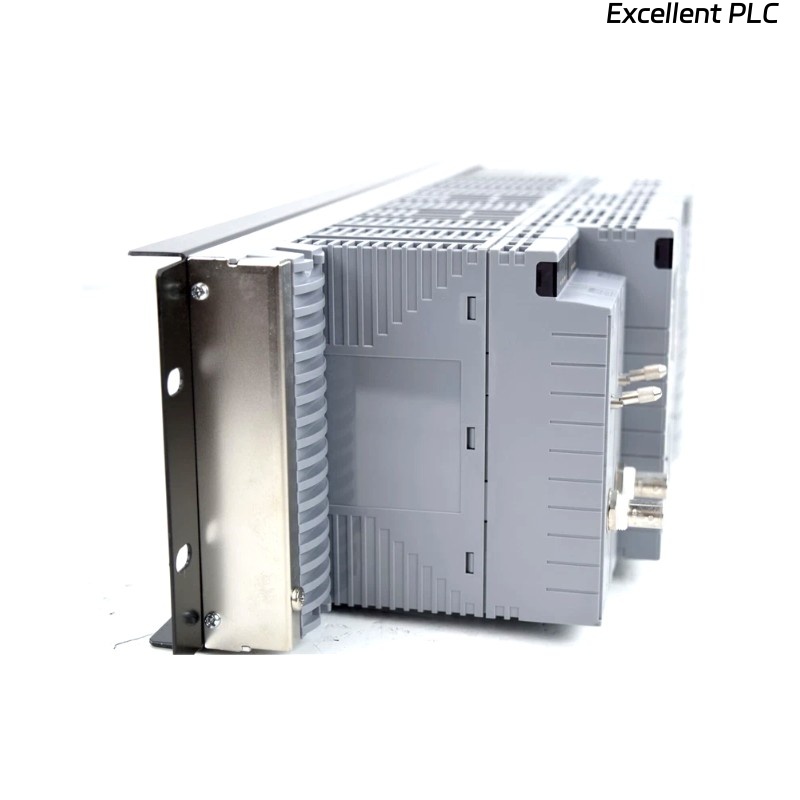
The Yokogawa AVR10D Duplexed V net Router is a redundant industrial communication router used in Yokogawa CENTUM VP and CENTUM CS 3000 Distributed Control Systems (DCS). It enables communication between Vnet/IP and legacy V net or VL net networks while supporting redundant communication modules and redundant power supplies. Communication interruptions, configuration errors, hardware faults, or network infrastructure problems may affect data exchange between Field Control Stations (FCS), Human Interface Stations (HIS), Engineering Stations (ENG), and other control nodes. A systematic troubleshooting procedure helps restore reliable network operation with minimal process disruption.
Contents
- 1. Understanding Router Failures
- 2. Common Failure Symptoms
- 3. Typical Causes
- 4. Initial Hardware Inspection
- 5. Network Connection Verification
- 6. Diagnostic Analysis
- 7. Recommended Troubleshooting Workflow
- 8. Corrective Actions
- 9. Functional Recovery Verification
- 10. Preventive Maintenance
- 11. Industrial Maintenance Case
- 12. Frequently Asked Questions
Understanding Router Failures
The AVR10D is responsible for routing control data between different Yokogawa control network domains. Communication failures may originate from network cable damage, switch failures, incorrect routing configuration, duplicate network addresses, faulty communication modules, redundant path failures, or power supply problems. Since the router operates within mission-critical industrial networks, any interruption should be diagnosed systematically to avoid unnecessary controller downtime.
Common Failure Symptoms
- Loss of communication between Vnet/IP and V net systems.
- HIS cannot access legacy controllers.
- Engineering Station download failures.
- Redundant communication alarms.
- Network timeout messages.
- Router status LEDs indicate communication faults.
- Intermittent network connectivity.
- Controller communication becomes unstable.
Typical Causes
- Damaged Ethernet cable.
- Faulty V net communication cable.
- Incorrect IP or network configuration.
- Duplicate network addresses.
- Network switch failure.
- Communication module malfunction.
- Redundant path interruption.
- Power supply module failure.
- Cabinet overheating.
Initial Hardware Inspection
- Verify router power status.
- Inspect communication LEDs.
- Check redundant power modules.
- Inspect Ethernet connectors.
- Verify V net cable connections.
- Review CENTUM system diagnostics.
Network Connection Verification
- Verify Ethernet cable continuity.
- Inspect switch port status.
- Confirm IP addressing.
- Verify network routing parameters.
- Check redundant communication paths.
- Inspect connector locking mechanisms.
Diagnostic Analysis
| Observed Condition | Possible Diagnosis |
|---|---|
| No communication with Vnet/IP | Ethernet cable, switch, or IP configuration fault |
| No communication with V net | Legacy network cable or communication module failure |
| Intermittent communication | Loose connector, damaged cable, or network interference |
| Redundant alarm active | Backup communication path unavailable |
| Router unavailable after restart | Configuration error or hardware failure |
Recommended Troubleshooting Workflow
CHECK SYSTEM DIAGNOSTICS
VERIFY POWER STATUS
INSPECT NETWORK CABLES
CHECK SWITCH OPERATION
VERIFY ROUTER CONFIGURATION
TEST REDUNDANT PATHS
RESTART COMMUNICATION SERVICES
CONFIRM NORMAL OPERATION
Corrective Actions
- Replace damaged communication cables.
- Reconnect loose network connectors.
- Correct IP and routing configuration.
- Restore redundant communication paths.
- Replace defective communication modules.
- Repair or replace failed network switches.
- Replace faulty power supply modules.
- Update router configuration if necessary.
Functional Recovery Verification
- Verify communication with all network nodes.
- Confirm redundant path operation.
- Check router status indicators.
- Verify Engineering Station access.
- Test operator station communication.
- Monitor network stability during operation.
Preventive Maintenance
- Inspect communication cables regularly.
- Verify redundant power supplies.
- Check switch health.
- Review network diagnostics.
- Maintain cabinet ventilation.
- Perform scheduled communication testing.
Industrial Maintenance Case
Following a scheduled maintenance outage at a petrochemical complex, operators reported that several legacy controllers could no longer communicate with the CENTUM VP operator stations. Investigation revealed that one redundant Ethernet uplink connected to the AVR10D had been plugged into the wrong switch port during cabinet maintenance.
After restoring the correct network connection, verifying routing parameters, confirming redundant communication paths, and testing controller accessibility:
- Communication between Vnet/IP and legacy V net systems resumed.
- All operator stations regained controller access.
- Redundant network alarms cleared.
- Normal plant operation continued without controller replacement.
Frequently Asked Questions
Why can the operator station not communicate with legacy controllers?
The most common causes are damaged network cables, incorrect routing configuration, switch failures, communication module faults, or an unavailable redundant communication path.
How can I verify that redundancy is functioning correctly?
Check the router status indicators, verify both communication paths are active, review CENTUM diagnostic messages, and perform a controlled failover test according to plant maintenance procedures.
When should the AVR10D be replaced?
The router should only be replaced after confirming that communication cables, network switches, power supplies, configuration settings, and redundant paths are operating correctly, and the hardware continues to report internal faults or fails communication diagnostics.
Summary
Effective troubleshooting of the Yokogawa AVR10D Duplexed V net Router requires systematic verification of power supplies, communication modules, Ethernet infrastructure, routing configuration, redundant network paths, and CENTUM diagnostics. Routine preventive maintenance and proper network management ensure reliable long-term communication between Vnet/IP and legacy Yokogawa control networks.