 Excellent PLC


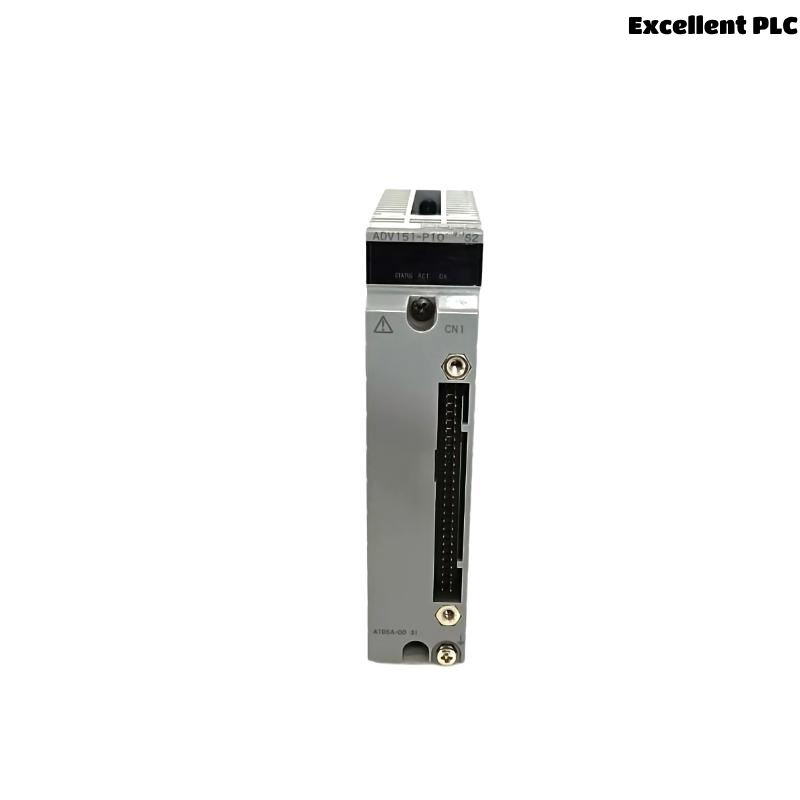
Yokogawa ADV151-P10 Digital Input Module installation failures are usually caused by incorrect field wiring, improper signal allocation, or incomplete System Configuration rather than hardware defects. The ADV151-P10 supports 32 isolated digital input channels, 24 VDC signal acquisition, and pushbutton input functionality, making proper Setup and Commissioning essential for stable plant operation. :contentReference[oaicite:0]{index=0}
Contents
- ADV151-P10 Digital Input Module Overview
- ADV151-P10 Technical Specifications
- ADV151-P10 Installation Planning
- ADV151-P10 Pre-Installation Inspection
- ADV151-P10 Environmental Requirements
- ADV151-P10 Power Verification
- ADV151-P10 Input Signal Preparation
- ADV151-P10 Wiring Installation Guide
- ADV151-P10 Grounding and Shielding
- ADV151-P10 Module Mounting Procedure
- ADV151-P10 System Configuration Setup
- ADV151-P10 Channel Testing
- ADV151-P10 Commissioning Procedure
- ADV151-P10 Operational Verification
- ADV151-P10 Maintenance Strategy
- Real Commissioning Case
- FAQ
ADV151-P10 Digital Input Module Overview
The Yokogawa ADV151-P10 Digital Input Module is designed for acquiring 24 VDC ON/OFF field signals from switches, relays, valve limit switches, emergency shutdown circuits, and process equipment feedback contacts. The module provides 32 isolated channels and supports pushbutton input applications. :contentReference[oaicite:1]{index=1}
ADV151-P10 Technical Specifications
- 32 isolated digital input channels
- 24 VDC rated input voltage
- 18–26.4 VDC ON-state detection
- 5 VDC or lower OFF-state detection
- 8 ms response time
- Support for sink/source signals
- Pushbutton input capability
ADV151-P10 Installation Planning
Before installation, engineers should review control narratives, I/O schedules, marshalling diagrams, and cabinet layouts. Field experience shows that most startup delays originate from mismatched signal assignments rather than module issues.
ADV151-P10 Pre-Installation Inspection
- Verify model number ADV151-P10
- Inspect terminals and connectors
- Check housing integrity
- Review shipping records
- Confirm documentation availability
ADV151-P10 Environmental Requirements
- Clean control cabinet environment
- Adequate ventilation
- Controlled humidity
- Stable ambient temperature
- Reliable grounding infrastructure
ADV151-P10 Power Verification
- Verify control power availability
- Measure supply voltage stability
- Confirm polarity
- Inspect common return circuits
ADV151-P10 Input Signal Preparation
- Verify 24 VDC field signals
- Check contact integrity
- Confirm signal labeling
- Review channel assignments
ADV151-P10 Wiring Installation Guide
Correct wiring is the foundation of successful Setup and Commissioning.
- Separate power and signal cables
- Maintain proper cable identification
- Verify terminal numbering
- Inspect cable continuity
- Avoid routing near VFD cables
ADV151-P10 Grounding and Shielding
- Use single-point grounding
- Inspect shield terminations
- Eliminate ground loops
- Verify cabinet bonding
ADV151-P10 Module Mounting Procedure
- De-energize the cabinet.
- Insert the ADV151-P10 module.
- Secure mounting locks.
- Connect field wiring.
- Verify all terminals.
- Apply system power.
- Check module indicators.
ADV151-P10 System Configuration Setup
POWER ON SYSTEM
DETECT MODULE
ASSIGN CHANNELS
CREATE TAGS
DOWNLOAD DATABASE
VERIFY PARAMETERS
SAVE CONFIGURATION
START VALIDATION
ADV151-P10 Channel Testing
- Operate field switches
- Verify channel changes
- Check alarm functions
- Validate operator displays
- Confirm event recording
ADV151-P10 Commissioning Procedure
Commissioning should include live equipment testing. Simulation alone often fails to identify wiring errors or incorrect marshalling terminations.
ADV151-P10 Operational Verification
- Confirm signal integrity
- Review alarm logic
- Validate event timestamps
- Monitor diagnostics
ADV151-P10 Maintenance Strategy
- Inspect terminals annually
- Review diagnostics regularly
- Verify grounding continuity
- Maintain configuration backups
Real Commissioning Case
During startup of a petrochemical unit, operators found that ten ADV151-P10 input channels remained inactive despite healthy field contacts.
- Measured Signal Voltage: 24.1 VDC
- Controller Status: Healthy
- Module Diagnostics: Normal
- Affected Channels: 10
Engineers initially suspected a faulty Digital Input Module. Detailed signal tracing revealed that a marshalling cabinet common return conductor had been landed on an incorrect terminal block.
After rewiring:
- All channels responded correctly
- Alarm functions recovered
- Control logic executed normally
- Startup completed without module replacement
In one commissioning case, correcting a single wiring termination avoided unnecessary spare part consumption and reduced project delays.
ADV151-P10 Installation Guide FAQ
What voltage signals can the ADV151-P10 monitor?
The module is designed for 24 VDC digital input signals and supports isolated signal acquisition. :contentReference[oaicite:2]{index=2}
Why is System Configuration verification important?
Incorrect channel mapping can result in false alarms, incorrect graphics indications, and improper control actions.
What causes most commissioning issues?
Field wiring errors, grounding deficiencies, and database configuration mistakes are more common than actual hardware failures.
Summary: Reliable ADV151-P10 Installation, Setup, and Commissioning depend on proper wiring practices, verified System Configuration, stable grounding, and comprehensive field validation.