 Excellent PLC


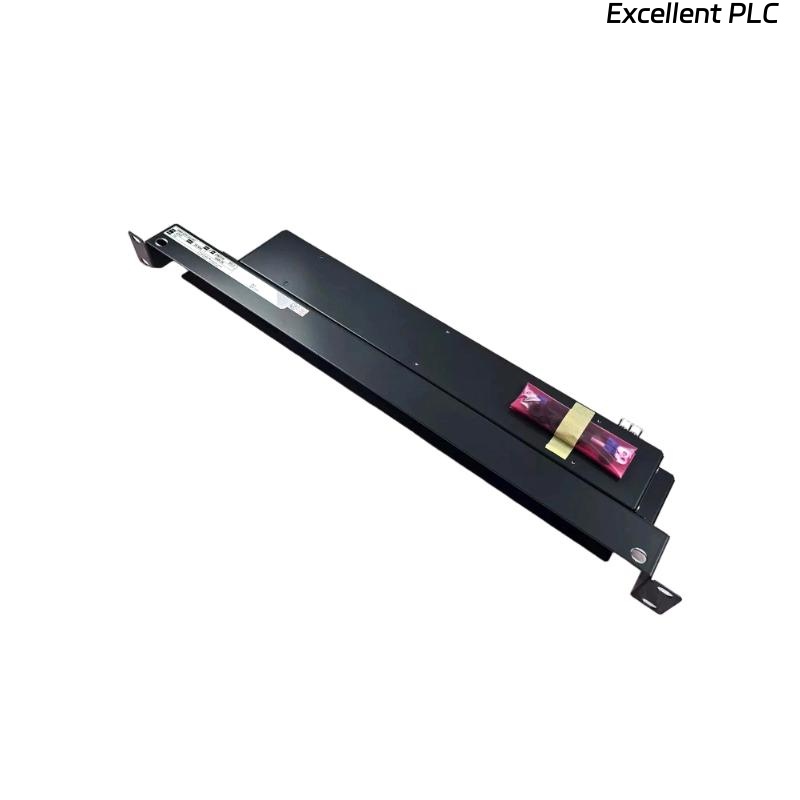
The Yokogawa AFE10D Duplexed Field Control Unit (FCU) is a redundant controller platform used within CENTUM VP and earlier Yokogawa distributed control systems. The AFE10D provides dual-redundant control processing, redundant communication paths, and redundant power architecture to maximize system availability in critical industrial applications. Proper installation, cabinet wiring, grounding, network connection, and commissioning procedures are essential to ensure reliable control system operation and high availability performance.
Contents
- 1. AFE10D Duplexed Field Control Unit Overview
- 2. Technical Features
- 3. Typical Industrial Applications
- 4. Installation Planning
- 5. Hardware Inspection
- 6. Installation Environment
- 7. Rack Mounting Procedure
- 8. Power Supply Connections
- 9. Control Network Connections
- 10. Grounding Requirements
- 11. I/O System Connections
- 12. Commissioning Procedure
- 13. Functional Verification
- 14. Preventive Maintenance
- 15. Practical Installation Case
- 16. Frequently Asked Questions
AFE10D Duplexed Field Control Unit Overview
The AFE10D is a duplexed Field Control Unit designed for high-availability industrial control applications. It incorporates redundant processors, redundant communication paths, and redundant power supplies to provide continuous process control even during hardware failures. The unit is installed in a 19-inch rack-mounted control station architecture and serves as the primary controller for field I/O subsystems. The AFE10D belongs to the family of Yokogawa duplexed Field Control Stations. :contentReference[oaicite:0]{index=0}
Technical Features
- Dual-redundant controller architecture
- Continuous process control capability
- Redundant communication networks
- Redundant power supply support
- Rack-mounted installation
- Integration with Yokogawa I/O subsystems
Typical Industrial Applications
- Oil and gas production facilities
- Refineries
- Petrochemical plants
- Power generation stations
- Chemical processing plants
- Large-scale manufacturing facilities
Installation Planning
Careful engineering preparation reduces commissioning time and improves long-term system reliability.
- Review control system drawings
- Verify rack space availability
- Confirm power requirements
- Review network architecture
- Verify I/O allocation plans
Hardware Inspection
- Verify model identification
- Inspect controller modules
- Check power supply modules
- Inspect communication interfaces
- Verify mounting accessories
Installation Environment
- Maintain proper ventilation
- Avoid excessive humidity
- Protect against vibration
- Prevent conductive dust accumulation
- Maintain stable ambient temperature
Rack Mounting Procedure
- Disconnect all cabinet power sources.
- Install the rack assembly according to cabinet drawings.
- Mount controller modules securely.
- Install redundant power supply modules.
- Verify mechanical alignment.
- Inspect all module locking mechanisms.
Power Supply Connections
- Connect primary power inputs
- Verify redundant power feeds
- Check power polarity where applicable
- Inspect protective devices
- Verify terminal tightness
Control Network Connections
- Connect redundant control network channels
- Verify network cable routing
- Inspect connector integrity
- Confirm communication redundancy
- Label all network cables
Grounding Requirements
- Connect protective earth correctly
- Verify cabinet bonding
- Maintain low grounding resistance
- Avoid multiple earth loops
- Inspect grounding continuity
I/O System Connections
VERIFY FCU INSTALLATION
CONNECT REDUNDANT POWER
CONNECT NETWORK CHANNELS
CONNECT I/O SUBSYSTEMS
VERIFY GROUNDING
CHECK CONFIGURATION
PREPARE COMMISSIONING
Commissioning Procedure
- Apply power to the control station
- Verify controller startup
- Confirm redundant operation
- Verify network communication
- Download control configuration
- Record commissioning results
Functional Verification
- Verify processor redundancy
- Test communication redundancy
- Verify I/O communication
- Monitor controller diagnostics
- Validate process control functions
Preventive Maintenance
- Inspect modules every six months
- Review controller diagnostics
- Inspect network connections
- Verify grounding integrity
- Maintain current system backups
Practical Installation Case
During commissioning of a refinery control system, engineers observed that the standby controller remained unavailable after initial startup.
Inspection confirmed that both controller modules were correctly installed, but one redundant network connection had not been fully seated during cabinet assembly.
After reconnecting the communication cable and restarting the synchronization process:
- Both controllers synchronized successfully.
- Redundant operation became available.
- I/O communication remained stable.
- The control station entered normal service without hardware replacement.
Frequently Asked Questions
What is the purpose of the AFE10D?
The AFE10D functions as a duplexed Field Control Unit that provides redundant process control, communication, and power capability within Yokogawa distributed control systems. :contentReference[oaicite:1]{index=1}
Why is redundancy important?
Redundancy allows control functions to continue operating when a controller module, communication path, or power supply experiences a fault, minimizing process downtime.
Where is the AFE10D typically installed?
The AFE10D is typically installed in rack-mounted Field Control Stations used in industrial automation systems requiring high availability and continuous process operation. :contentReference[oaicite:2]{index=2}
Summary: Proper installation of the Yokogawa AFE10D Duplexed Field Control Unit requires secure rack mounting, reliable redundant power wiring, correct network connections, effective grounding, and comprehensive commissioning. Following these procedures ensures dependable controller redundancy and long-term control system availability.