 Excellent PLC


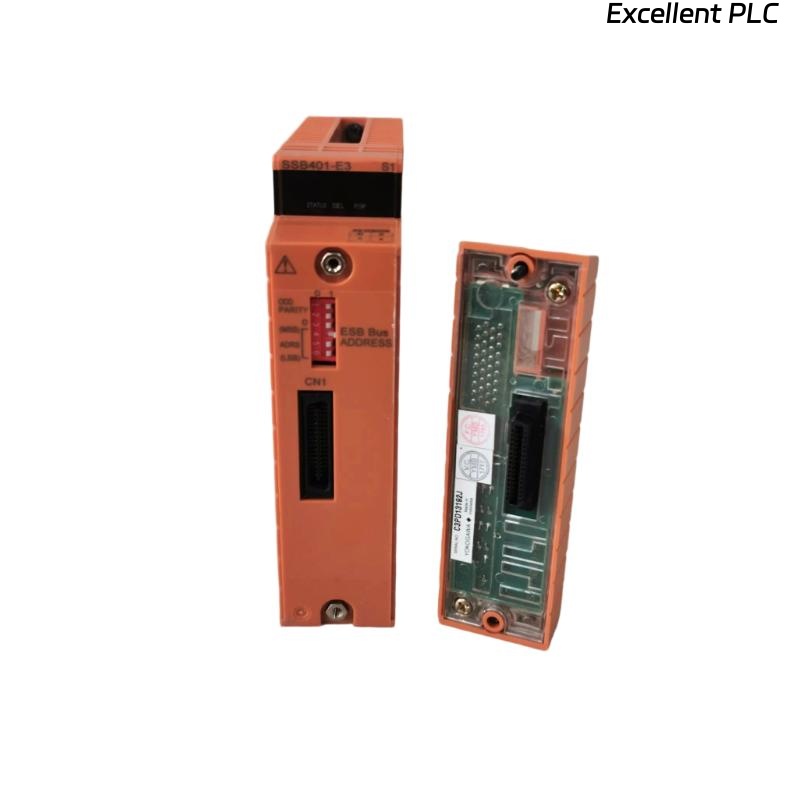
Yokogawa SNT401-E3 communication faults are most frequently caused by optical attenuation, connector contamination, network topology problems, or System Configuration inconsistencies rather than actual failure of the Optical Bus Repeater Master Module. In field applications, effective Troubleshooting requires identifying communication patterns and infrastructure issues before considering module replacement.
Contents
- SNT401-E3 Communication Fault Symptoms
- Impact of SNT401-E3 Faults on Control Networks
- Common Failure Patterns
- Root Causes of SNT401-E3 Communication Faults
- Field Fault Diagnosis Strategy
- Alarm Analysis Techniques
- Optical Fiber Troubleshooting
- Communication Network Analysis
- System Configuration Troubleshooting
- SNT401-E3 Troubleshooting Workflow
- Recovery Actions
- Repair Verification Procedures
- Preventive Maintenance Practices
- Real Fault Diagnosis Case
- FAQ
SNT401-E3 Communication Fault Symptoms
- Communication timeout alarms
- Remote node disconnections
- High communication latency
- Communication retry events
- Network instability warnings
- Unexpected failover operations
These symptoms frequently appear before complete communication failure occurs.
Impact of SNT401-E3 Faults on Control Networks
Because the SNT401-E3 acts as the communication master, a single fault can affect multiple repeater stations and distributed node groups simultaneously.
- Control response delays
- Safety communication interruptions
- Network-wide alarms
- Operator station warnings
- Reduced redundancy performance
Common Failure Patterns
- Communication failures after maintenance
- Intermittent alarms during temperature changes
- Random communication retries
- Latency increases over time
- Periodic node communication loss
Understanding these patterns accelerates Troubleshooting activities.
Root Causes of SNT401-E3 Communication Faults
- Optical attenuation above acceptable limits
- Dirty fiber connectors
- Damaged optical cables
- Incorrect network topology
- Grounding deficiencies
- Address conflicts
- Configuration inconsistencies
In actual field service cases, fiber infrastructure issues are more common than module hardware failures.
Field Fault Diagnosis Strategy
Experienced engineers typically follow a layered diagnostic approach.
- Review alarm history.
- Identify affected network segments.
- Measure communication performance.
- Inspect fiber infrastructure.
- Verify System Configuration.
- Evaluate hardware condition.
This process minimizes unnecessary module replacement.
Alarm Analysis Techniques
| Alarm Type | Likely Cause |
|---|---|
| Multiple node failures | Master communication interruption |
| Communication retries | Optical degradation |
| Latency alarms | Attenuation increase |
| Intermittent disconnects | Connector contamination |
| Failover events | Network instability |
Optical Fiber Troubleshooting
- Measure attenuation values
- Inspect connector surfaces
- Verify splice integrity
- Perform OTDR testing
- Validate patch panel connections
Fiber diagnostics should always precede hardware replacement decisions.
Communication Network Analysis
- Latency trending
- Error counter review
- Node response evaluation
- Communication load analysis
Communication statistics often reveal hidden network problems.
System Configuration Troubleshooting
- Node address validation
- Communication path review
- Repeater allocation checks
- Redundancy verification
- Segment mapping confirmation
Configuration errors frequently generate symptoms similar to physical communication faults.
SNT401-E3 Troubleshooting Workflow
CHECK ALARM HISTORY
VERIFY NODE STATUS
MEASURE ATTENUATION
CHECK CONNECTORS
ANALYZE LATENCY
VERIFY CONFIGURATION
CONFIRM ROOT CAUSE
Recovery Actions
| Fault Symptom | Probable Cause | Corrective Action |
|---|---|---|
| Timeout Alarm | High attenuation | Repair optical path |
| Node Offline | Fiber interruption | Repair cable infrastructure |
| Retry Alarm | Dirty connector | Clean optical interfaces |
| High Latency | Signal degradation | Verify attenuation levels |
| Network Instability | Configuration error | Review System Configuration |
Repair Verification Procedures
- Communication stability testing
- Latency verification
- Error counter review
- Alarm monitoring
- Redundancy validation
Preventive Maintenance Practices
- Quarterly connector cleaning
- Annual attenuation testing
- Routine network performance reviews
- Grounding inspections
- System Configuration audits
Real Fault Diagnosis Case
A refinery expansion project experienced repeated communication alarms affecting multiple remote safety nodes.
Measured values included:
- Fiber attenuation: 10.3 dB
- Communication latency: 310 ms
- Communication retries: over 450 per hour
- Module diagnostics: normal
The maintenance team initially suspected failure of the SNT401-E3 Optical Bus Repeater Master Module.
However, OTDR testing identified a damaged splice enclosure exposed to moisture.
After replacing the affected fiber section:
- Attenuation reduced to 2.5 dB
- Latency decreased to 18 ms
- Retry alarms disappeared
- Communication stability was restored
We observed that infrastructure degradation generated symptoms identical to a suspected module hardware fault.
SNT401-E3 Troubleshooting FAQ
Does a communication alarm always indicate module failure?
No. Optical attenuation, fiber damage, connector contamination, and System Configuration issues are more common causes.
What should be checked first during Troubleshooting?
Alarm history, attenuation measurements, communication diagnostics, and System Configuration should be reviewed before replacing hardware.
Can latency increases indicate fiber problems?
Yes. Increasing latency often indicates deteriorating optical signal quality or excessive attenuation.
Summary: Effective Yokogawa SNT401-E3 Fault Diagnosis requires structured Troubleshooting, communication analysis, optical infrastructure inspection, and System Configuration validation. In most cases, communication problems originate from the network rather than the Optical Bus Repeater Master Module itself.