 Excellent PLC


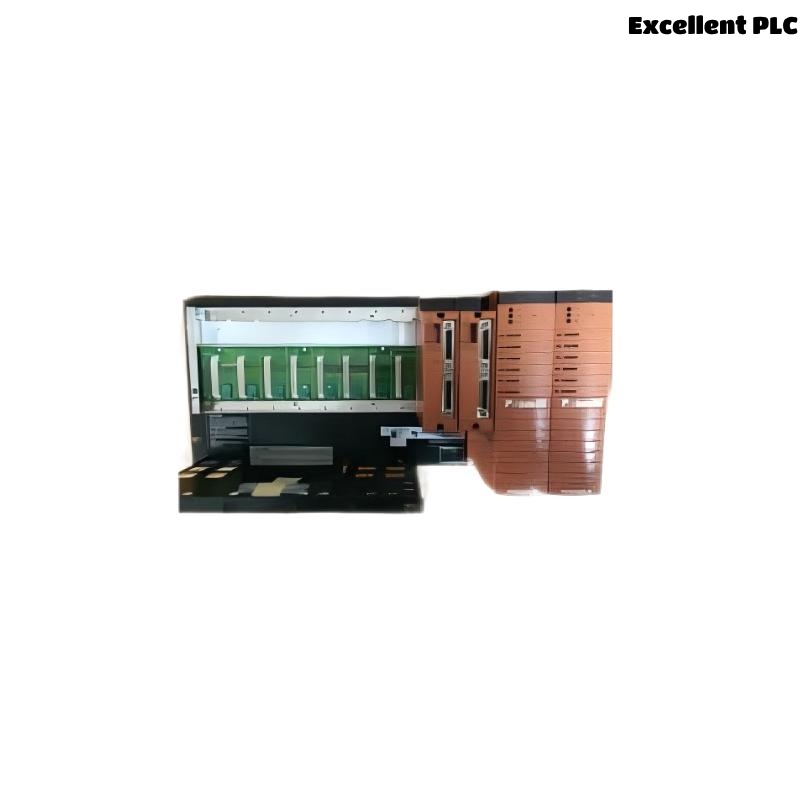
Yokogawa SNT10D communication and power faults are usually caused by optical infrastructure issues, redundant power supply abnormalities, incorrect module installation, or System Configuration errors rather than failure of the Optical Bus Repeater Unit itself. Effective Fault Diagnosis requires analyzing the entire repeater platform, including power modules, optical repeater modules, and network architecture.
Contents
- SNT10D Fault Symptoms
- Impact of SNT10D Failures
- Common Failure Patterns
- Root Causes of SNT10D Faults
- Fault Diagnosis Methodology
- Power Supply Fault Analysis
- Optical Communication Troubleshooting
- Repeater Module Verification
- System Configuration Troubleshooting
- SNT10D Troubleshooting Workflow
- Corrective Actions
- Repair Validation
- Preventive Maintenance
- Real Fault Diagnosis Case
- FAQ
SNT10D Fault Symptoms
- Repeater communication loss
- Node disconnection alarms
- Redundant power alarms
- Communication retries
- High network latency
- Unexpected failover events
Impact of SNT10D Failures
Because the SNT10D hosts multiple Optical ESB Bus Repeater Modules, a single platform fault may affect numerous network segments simultaneously.
- Safety node communication loss
- Distributed controller isolation
- Alarm floods
- Reduced redundancy availability
Common Failure Patterns
- Failures after maintenance work
- Communication instability during high temperatures
- Power alarms during load changes
- Intermittent network interruptions
- Communication degradation over time
Root Causes of SNT10D Faults
- Power module degradation
- Optical attenuation increases
- Improper module installation
- Grounding deficiencies
- Incorrect topology configuration
- Fiber contamination
- Redundancy configuration errors
Fault Diagnosis Methodology
Experienced engineers avoid immediate hardware replacement and instead follow a structured analysis process.
- Review alarm history.
- Identify affected communication segments.
- Verify power supply health.
- Inspect optical infrastructure.
- Validate System Configuration.
- Confirm module operation.
Power Supply Fault Analysis
The SNT10D relies on dual-redundant power supplies. Power abnormalities frequently affect communication performance. :contentReference[oaicite:7]{index=7}
- Input voltage verification
- Power module LED inspection
- Breaker verification
- Redundancy testing
Power instability often appears as communication instability.
Optical Communication Troubleshooting
- Attenuation measurements
- Connector inspection
- OTDR testing
- Patch panel verification
- Fiber route validation
Most communication alarms originate within the optical infrastructure.
Repeater Module Verification
- Check module status LEDs
- Verify slot assignment
- Inspect terminator installation
- Confirm firmware compatibility
System Configuration Troubleshooting
- Network topology validation
- Node address review
- Communication path verification
- Redundancy parameter checks
Configuration mistakes often mimic hardware failures.
SNT10D Troubleshooting Workflow
CHECK POWER STATUS
VERIFY MODULE INDICATORS
MEASURE FIBER ATTENUATION
REVIEW NETWORK ALARMS
CHECK CONFIGURATION
VALIDATE REDUNDANCY
CONFIRM ROOT CAUSE
Corrective Actions
| Fault Symptom | Probable Cause | Corrective Action |
|---|---|---|
| Power Alarm | Power module issue | Verify redundant supply |
| Node Offline | Fiber interruption | Repair optical link |
| Communication Retry | Dirty connector | Clean interfaces |
| Latency Increase | Attenuation rise | Inspect fiber quality |
| Failover Event | Configuration issue | Review network setup |
Repair Validation
- Latency testing
- Error counter review
- Communication stability monitoring
- Power redundancy validation
- Alarm verification
Preventive Maintenance
- Quarterly power inspections
- Fiber cleaning schedule
- Annual attenuation testing
- Grounding verification
- System Configuration audits
Real Fault Diagnosis Case
A gas processing facility experienced recurring communication outages affecting several safety node units connected through an SNT10D platform.
Field measurements showed:
- Communication latency: 340 ms
- Optical attenuation: 10.7 dB
- Retry alarms: 620 per hour
- Power supplies: normal
The maintenance team initially suspected a defective repeater unit.
During investigation, engineers found contamination inside multiple fiber patch connectors installed during a previous maintenance shutdown.
After cleaning and retesting:
- Attenuation dropped to 2.3 dB
- Latency reduced to 16 ms
- Communication retries disappeared
- Network stability returned
We observed that optical connector contamination produced symptoms nearly identical to a platform hardware failure.
SNT10D Troubleshooting FAQ
Does a communication alarm always indicate an SNT10D hardware fault?
No. Fiber attenuation, connector contamination, power instability, and configuration errors are far more common causes.
What should be checked first during Fault Diagnosis?
Engineers should verify power status, communication alarms, attenuation levels, and System Configuration before replacing hardware.
Can power supply problems affect communication?
Yes. Redundant power abnormalities frequently lead to unstable repeater operation and communication interruptions.
Summary: Effective Yokogawa SNT10D Troubleshooting requires structured Fault Diagnosis, power system verification, optical infrastructure analysis, and System Configuration validation. Most field failures originate from supporting infrastructure rather than the Optical Bus Repeater Unit itself.