 Excellent PLC


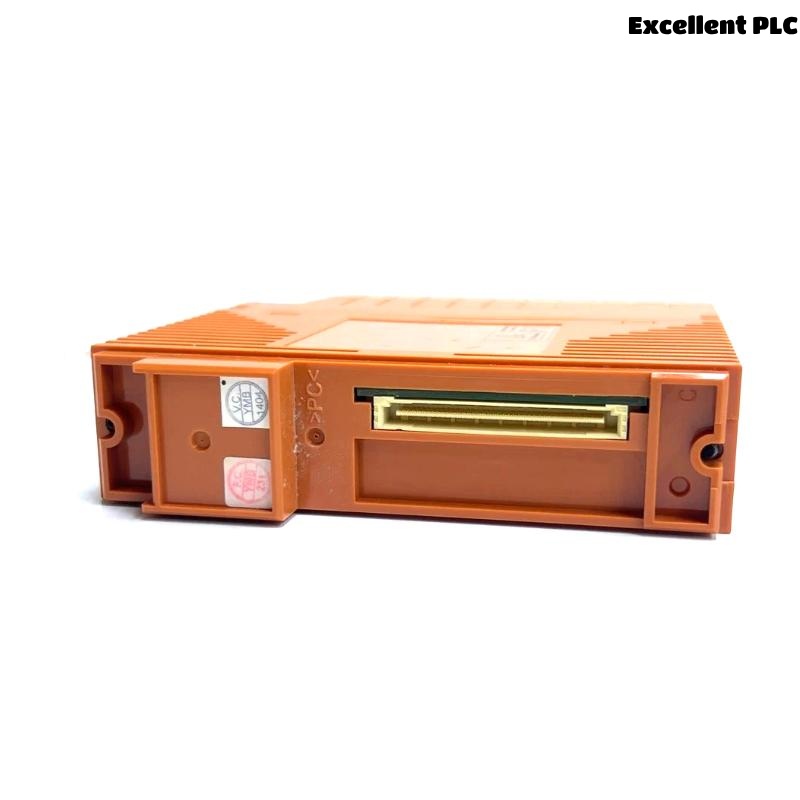
Yokogawa SSB401-S53 communication faults are most often linked to ESB network configuration issues, cable problems, or node addressing conflicts rather than module failure. Effective fault diagnosis starts with analyzing communication behavior before replacing hardware. The module acts as a communication bridge between FCS controllers and distributed I/O nodes, making network integrity a critical troubleshooting factor. :contentReference[oaicite:4]{index=4}
Contents
- SSB401-S53 Fault Symptoms
- Common Causes of SSB401-S53 Communication Faults
- Fault Diagnosis Thinking Process
- Troubleshooting Workflow
- Recovery and Repair Actions
- Real Failure Investigation
- FAQ
Yokogawa SSB401-S53 Bus Interface Slave Module Fault Symptoms
Typical field reports include:
- Node communication timeout
- ESB bus alarm
- I/O update delays
- Intermittent node disconnects
- Redundancy communication warnings
- Data synchronization issues
- Configuration mismatch alarms
These symptoms often occur together, making systematic troubleshooting essential.
Common Causes of Yokogawa SSB401-S53 Communication Fault
- Loose ESB cable connections
- Duplicate node addresses
- Incorrect FCS database settings
- Shield grounding defects
- Redundant path mismatch
- Communication noise interference
- Backplane connector contamination
Many reported module faults are ultimately traced to communication infrastructure rather than electronic component failure. :contentReference[oaicite:5]{index=5}
SSB401-S53 Fault Diagnosis Thinking Process
Experienced DCS engineers rarely replace the module immediately.
Instead, they follow a structured diagnosis path:
- Identify affected nodes.
- Review alarm history.
- Check communication statistics.
- Verify addressing configuration.
- Inspect physical connections.
- Evaluate module diagnostics.
- Replace hardware only after confirmation.
This methodology significantly reduces unnecessary maintenance activities.
SSB401-S53 Troubleshooting Workflow
CHECK NODE STATUS
VERIFY ESB HEALTH
CHECK ADDRESS TABLE
VERIFY DATABASE
INSPECT CABLES
CHECK REDUNDANCY
CONFIRM ROOT CAUSE
Fault Diagnosis becomes much faster when configuration records are available for comparison.
SSB401-S53 Recovery and Repair Actions
| Fault Condition | Probable Cause | Corrective Action |
|---|---|---|
| Node Offline | Communication interruption | Inspect ESB wiring |
| I/O Timeout | Address conflict | Verify node allocation |
| Data Delay | Network overload | Review bus utilization |
| Redundancy Alarm | Path inconsistency | Check redundant network status |
| Intermittent Fault | Shielding issue | Inspect grounding system |
Real SSB401-S53 Fault Investigation
A refinery modernization project experienced repeated ESB communication alarms affecting several remote I/O cabinets.
Observed values included:
- Node response time: 320 ms peak
- Bus retry count: increasing continuously
- Power supply status: stable
- Module diagnostics: normal
Maintenance personnel initially prepared a replacement SSB401-S53 module.
Further investigation revealed excessive optical signal attenuation within an aging communication segment.
After replacing the damaged fiber connection:
- Bus retries reduced by 92%
- Response time dropped below 30 ms
- Communication alarms cleared completely
We observed that communication media degradation created symptoms identical to a module failure.
SSB401-S53 Troubleshooting FAQ
Does an ESB communication alarm always indicate a faulty SSB401-S53 module?
No. Communication infrastructure problems, configuration errors, and addressing conflicts are more common causes.
What should be checked first during troubleshooting?
Review node communication status, address allocation, cable condition, and network diagnostics before replacing the module.
Can redundant ESB configurations generate fault alarms?
Yes. Inconsistent redundancy settings or communication path failures can trigger alarms even when the module hardware is healthy.
Summary: Effective Yokogawa SSB401-S53 Troubleshooting relies on communication analysis, configuration verification, network diagnostics, and disciplined fault diagnosis to identify root causes before hardware replacement.