 Excellent PLC


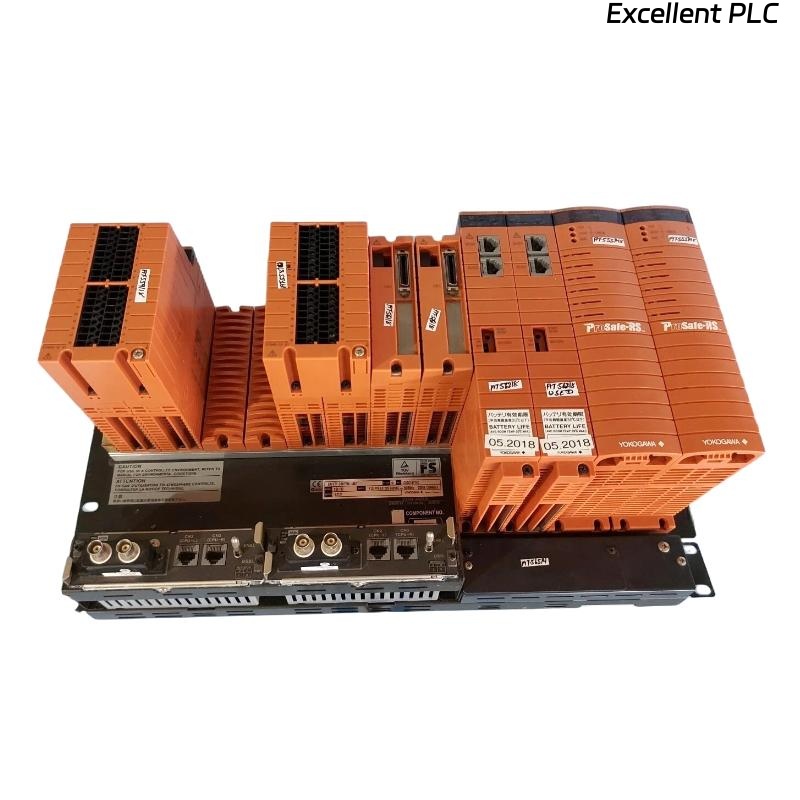
Yokogawa SSC10D-S2111 faults are often linked to communication instability, redundancy inconsistencies, or environmental conditions rather than actual processor failure. Effective troubleshooting begins with diagnostic evidence rather than immediate module replacement.
Contents
- SSC10D-S2111 Fault Symptoms
- Common Failure Patterns
- SSC10D-S2111 Fault Diagnosis Process
- Practical Troubleshooting Workflow
- Repair and Recovery Actions
- Real Fault Investigation
- FAQ
Yokogawa SSC10D-S2111 Fault Symptoms
Typical alarms reported by maintenance teams include:
- CPU synchronization fault
- Communication timeout alarm
- Safety node communication failure
- Unexpected process trip
- Redundancy mismatch warning
- I/O update timeout
- Watchdog diagnostics
Several of these symptoms can occur simultaneously even when processor hardware remains healthy.
Common Causes of SSC10D-S2111 Communication Faults
- Poor grounding practices
- Redundant network inconsistency
- Faulty Ethernet infrastructure
- Power supply fluctuations
- Cabinet overheating
- Database mismatch after maintenance
- Field device communication anomalies
In ProSafe-RS environments, communication path integrity should always be verified before suspecting processor failure. :contentReference[oaicite:4]{index=4}
SSC10D-S2111 Fault Diagnosis Methodology
Experienced SIS engineers generally follow a structured decision process.
Observation
Determine whether the alarm is continuous, repetitive, or random.
Correlation
Review recent maintenance activities and configuration changes.
Verification
Measure communication performance, power quality, and environmental conditions.
Confirmation
Validate the root cause before replacing the Safety Control Unit.
This approach significantly reduces unnecessary spare-part consumption.
SSC10D-S2111 Troubleshooting Workflow
READ EVENT LOG
CHECK CPU STATUS
VERIFY NETWORK HEALTH
CHECK POWER QUALITY
VERIFY REDUNDANCY STATUS
COMPARE CONFIGURATION
CONFIRM ROOT CAUSE
Maintenance teams often discover that the fault source is external to the controller.
SSC10D-S2111 Repair and Recovery Actions
| Fault Condition | Probable Cause | Corrective Action |
|---|---|---|
| Communication Timeout | Network fault | Inspect redundant paths |
| Synchronization Alarm | Database inconsistency | Verify controller configuration |
| I/O Update Failure | Node communication issue | Check safety node status |
| Unexpected Trip | Input activation or logic execution | Review sequence of events |
| Power Alarm | Voltage instability | Measure supply quality |
Real SSC10D-S2111 Troubleshooting Case
An LNG terminal reported recurring redundancy alarms every two to three hours.
Observed data included:
- CPU utilization: 44%
- Cabinet temperature: 36°C
- 24 VDC supply: stable
- Communication retries: rapidly increasing
The maintenance team initially prepared a replacement controller.
However, event analysis showed all alarms originated from one redundant communication segment.
Further investigation identified a damaged fiber patch cord causing intermittent packet loss.
After replacing the fiber connection:
- Communication retries reduced by 94%
- Redundancy alarms stopped completely
- No controller replacement was required
We observed that the engineering evidence pointed toward network degradation long before any processor-related indicators appeared.
SSC10D-S2111 Troubleshooting FAQ
Does a redundancy alarm always indicate processor failure?
No. Communication faults, synchronization issues, and configuration mismatches frequently trigger redundancy-related diagnostics.
What should be checked first during an SSC10D-S2111 communication fault?
Verify network health, cable integrity, grounding quality, and communication path redundancy before replacing hardware.
Can environmental conditions affect Safety Control Unit performance?
Yes. Excessive temperature, poor ventilation, and electrical noise can contribute to communication and diagnostic alarms.
Summary: Effective SSC10D-S2111 Troubleshooting requires systematic fault diagnosis, evidence-based analysis, communication verification, redundancy assessment, and configuration review before concluding that controller repair is necessary.