 Excellent PLC


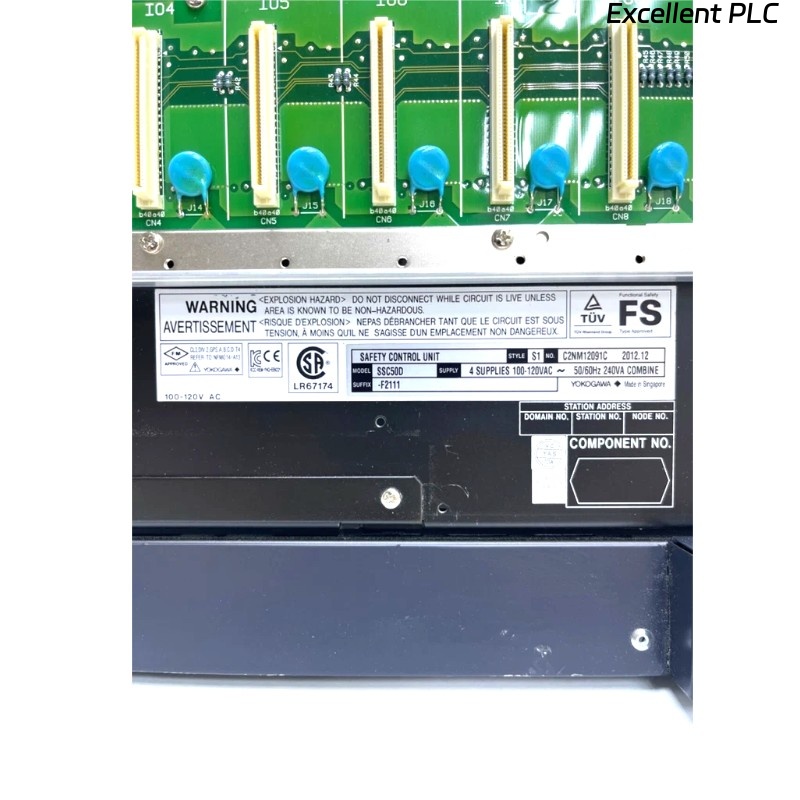
Yokogawa SSC50D-S2111 fault alarms are frequently traced to communication redundancy mismatches, power instability, or synchronization issues rather than actual CPU failure. Effective troubleshooting begins by identifying what changed before the fault occurred.
Contents
- SSC50D-S2111 Fault Symptoms
- Fault Diagnosis Thinking Process
- Common SSC50D-S2111 Fault Causes
- Diagnostic Workflow
- Recovery and Repair Actions
- Real Failure Investigation
- FAQ
Yokogawa SSC50D-S2111 Fault Symptoms
Typical field-reported faults include:
- CPU synchronization alarm
- Redundancy mismatch alarm
- Vnet/IP communication loss
- Unexpected safety trip
- I/O update timeout
- Watchdog diagnostics
- Power supply failover alarm
The presence of multiple alarms does not automatically indicate hardware failure.
SSC50D-S2111 Fault Diagnosis Thinking Process
Experienced SIS engineers usually follow this sequence:
- Determine whether the fault is persistent or intermittent.
- Review event history before the alarm.
- Verify communication health.
- Verify redundancy status.
- Check power quality.
- Inspect field wiring.
- Evaluate controller hardware last.
This approach prevents unnecessary module replacement and shortens downtime.
Common Causes of Yokogawa SSC50D-S2111 Communication Fault
- Loose Vnet/IP connectors
- Ground loop currents
- Network switch failure
- Redundant path inconsistency
- Power supply voltage fluctuation
- Cabinet overheating
- Configuration mismatch after maintenance
Field statistics show that communication-related causes account for a large proportion of reported safety controller alarms. :contentReference[oaicite:2]{index=2}
SSC50D-S2111 Diagnostic Workflow
READ EVENT LOG
CHECK REDUNDANCY STATUS
CHECK NETWORK HEALTH
VERIFY POWER INPUTS
CHECK CPU SYNC STATUS
VERIFY I/O SCAN STATUS
REVIEW LAST CONFIGURATION CHANGE
When troubleshooting a safety control unit, configuration history often provides more value than hardware inspection.
SSC50D-S2111 Recovery and Repair Actions
| Observed Fault | Likely Cause | Recommended Action |
|---|---|---|
| Communication Alarm | Network path issue | Inspect Vnet/IP redundancy |
| CPU Mismatch | Synchronization failure | Check firmware and logic consistency |
| Failover Alarm | Power instability | Measure power source quality |
| I/O Timeout | Fieldbus issue | Verify module communication |
Real Fault Diagnosis Case
An offshore gas platform reported repeated SSC50D-S2111 redundancy alarms every few hours. Maintenance personnel initially suspected a defective processor module.
Observed diagnostic data:
- CPU load: 42%
- Memory usage: 57%
- Power input: 117 VAC stable
- Network retries: increasing during alarm periods
Further investigation showed that a recently installed switch introduced excessive broadcast traffic on one redundant communication segment.
After isolating the switch and restoring the original architecture:
- Communication retries reduced by 96%
- Redundancy alarms disappeared
- No processor replacement was required
This troubleshooting case highlights why engineers should validate communication integrity before replacing expensive safety hardware.
SSC50D-S2111 Troubleshooting FAQ
Does a redundancy alarm always indicate processor failure?
No. Communication instability, synchronization problems, or configuration mismatches can produce similar alarm patterns.
What should be checked first during an SSC50D-S2111 communication fault?
Inspect Vnet/IP links, cable shielding, grounding quality, and switch health before replacing controller components.
Can power fluctuations trigger safety controller diagnostics?
Yes. Short-duration voltage disturbances can create failover events and redundancy warnings even when the controller hardware remains healthy.
Summary: Effective Yokogawa SSC50D-S2111 Fault Diagnosis relies on systematic troubleshooting of communication paths, redundancy mechanisms, power quality, and system configuration before concluding that hardware repair is necessary.