 Excellent PLC


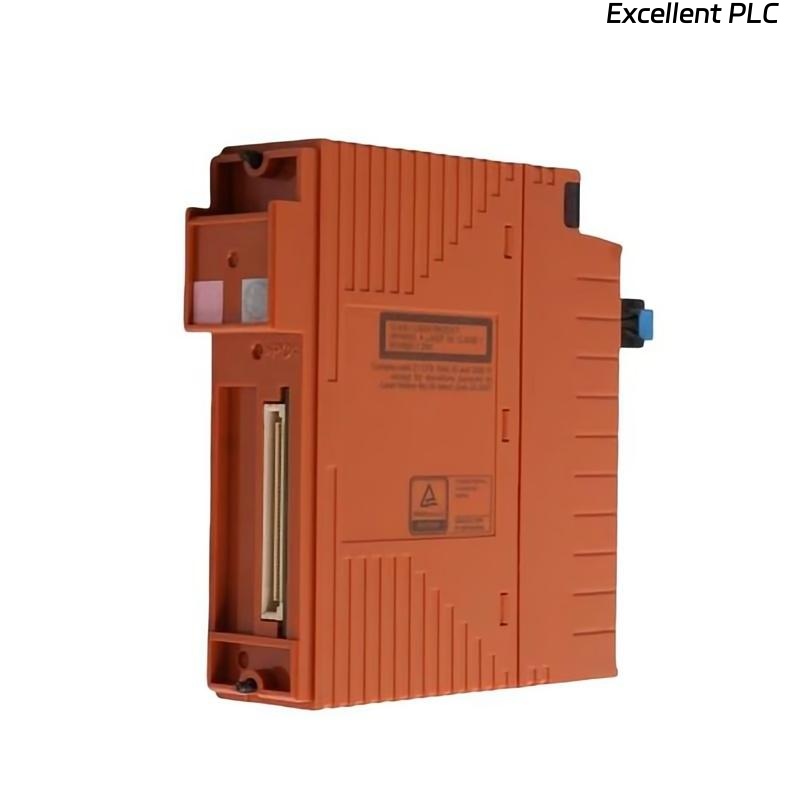
Yokogawa SNT521-53 communication faults are usually caused by optical signal degradation, fiber connector contamination, network topology errors, or ESB configuration mismatches rather than actual hardware failure. Effective fault diagnosis begins by analyzing communication behavior throughout the fiber network before replacing the Optical ESB Bus Repeater Slave Module.
Contents
- SNT521-53 Fault Symptoms
- Impact of Repeater Faults on ESB Networks
- Common Causes of SNT521-53 Communication Faults
- Typical Communication Alarm Patterns
- Fault Diagnosis Thinking Process
- Visual Inspection Techniques
- Fiber Signal Analysis
- Configuration-Related Fault Diagnosis
- Network Latency Investigation
- Communication Diagnostics Procedure
- SNT521-53 Troubleshooting Workflow
- Recovery and Repair Actions
- Preventive Maintenance Recommendations
- Real Communication Failure Investigation
- FAQ
Yokogawa SNT521-53 Fault Symptoms
- Node communication loss
- ESB network alarms
- Intermittent communication failures
- Network latency spikes
- Communication retries
- Node synchronization errors
- Redundancy communication warnings
Impact of SNT521-53 Faults on ESB Networks
Because the module serves as a communication repeater, a single fault can affect multiple downstream nodes and create system-wide communication instability.
Common Causes of Yokogawa SNT521-53 Communication Fault
- Dirty fiber connectors
- Excessive optical attenuation
- Damaged fiber cables
- Incorrect fiber polarity
- Node addressing conflicts
- Configuration mismatches
- Redundant path inconsistencies
Field investigations frequently reveal infrastructure issues rather than repeater hardware failure.
Typical Communication Alarm Patterns
- Intermittent node offline alarms
- Network timeout alarms
- Repeater communication warnings
- Communication retry events
- Fiber link instability alarms
SNT521-53 Fault Diagnosis Thinking Process
Experienced engineers generally follow a structured reasoning process.
- Identify affected nodes.
- Review alarm chronology.
- Check optical signal quality.
- Verify communication topology.
- Inspect physical infrastructure.
- Confirm module health.
This approach minimizes unnecessary hardware replacement.
Visual Inspection Techniques
- Inspect module LEDs
- Verify connector cleanliness
- Inspect fiber routing
- Check cabinet conditions
- Review physical damage indicators
Fiber Signal Analysis During Troubleshooting
Optical measurements often reveal the true cause of communication instability.
- Attenuation testing
- OTDR analysis
- Signal continuity checks
- Connector inspection
Signal degradation can gradually worsen before complete communication loss occurs.
Configuration-Related Fault Diagnosis
Configuration errors frequently create symptoms that resemble hardware failures.
- Incorrect node definitions
- Address conflicts
- Redundancy mismatches
- Network segment allocation errors
Network Latency Investigation
Communication latency is often an early indicator of emerging fiber network problems.
- Baseline latency comparison
- Retry counter analysis
- Error trend evaluation
- Network loading assessment
Communication Diagnostics Procedure
CHECK NODE STATUS
VERIFY FIBER LINKS
MEASURE ATTENUATION
VERIFY CONFIGURATION
CHECK RETRY COUNTERS
CONFIRM ROOT CAUSE
SNT521-53 Troubleshooting Workflow
Effective troubleshooting should proceed from infrastructure verification toward hardware evaluation rather than the reverse.
Recovery and Repair Actions
| Fault Symptom | Likely Cause | Corrective Action |
|---|---|---|
| Node Offline | Fiber interruption | Inspect fiber path |
| High Latency | Signal attenuation | Measure optical loss |
| Retry Alarms | Connector contamination | Clean connectors |
| Network Timeout | Address conflict | Verify node configuration |
| Intermittent Communication | Fiber damage | Inspect cable route |
Preventive Maintenance Recommendations
- Periodic fiber cleaning
- Annual attenuation testing
- Network topology audits
- Communication trend monitoring
- Connector inspection programs
Real SNT521-53 Communication Failure Investigation
A refinery communication network experienced repeated ESB bus alarms affecting several remote process units.
Diagnostic measurements revealed:
- Fiber attenuation: 11.4 dB
- Communication latency: 310 ms peak
- Retry count: rapidly increasing
- Power supply status: normal
The maintenance team initially prepared to replace the repeater module.
However, OTDR testing identified a damaged fiber splice located approximately 470 meters from the control building.
After repairing the splice:
- Attenuation decreased to 2.5 dB
- Latency dropped below 20 ms
- Communication retries disappeared
- ESB alarms cleared completely
We observed that fiber infrastructure degradation produced symptoms virtually identical to repeater module failure.
SNT521-53 Troubleshooting FAQ
Does an ESB communication alarm always indicate a faulty SNT521-53 module?
No. Fiber attenuation, connector contamination, and configuration issues are more common causes than hardware failure.
What should be checked first during troubleshooting?
Fiber signal quality, attenuation levels, and communication diagnostics should be verified before replacing the module.
Can network configuration errors create communication faults?
Yes. Incorrect node assignments and redundant path inconsistencies frequently generate communication alarms.
Summary: Effective Yokogawa SNT521-53 Troubleshooting requires systematic Fault Diagnosis, optical signal analysis, communication diagnostics, network configuration verification, and infrastructure inspection before hardware replacement is considered.