Excellent PLC


| Company Information | ||||||||
| [email protected] | ||||||||
| Mobile | +8613666033393 | |||||||
| +8613666033393 | ||||||||
| 13666033393 | ||||||||
| Add | Room 1004, No. 62 Xiangxiu Li, Siming District, Xiamen City, Fujian Province, China | |||||||
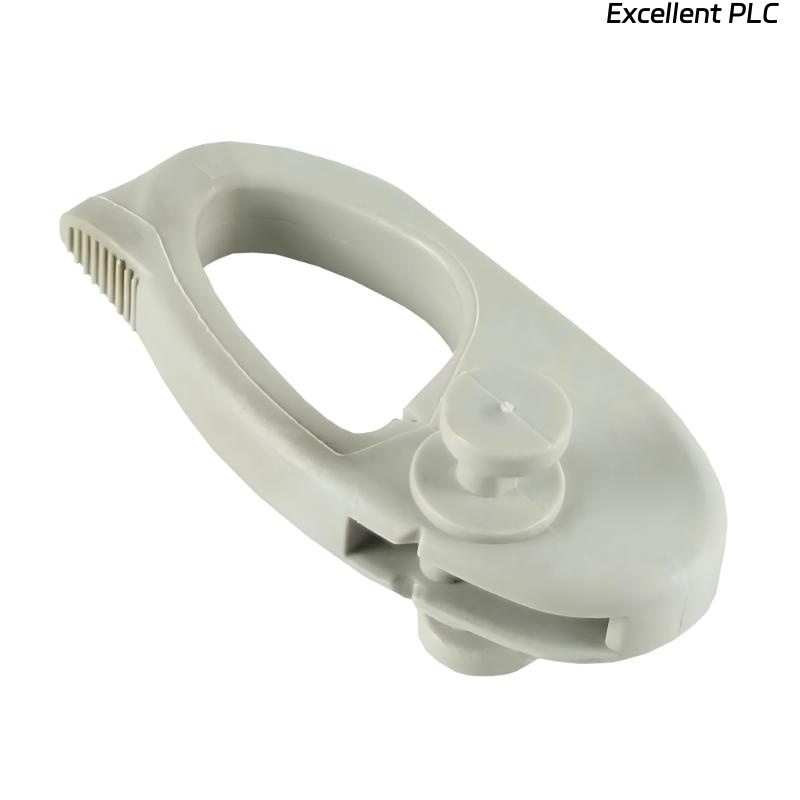
Allen Bradley 2711P-RMCP PanelView Mounting Levers
- Product Details
- FAQs
- Related
- Contact Us
- Packing & Delivery
- Product Ratings
Product Introduction
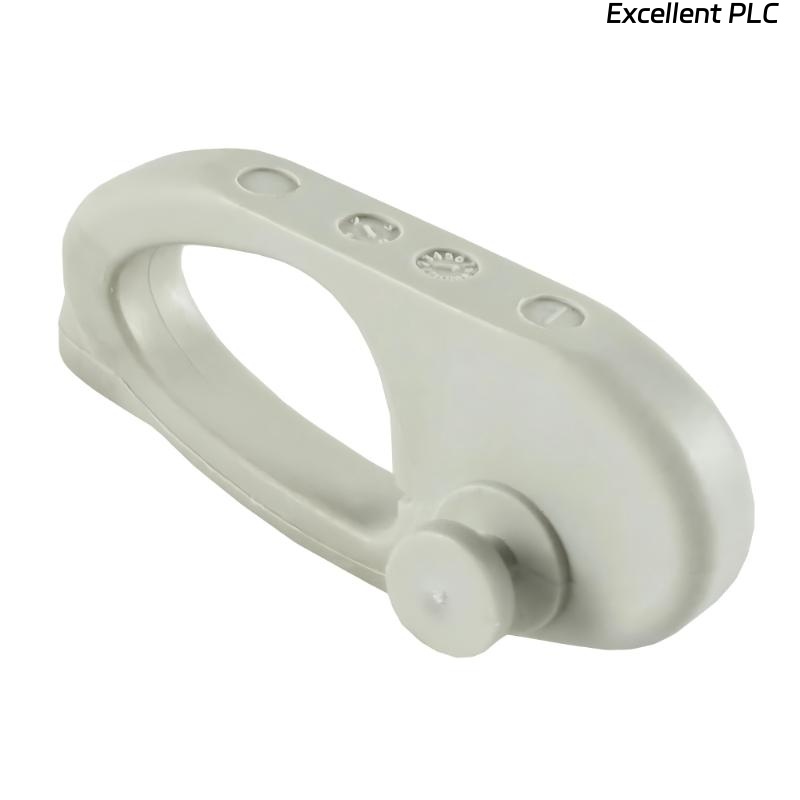
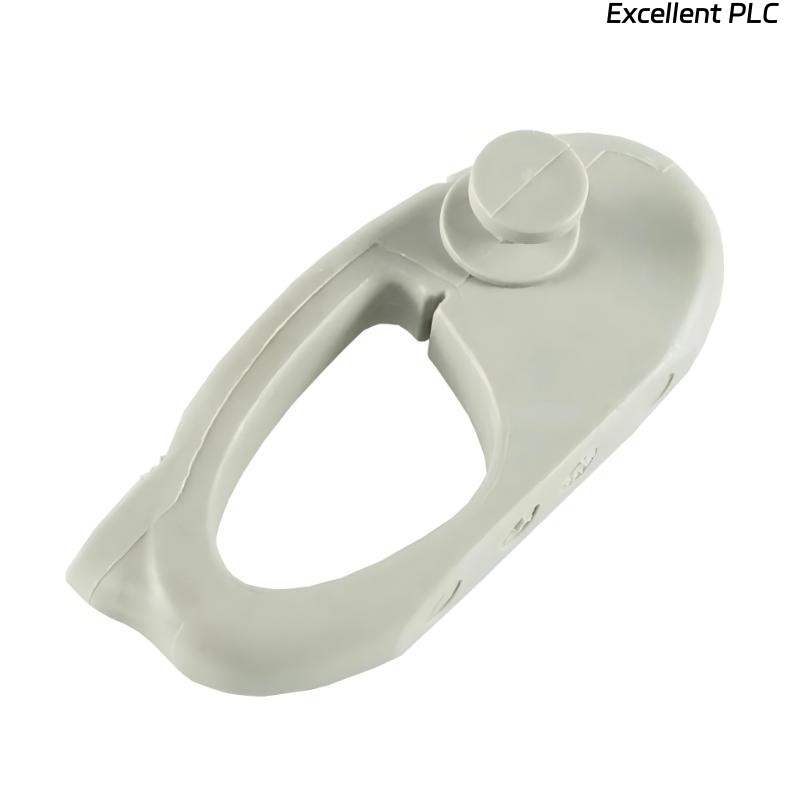
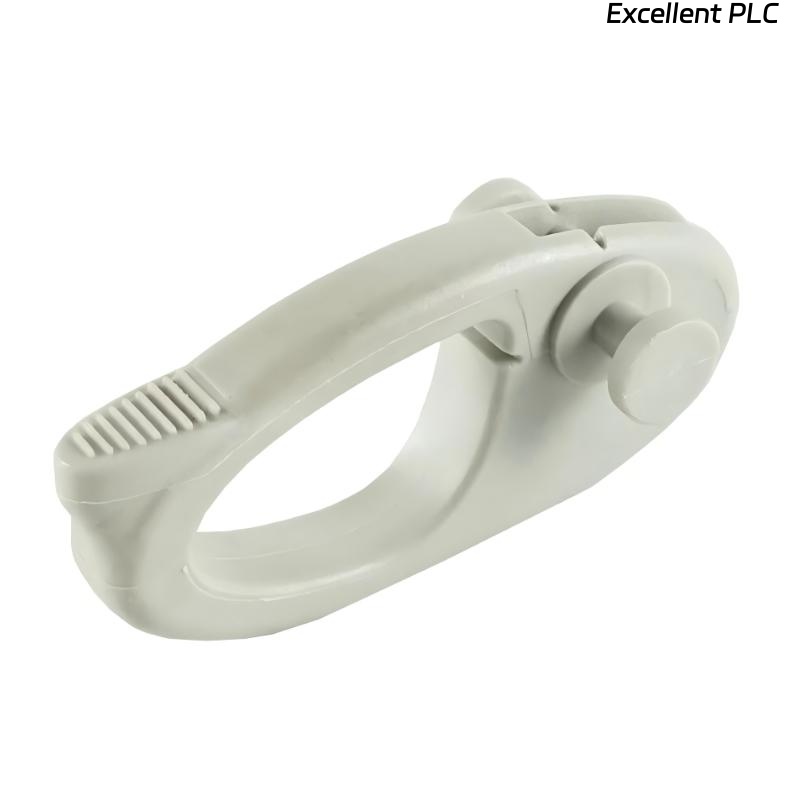
The Allen Bradley 2711P-RMCP PanelView Mounting Levers are an essential accessory for mounting the PanelView Plus 7 Performance and PanelView 5500 operator interfaces. These levers are specifically designed to securely attach the operator interface to its mounting panel, ensuring a stable and safe installation in industrial environments.
Compatible with the PanelView Plus 7 Performance and PanelView 5500 series, these mounting levers help enhance the durability and functionality of the devices by ensuring a tight and secure fit during installation. The easy-to-use levers simplify the mounting process, making it quicker and more efficient.
In addition to their mechanical function, these mounting levers contribute to the overall ease of use and maintainability of the operator interfaces by allowing for quick assembly and disassembly when necessary.
Product Specifications
| Parameter | Description |
|---|---|
| Product Model | 2711P-RMCP |
| Series | Allen Bradley PanelView Series |
| Module Type | Mounting Levers |
| Compatibility | PanelView Plus 7 Performance, PanelView 5500 |
| Material | High-strength plastic or metal (depending on model) |
| Function | Secure mounting of operator interfaces |
| Additional Features | VNC connectivity, SD card slot for quick restore, email/text notifications |
| Application | Mounting solution for PanelView operator interfaces |
| Operating System | Windows CE 6.0 standard features |
| Display Type | 18-bit color TFT LCD |
| Dimensions | 50 × 10 × 30 mm |
| Weight | 0.2 kg |
Applications
• PanelView Plus 7 Performance – The mounting levers are used to securely install PanelView Plus 7 Performance operator interfaces in various industrial applications.
• PanelView 5500 – Compatible with PanelView 5500, these mounting levers allow for easy installation and removal of the interface for maintenance or upgrades.
• Industrial Automation – The levers provide a secure solution for mounting operator interfaces in industrial control systems.
• Remote Monitoring – Ideal for mounting systems used in environments where remote monitoring and control via VNC connectivity is required.
• System Upgrades – Simplifies the process of upgrading or maintaining systems by allowing for easy removal and reinstallation of the interfaces.
Advantages
• Quick and Easy Installation – The mounting levers enable a fast and secure way to attach the PanelView operator interfaces to panels, saving valuable time during installation.
• Reliable Secure Fit – Ensures the operator interface is securely fixed, reducing the risk of disconnections or physical damage due to vibration or accidental impacts.
• Compatibility – Specifically designed to work with PanelView Plus 7 Performance and PanelView 5500 displays, offering an ideal mounting solution for these series.
• Space-Saving Design – The compact design of the levers allows for an efficient use of space in control panels, ensuring the operator interface is securely mounted without occupying excessive space.
• Durable Construction – Made from high-strength materials, the levers offer long-term durability and can withstand the rigors of industrial environments.
• Ease of Maintenance – Facilitates easy removal and replacement of operator interfaces, making routine maintenance and system upgrades more efficient.
FAQ
1. What is the primary function of the 2711P-RMCP mounting levers?
The primary function of the mounting levers is to securely attach the PanelView Plus 7 Performance and PanelView 5500 operator interfaces to control panels. They ensure a stable and secure mounting, simplifying installation.
2. Are the mounting levers compatible with other PanelView models?
No, the 2711P-RMCP mounting levers are specifically designed for use with the PanelView Plus 7 Performance and PanelView 5500 models.
3. Can these levers be used in industrial environments?
Yes, the mounting levers are built to withstand industrial environments and provide a secure installation for PanelView displays in harsh conditions.
4. How do the mounting levers simplify the installation process?
The mounting levers are tool-free, allowing quick and easy attachment of the operator interface to the panel, saving time during installation.
5. Are the mounting levers designed for quick removal and installation?
Yes, the levers allow for fast removal and reinstallation of the interface, making maintenance and upgrades simpler.
6. How do the mounting levers help with system maintenance?
By enabling easy installation and removal of the operator interface, the levers streamline maintenance, reducing downtime during system checks or upgrades.
7. Can these levers support the weight of the PanelView Plus 7 Performance and PanelView 5500 displays?
Yes, the mounting levers are designed to securely support the weight of both PanelView Plus 7 Performance and PanelView 5500 displays, ensuring stable mounting.
8. Do the mounting levers impact the performance of the display?
No, the mounting levers only serve as a mechanical support for the interface and do not affect the display’s performance in any way.
9. Is the installation process easy for users?
Yes, the mounting levers are designed for quick and easy installation, with no tools required, making them user-friendly for installers.
10. Where can I purchase additional mounting levers for my system?
You can purchase additional mounting levers from authorized distributors or directly from Allen Bradley.
Related Models
| Model | Type | Function |
|---|---|---|
| Allen Bradley 2711P-RMCP | Mounting Levers | Secure attachment for PanelView Plus 7 Performance and PanelView 5500 |
| Allen Bradley 2711P-T7C4D | PanelView Plus Display | Operator interface display for industrial applications |
| Allen Bradley 2711P-RM | Mounting Kit | Mounting solution for PanelView Plus 7 Performance |
| Allen Bradley 2711P-T7A8D | PanelView Plus Display | 7″ color touchscreen for industrial use |
| Allen Bradley 2711P-T15C6D | PanelView Plus Display | 15″ touchscreen for larger systems |
| Allen Bradley 2711P-T12C6D | PanelView Plus Display | 12″ touchscreen display for control systems |
Popular Models
| Model | Series | Type | Function |
|---|---|---|---|
| Allen Bradley 2711P-RMCP | PanelView Series | Mounting Levers | Secure mounting for PanelView Plus 7 Performance and PanelView 5500 |
| Allen Bradley 2711P-T7C4D | PanelView Plus 7 | Display | 7″ color touchscreen for automation |
| Allen Bradley 2711P-RM | PanelView Plus | Mounting Kit | Mounting solution for PanelView Plus displays |
| Allen Bradley 2711P-T7A8D | PanelView Plus 7 | Display | 7″ touchscreen for control applications |
| Allen Bradley 2711P-T12C6D | PanelView Plus 7 | Display | 12″ color touchscreen display |
| Allen Bradley 2711P-T15C6D | PanelView Plus 7 | Display | 15″ touchscreen display for operator interfaces |

| Company Information | ||||||||
| [email protected] | ||||||||
| Mobile | +8613666033393 | |||||||
| +8613666033393 | ||||||||
| 13666033393 | ||||||||
| Add | Room 1004, No. 62 Xiangxiu Li, Siming District, Xiamen City, Fujian Province, China | |||||||
Excellent PLC Co., Ltd. has a large number of brand new and original PLC and DCS spare parts, with more than 60 cooperative countries. All products are guaranteed for 1 year and delivered to you by high-quality express. We are committed to using the best products and the most favorable prices to meet the needs and friendship of our customers. We have won the trust of thousands of customers, including these excellent customers.
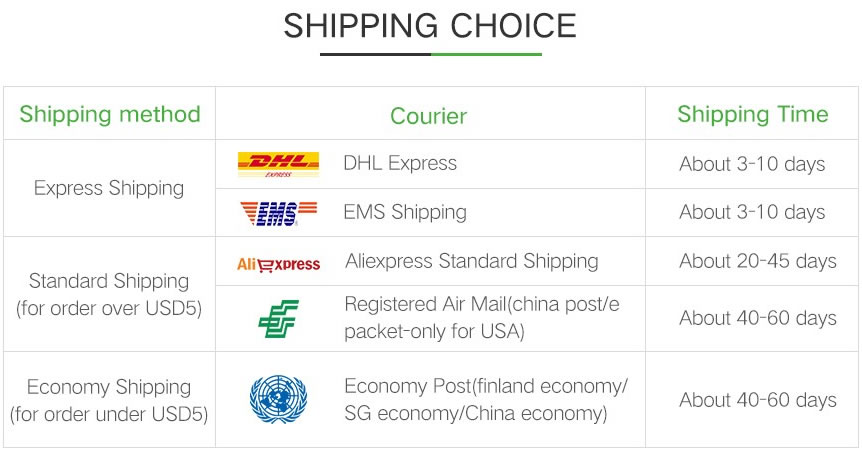
As for the delivery time, when we receive your order requirements, we will arrange for warehouse personnel to test and verify the products. After you place the order, we will send it to you within 24 hours.
Click to rate this post!
[Total: 0 Average: 0]