 Excellent PLC


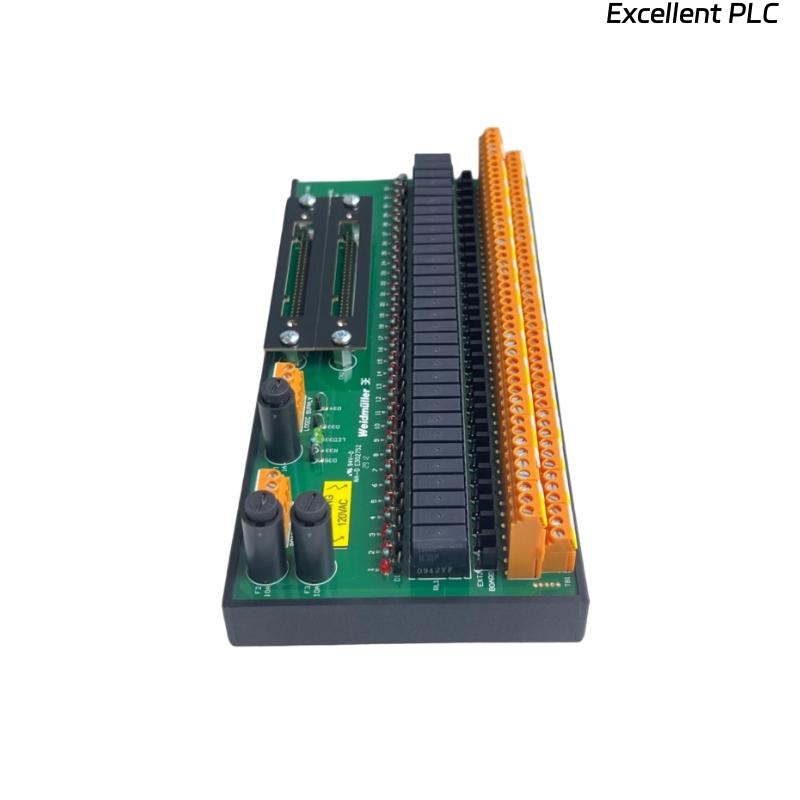
Yokogawa ADV551-D032 Discrete Output Module installation issues are most commonly related to incorrect output wiring, improper external power distribution, or incomplete System Configuration rather than hardware defects. Following this Installation Guide helps ensure reliable output control during Setup and Commissioning while minimizing future maintenance work.
Contents
- 1. Yokogawa ADV551-D032 Discrete Output Module Overview
- 2. Module Features and Applications
- 3. Installation Planning
- 4. Hardware Inspection
- 5. Cabinet Installation Requirements
- 6. External Power Verification
- 7. Module Installation Procedure
- 8. ADV551-D032 Wiring Installation Guide
- 9. Output Load Selection
- 10. Grounding and Shielding
- 11. System Configuration Setup
- 12. Output Signal Testing
- 13. Commissioning Checklist
- 14. Routine Maintenance
- 15. Real Commissioning Case
- 16. FAQ
Yokogawa ADV551-D032 Discrete Output Module Overview
The Yokogawa ADV551-D032 Discrete Output Module provides high-density transistor outputs for industrial automation systems. It is typically used to control relay coils, solenoid valves, motor starters, alarm lamps, and other 24 VDC field devices. The ADV551 series supports 32-channel isolated digital outputs and redundant system configurations for high-availability control systems.
Module Features and Applications
- Discrete output control
- Valve actuation
- Motor starter control
- Process alarm outputs
- Shutdown system commands
- Distributed control systems
Installation Planning
Proper planning reduces commissioning time and prevents wiring errors during installation.
- Verify I/O allocation
- Review wiring drawings
- Confirm terminal schedules
- Prepare commissioning records
- Check cabinet layout
Hardware Inspection
- Confirm module model
- Inspect connectors
- Check housing integrity
- Verify terminal condition
- Inspect locking mechanism
Cabinet Installation Requirements
- Stable ambient temperature
- Adequate ventilation
- Low humidity
- Proper cabinet grounding
- Easy maintenance access
External Power Verification
- Measure supply voltage
- Verify polarity
- Inspect fuse protection
- Confirm power stability
- Check common return wiring
Module Installation Procedure
- Turn off cabinet power.
- Insert the ADV551-D032 into the correct slot.
- Secure the retaining clips.
- Connect the field terminal assembly.
- Inspect connector alignment.
- Restore system power.
ADV551-D032 Wiring Installation Guide
Correct wiring is the foundation of reliable output performance.
- Separate output and power cables
- Label every output channel
- Verify terminal numbering
- Perform continuity testing
- Inspect cable insulation
Output Load Selection
- Verify relay coil current
- Check solenoid specifications
- Avoid output overload
- Use surge suppression
- Confirm device compatibility
Grounding and Shielding
- Use single-point grounding
- Separate signal and power wiring
- Avoid ground loops
- Verify cabinet bonding
- Inspect shield termination
System Configuration Setup
SCAN MODULE
VERIFY NODE STATUS
ASSIGN OUTPUT CHANNELS
MAP CONTROL TAGS
DOWNLOAD CONFIGURATION
SAVE PROJECT
ENABLE OUTPUTS
Output Signal Testing
- Execute manual outputs
- Measure output voltage
- Observe field devices
- Verify alarm operation
- Record test results
Commissioning Checklist
- Power verification completed
- Output wiring confirmed
- Controller communication normal
- Field device response verified
- Operator graphics validated
Routine Maintenance
- Inspect wiring annually
- Check terminal torque
- Review diagnostic records
- Verify output operation
- Backup controller configuration
Real Commissioning Case
During startup of a wastewater treatment facility, four motor starter outputs connected to an ADV551-D032 failed to operate.
Engineers initially suspected a faulty module, but measurements showed stable 24.0 VDC output at every channel.
Further inspection identified an incorrectly connected common return inside the field junction box.
After rewiring:
- All motor starters responded normally.
- Output response time improved from approximately 480 ms to below 90 ms.
- The commissioning schedule was completed without replacing the module.
ADV551-D032 Installation Guide FAQ
What devices can the ADV551-D032 control?
It is suitable for relays, solenoid valves, contactors, indicator lamps, motor starters, and other discrete output devices.
What causes most installation problems?
Incorrect field wiring, unstable external power supplies, and configuration errors account for most installation issues.
Why should live commissioning tests be performed?
Live testing confirms that every controller command produces the correct response from the connected field equipment.
Summary: Proper Installation, Setup, and Commissioning of the ADV551-D032 Discrete Output Module depend on accurate wiring, reliable power distribution, correct System Configuration, and comprehensive functional verification.